
Spot Slowloris Attacks: Warning Signs and Immediate Fixes
Identify the subtle resource exhaustion patterns of Slowloris before your server locks up, and apply precise configuration changes to stop the traffic flow.
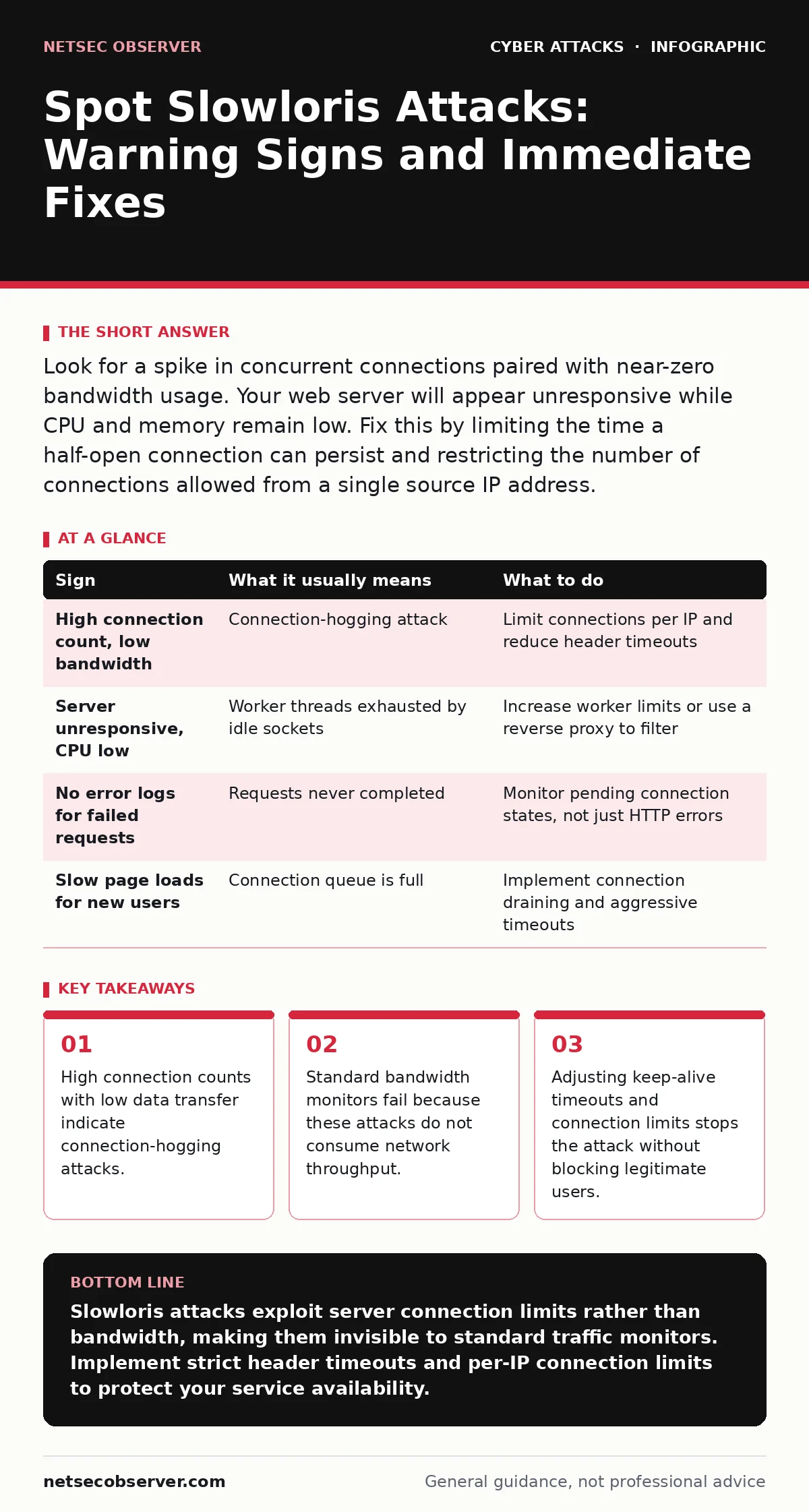
Look for a spike in concurrent connections paired with near-zero bandwidth usage. Your web server will appear unresponsive while CPU and memory remain low. Fix this by limiting the time a half-open connection can persist and restricting the number of connections allowed from a single source IP address.
The Illusion of Silence
A Slowloris attack does not look like a typical denial-of-service event. Most attacks flood a server with massive amounts of data, clogging the network pipe. Slowloris works differently. It opens many connections to a web server and keeps them open as long as possible without sending a complete request.
Imagine a restaurant where dozens of customers sit down, order nothing, and refuse to leave. The tables are full, but no food is being served. New customers cannot sit down because there are no empty tables. The kitchen is not busy, and the front door is not blocked by a crowd. The business simply stops serving new people.
Signs You Notice First
The first sign is usually a sudden drop in website responsiveness. Users report that pages take forever to load or time out completely. You might check your network interface and see almost no traffic. The bandwidth usage remains flat, which is confusing if you expect a flood.
Your web server process will show a high number of active connections. If you look at the process list, you will see the web server handling thousands of connections, yet the CPU usage might be surprisingly low. The server is not computing anything heavy; it is just waiting. It is waiting for the rest of the HTTP request headers that never arrive.
Signs That Are Easy to Miss
The most deceptive sign is the lack of error logs. Because the attacker never sends a complete request, the server does not generate a standard HTTP error like 404 or 500. There is no failed transaction to log. The connections sit in a pending state, invisible to standard application-level logging.
You might also miss the attack if you only monitor average response times. Since the server is not processing complex queries, the few legitimate requests that do get through might respond quickly. The degradation is in availability, not speed. The queue for new connections grows, but the average latency for existing connections might look normal. This makes the problem look like a minor hiccup rather than a systemic failure.
The Mechanics of Exhaustion
Web servers have a finite number of worker threads or file descriptors. Each connection consumes one of these resources. Slowloris exploits the fact that these resources are tied to the connection lifecycle, not the data volume. By sending one header line and then pausing, the attacker forces the server to keep the connection open.
The server waits for the next header or the final blank line that signals the end of the headers. If that data does not arrive, the server keeps the slot open. This continues until the server runs out of slots. When the limit is reached, the server cannot accept new connections. Legitimate users are locked out, even though the server is not under heavy computational load.
Immediate Response Steps
When you suspect this attack, do not restart the server immediately. Restarting clears the connections, but the attacker will simply reconnect. Instead, you need to change the configuration to reject these hanging connections.
First, reduce the timeout for incoming request headers. This tells the server to close connections that do not send the full header set within a short period. Second, limit the number of connections from a single IP address. This prevents one source from consuming all available slots. Third, consider using a reverse proxy to handle connection management, as proxies are often better at filtering slow clients than the origin web server.
Configuration Adjustments
You must tune your web server settings to balance security and usability. Setting the header timeout too low will disconnect slow mobile users on poor networks. Setting it too high leaves the door open for attacks. You need a middle ground that allows normal browsing but cuts off idle connections.
Limiting connections per IP is effective but requires careful tuning. If you set the limit too low, you might block legitimate users behind a shared NAT gateway, such as in a corporate office or a public Wi-Fi network. You must identify the threshold that stops the attack without creating false positives for your actual users.
Monitoring for Recovery
After applying changes, monitor the connection count and the active thread pool. You should see the number of half-open connections drop rapidly. The server will begin accepting new requests again. Watch for any legitimate users who might be affected by the stricter timeouts.
Use this incident to review your monitoring stack. Standard bandwidth alerts will not catch this. You need alerts based on connection counts and queue depths. Set a threshold for the number of active connections that triggers a notification. This allows you to react before the server becomes completely unresponsive to new clients.
| Sign | What it usually means | What to do |
|---|---|---|
| High connection count, low bandwidth | Connection-hogging attack | Limit connections per IP and reduce header timeouts |
| Server unresponsive, CPU low | Worker threads exhausted by idle sockets | Increase worker limits or use a reverse proxy to filter |
| No error logs for failed requests | Requests never completed | Monitor pending connection states, not just HTTP errors |
| Slow page loads for new users | Connection queue is full | Implement connection draining and aggressive timeouts |
Key takeaways
- High connection counts with low data transfer indicate connection-hogging attacks.
- Standard bandwidth monitors fail because these attacks do not consume network throughput.
- Adjusting keep-alive timeouts and connection limits stops the attack without blocking legitimate users.
Slowloris attacks exploit server connection limits rather than bandwidth, making them invisible to standard traffic monitors. Implement strict header timeouts and per-IP connection limits to protect your service availability.
Frequently asked questions
Does a firewall stop Slowloris attacks?
Standard firewalls that filter by IP address or port cannot stop Slowloris if the attacker uses valid ports and rotates IPs. You need application-layer filtering or web application firewalls that can inspect connection behavior and timeout settings.
Will upgrading my server hardware fix the problem?
No. Adding more CPU or RAM does not increase the fundamental limit on concurrent connections if that limit is set in software. The attack exploits the connection limit, not the processing power. You must adjust the software configuration to handle idle connections.
Can Cloudflare or similar services prevent this?
Yes, managed CDN and WAF services often include protections against slowloris-style attacks. They can terminate connections that do not complete headers within a set time, shielding your origin server from the connection exhaustion.
How do I distinguish this from a legitimate traffic spike?
In a legitimate spike, you will see high bandwidth usage and varied request patterns. In a Slowloris attack, bandwidth is low, and you will see many connections stuck in a pending or half-open state with identical header patterns from few sources.
How this guide was produced: written by the NetSec Observer editorial team with AI assistance, checked against the public references listed below, and reviewed when the facts change. See our editorial policy or report an error.