Credential Stuffing Warning Signs You Miss and How to React
Most credential stuffing attacks succeed silently until the attacker changes your password, leaving the initial breach invisible to standard alerts.
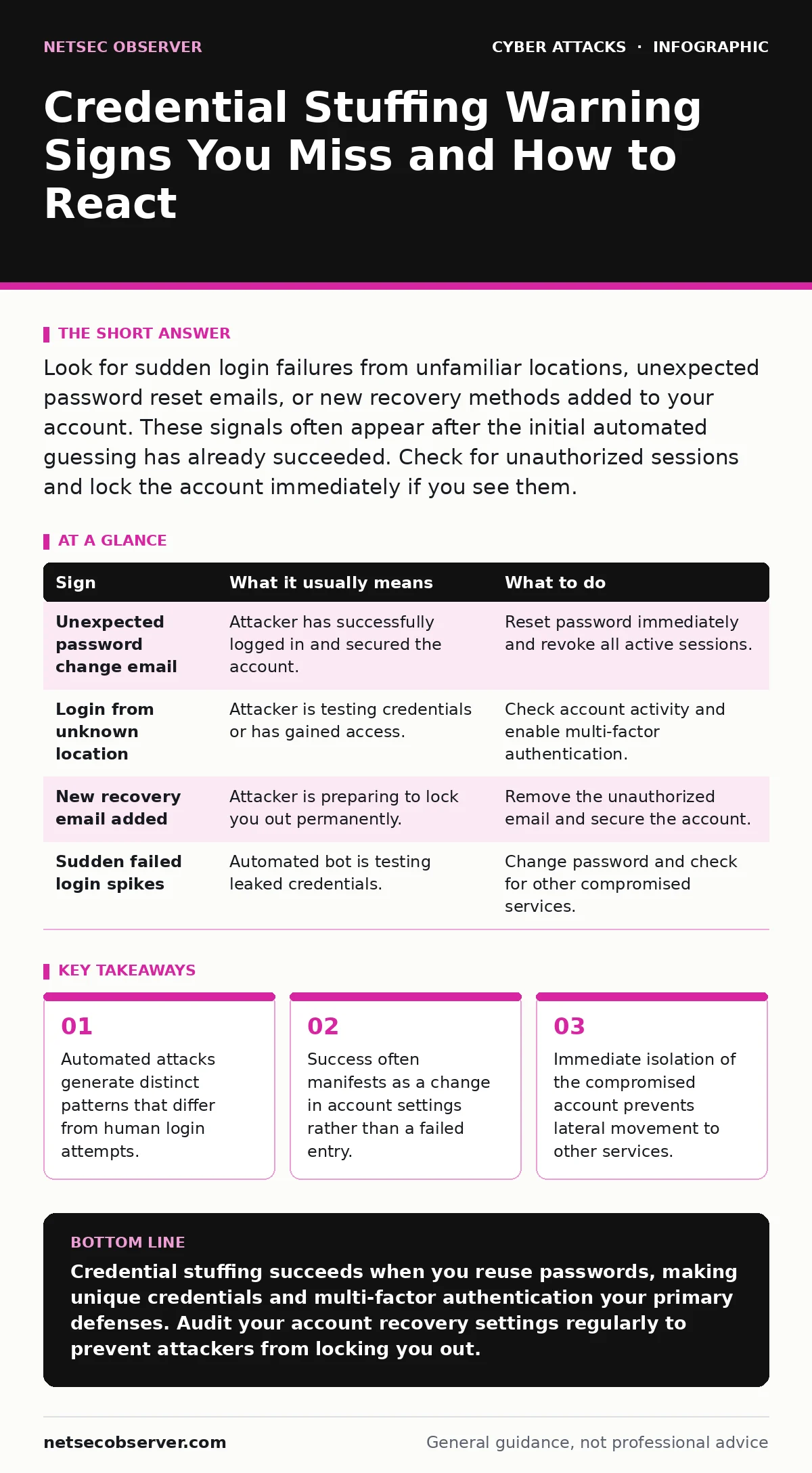
Look for sudden login failures from unfamiliar locations, unexpected password reset emails, or new recovery methods added to your account. These signals often appear after the initial automated guessing has already succeeded. Check for unauthorized sessions and lock the account immediately if you see them.
The Quiet Nature of Automated Guessing
Credential stuffing relies on lists of usernames and passwords leaked from previous breaches on other sites. Attackers automate the process of trying these combinations on new services. Unlike a targeted guess, this method assumes you reused passwords across different platforms. The attack is purely mechanical and does not involve social engineering or hacking your specific device.
You might assume that a failed login attempt is the primary warning sign. In reality, modern platforms block or flag excessive failures quickly. The real danger lies in the attempts that succeed. When an attacker finds a working combination, the system often treats it as a legitimate login. This creates a window where the attacker is inside your account before you notice anything wrong.
Early Signals That Stand Out
Some indicators are obvious because they interrupt your normal workflow. You receive an email stating that a password change has occurred. You see a notification for a login from a city or country you do not recognize. These are the loudest alarms, but they often come after the attacker has already secured access.
Another early sign is a sudden increase in failed login notifications. Some services send alerts when multiple attempts fail from the same IP address. While this might seem like a nuisance, it indicates that an automated bot is testing your credentials. If you did not attempt to log in during that window, someone else is trying to get in.
Subtle Indicators That Hide in Plain Sight
The most dangerous signs are those that do not trigger immediate alerts. An attacker may add a new recovery email address or phone number to your account. This action often bypasses two-factor authentication requirements because it changes the recovery vector itself. You might not notice this change until you try to reset your password later.
Suppose an attacker adds a secondary email address to your profile. You continue using the site normally because your primary password still works. When you eventually need to recover your account, the system sends the reset link to the attacker’s email. You are locked out, and the breach is confirmed only when you can no longer access your own data.
Another hidden sign is the appearance of new authorized applications. Many services allow third-party apps to access your data via OAuth tokens. An attacker may grant themselves access to a malicious application that exfiltrates your data in the background. This activity leaves no login failure logs because the access is technically authorized by the token.
Immediate Response Steps
When you spot any of these signs, speed matters. Do not wait to see if the issue resolves itself. Log in to the account from a clean device if possible. If you cannot log in, use the "Forgot Password" feature immediately. This action often forces a re-authentication that can kick out the attacker’s session.
Change your password to something unique that you have not used on any other site. Enable multi-factor authentication if it is not already active. This adds a layer of verification that passwords alone cannot bypass. Review the list of authorized devices and sessions, and revoke any that you do not recognize.
Understanding the Automation Behind the Attack
Credential stuffing is efficient because it uses existing data. Attackers do not need to crack your password; they only need to find where you reused it. This makes password hygiene the primary defense. Using a password manager helps generate and store unique credentials for every service.
The automation also means the volume of attempts is high. Services use rate limiting and CAPTCHAs to slow down these bots. However, attackers use residential proxies to make their requests look like they come from real users. This evasion technique makes the traffic harder to distinguish from normal human behavior.
Prevention Beyond Passwords
Relying solely on passwords is insufficient for high-value accounts. Implementing hardware-based multi-factor authentication, such as a security key, provides the strongest protection. These devices require physical presence, which an attacker cannot replicate remotely.
Regularly audit your account recovery settings. Ensure that only your current phone numbers and email addresses are listed. Remove old entries that you no longer use. This reduces the attack surface by eliminating potential backdoors that an attacker could exploit to bypass security controls.
| Sign | What it usually means | What to do |
|---|---|---|
| Unexpected password change email | Attacker has successfully logged in and secured the account. | Reset password immediately and revoke all active sessions. |
| Login from unknown location | Attacker is testing credentials or has gained access. | Check account activity and enable multi-factor authentication. |
| New recovery email added | Attacker is preparing to lock you out permanently. | Remove the unauthorized email and secure the account. |
| Sudden failed login spikes | Automated bot is testing leaked credentials. | Change password and check for other compromised services. |
Connecting the Dots
Credential stuffing is often the first step in a larger attack chain. Once an attacker has access to one account, they may use the information to target other services. This is why isolating the breach is critical. Do not assume the attack is limited to a single login.
If you manage multiple accounts, check them all for signs of compromise. Use a breach notification service to see if your email has appeared in known data leaks. This proactive step helps you identify potential risks before an attacker exploits them.
Key takeaways
- Automated attacks generate distinct patterns that differ from human login attempts.
- Success often manifests as a change in account settings rather than a failed entry.
- Immediate isolation of the compromised account prevents lateral movement to other services.
Credential stuffing succeeds when you reuse passwords, making unique credentials and multi-factor authentication your primary defenses. Audit your account recovery settings regularly to prevent attackers from locking you out.
Frequently asked questions
How do I know if my password was in a data breach?
Use a reputable breach notification service that checks your email against known leaked databases. These services alert you when your credentials appear in public leaks.
Can two-factor authentication stop credential stuffing?
Yes, if the attacker does not have access to your second factor. Multi-factor authentication requires something you have, such as a phone or security key, in addition to your password.
What should I do if I can no longer log in?
Use the account recovery process immediately. Contact the service provider’s support team to report the compromise and request account restoration.
Is credential stuffing the same as brute force?
No. Brute force involves guessing passwords randomly or systematically. Credential stuffing uses known username and password pairs from previous breaches.
How this guide was produced: written by the NetSec Observer editorial team with AI assistance, checked against the public references listed below, and reviewed when the facts change. See our editorial policy or report an error.