Account Takeover Fraud: How Attackers Steal Identities and How You Stop It
Account takeover fraud rarely involves hacking servers; it usually exploits weak recovery flows and human trust in familiar login prompts.
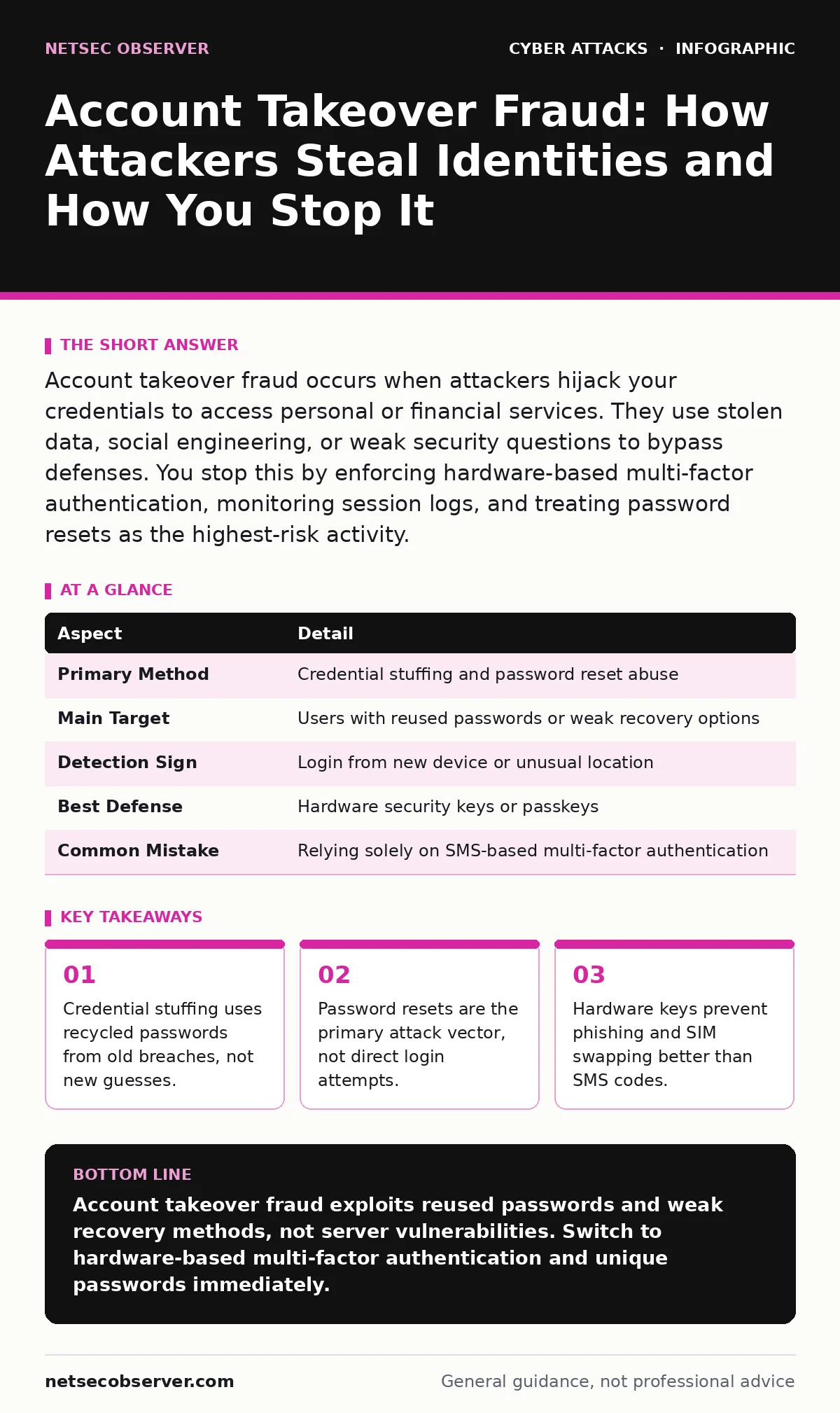
Account takeover fraud occurs when attackers hijack your credentials to access personal or financial services. They use stolen data, social engineering, or weak security questions to bypass defenses. You stop this by enforcing hardware-based multi-factor authentication, monitoring session logs, and treating password resets as the highest-risk activity.
The Bank Vault Analogy
Imagine you leave your house key under the mat. A thief does not need to break the window. They simply pick up the key and walk in. Account takeover fraud operates on this same principle. Attackers rarely break into secure servers directly. They find the keys you already handed out. These keys are your usernames and passwords.
The digital world relies on trust. Services trust that the person logging in is who they claim to be. When that trust is broken, the attacker inherits your identity. They see your messages, your purchases, and your connections. This access allows them to commit fraud, steal data, or damage your reputation. The damage happens because the system accepts the stolen credentials as valid proof of identity.
At a Glance
| Aspect | Detail |
|---|---|
| Primary Method | Credential stuffing and password reset abuse |
| Main Target | Users with reused passwords or weak recovery options |
| Detection Sign | Login from new device or unusual location |
| Best Defense | Hardware security keys or passkeys |
| Common Mistake | Relying solely on SMS-based multi-factor authentication |
How Account Takeover Fraud Works
Attackers gather credentials from previous data breaches. They compile these into lists of username and password pairs. They then use automated tools to test these pairs against thousands of websites. This process is called credential stuffing. If you reused a password, the attacker finds a match. They do not guess your password. They use the one you already exposed elsewhere.
Once they have the password, they face the second gate: multi-factor authentication. Many users rely on SMS codes. Attackers can intercept these codes by convincing your mobile carrier to port your phone number to a new SIM card. This is known as SIM swapping. The attacker now receives your verification texts. They log in and lock you out.
The final step is often the password reset flow. Attackers trigger a reset request. If the recovery email is compromised or the security questions are answerable via public records, they bypass the password entirely. They then change your contact information to prevent you from recovering the account. The fraud begins immediately after they secure this persistent access.
Who It Affects Most
You might think only celebrities or executives face this threat. The reality is different. Attackers target anyone with financial value or social influence. This includes students with new credit cards, freelancers with payment platforms, and small business owners with vendor accounts.
Users who reuse passwords are the easiest targets. A single breach exposes every account using that credential. Users who disable multi-factor authentication leave their accounts wide open. Even users with strong passwords are vulnerable if their email accounts are compromised. The email account is the master key for all other services. If an attacker controls your email, they can reset passwords for any other service you own.
Small businesses are particularly vulnerable. They often lack dedicated security teams. They rely on shared credentials for vendor portals. This makes them prime targets for vendor email compromise. An attacker takes over a single employee's account and sends fake invoices to suppliers. The fraud succeeds because the request comes from a trusted source.
What People Usually Get Wrong
Many users believe that a complex password is enough. They create long strings of random characters and store them in a browser. This fails against credential stuffing if the password was ever leaked. It also fails if the attacker uses a keylogger to capture the characters as you type. Complexity does not stop an attacker who already has the password.
Another common error is trusting SMS codes. Phone numbers are not secret. They can be ported, intercepted, or guessed. SMS codes are vulnerable to SIM swapping and interception attacks. They provide a false sense of security. The system thinks it is verifying your identity, but it is only verifying that you control a phone line. That line can be stolen.
Users also ignore session management. They log in on public computers and assume logging out is enough. It is not. Attackers can use session hijacking techniques to steal the active login token. You think you are logged out, but the attacker remains logged in. This is why monitoring active sessions in your account settings is critical. It reveals logins you did not initiate.
The Hidden Cost of Recovery
The immediate loss is often money or data. The hidden cost is time and trust. Recovering an account can take weeks. You must prove your identity to customer support. You may need to provide government IDs or proof of address. This process is slow and stressful.
During this time, your reputation suffers. If the attacker sent spam or scams from your account, your contacts may distrust you. Restoring that trust is difficult. Some businesses will never recover from the damage to their customer relationships. The fraud is not just a technical issue. It is a social and operational disaster.
This delay also allows the attacker to cause more harm. They may drain funds, sell data, or pivot to other accounts. The longer the account remains compromised, the deeper the infection spreads. Quick detection is the only way to limit this collateral damage. You must monitor your accounts for signs of unauthorized access.
Defense Strategies That Actually Work
Start by using a password manager. Generate unique, random passwords for every account. This ensures that a breach on one site does not compromise others. Never reuse passwords. Never type them on untrusted devices. The password manager fills them in, reducing the risk of keyloggers.
Enable multi-factor authentication on every account that offers it. Prefer hardware security keys or authenticator apps over SMS. Hardware keys use public key cryptography. They prove your identity without sending a code that can be intercepted. They are immune to phishing and SIM swapping. If the key is not physically present, the login fails.
Monitor your account activity regularly. Check for logins from new devices or locations. Most services provide a list of active sessions. Review this list monthly. If you see a device you do not recognize, terminate the session immediately. Change your password and re-authenticate. This stops an attacker who has stolen your session token.
Consider using passkeys where available. Passkeys are a modern standard that replaces passwords. They use biometric authentication on your device. They are resistant to phishing because the device verifies the domain before signing the request. This eliminates the risk of typing your credentials into a fake login page.
Related Threats to Understand
Account takeover often overlaps with other attack methods. Understanding these helps you defend better. Phishing remains a primary way attackers steal credentials. They trick you into logging into a fake site. Bot protection helps services detect automated credential stuffing attempts. Typosquatting creates fake domains that look like your bank or email provider.
MFA fatigue attacks bombard you with approval requests until you give in. Callback phishing uses voice calls to bypass SMS blocks. IP spoofing is less common for account takeover but can be used to mask the attacker's location. Vendor email compromise leverages trusted relationships to move money. Each of these methods supports the goal of gaining unauthorized access.
What To Do If You Are Compromed
If you suspect account takeover fraud, act immediately. Change your password on the affected account. Use a device you trust. Enable multi-factor authentication if it is not already on. Check your recovery email and phone number. Remove any unknown contacts.
Notify the service provider. Report the unauthorized access. Ask them to scan for other compromised accounts linked to your email. Check your other accounts for similar signs. If you reused passwords, change them everywhere. Monitor your credit reports and financial statements for unusual activity.
Document every step. Keep records of your communications with support. This helps if you need to dispute charges or prove your identity later. The faster you respond, the less damage the attacker can do. Time is your most valuable resource in this scenario.
Key takeaways
- Credential stuffing uses recycled passwords from old breaches, not new guesses.
- Password resets are the primary attack vector, not direct login attempts.
- Hardware keys prevent phishing and SIM swapping better than SMS codes.
Account takeover fraud exploits reused passwords and weak recovery methods, not server vulnerabilities. Switch to hardware-based multi-factor authentication and unique passwords immediately.
Frequently asked questions
Can a strong password prevent account takeover?
A strong password helps, but it is not enough if you reuse it or if the attacker uses social engineering. You must also use multi-factor authentication and monitor for suspicious logins.
Is SMS two-factor authentication safe?
SMS is vulnerable to SIM swapping and interception. It is better than nothing, but hardware keys or authenticator apps are significantly more secure and resistant to remote attacks.
How do I know if my account was taken over?
Look for password change notifications, login alerts from unknown locations, or missing emails. Check your account settings for unfamiliar recovery contacts or forwarding rules.
Should I use the same password for my email and bank?
Never use the same password for different accounts. If one is breached, the attacker gains access to both. Use a password manager to generate unique credentials for every service.
How this guide was produced: written by the NetSec Observer editorial team with AI assistance, checked against the public references listed below, and reviewed when the facts change. See our editorial policy or report an error.