
Typosquatting Mistakes That Expose Your Domain to Hijacking
Small configuration errors in DNS and certificate management allow attackers to mirror your site and steal credentials without triggering standard alerts.
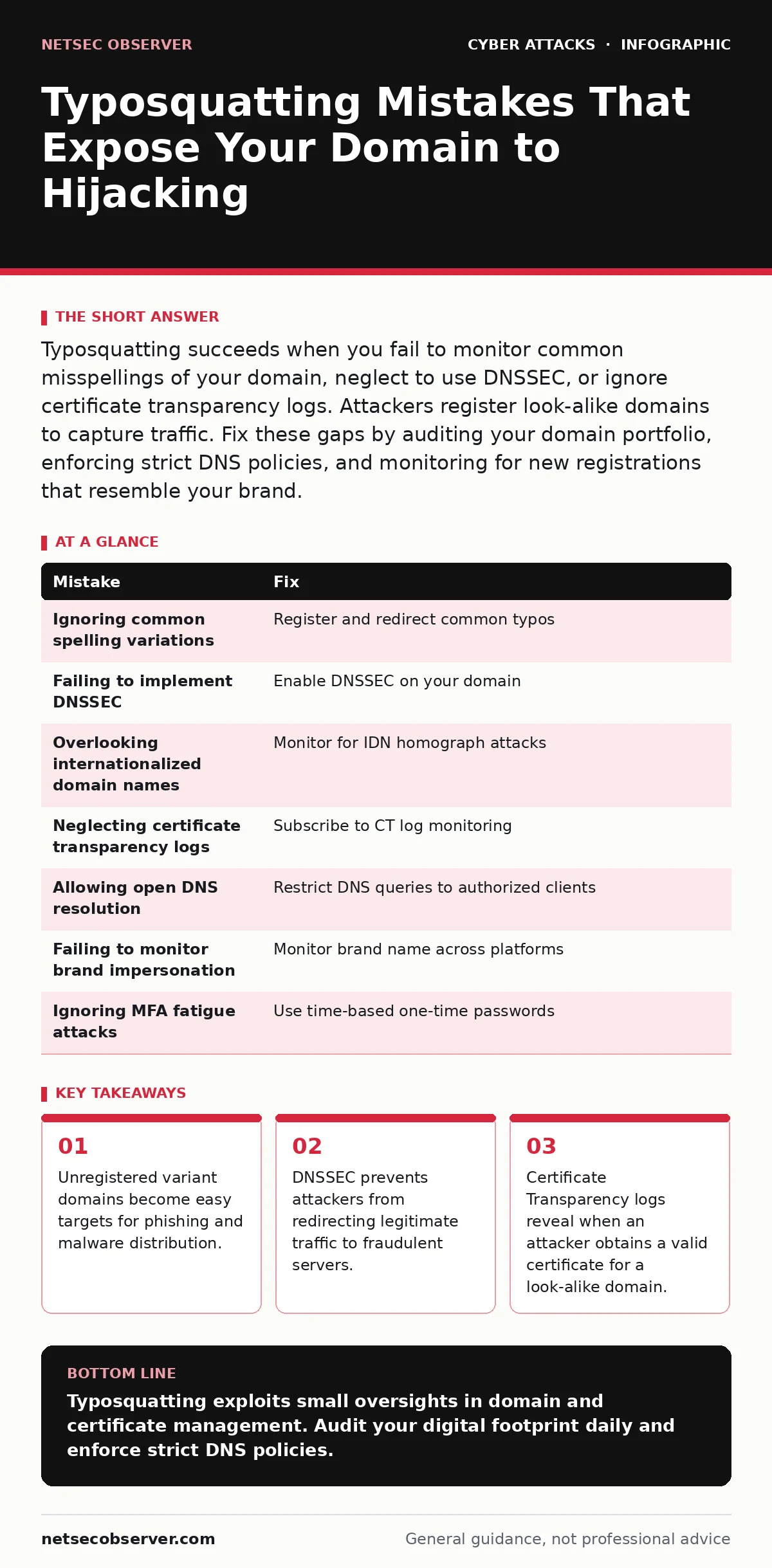
Typosquatting succeeds when you fail to monitor common misspellings of your domain, neglect to use DNSSEC, or ignore certificate transparency logs. Attackers register look-alike domains to capture traffic. Fix these gaps by auditing your domain portfolio, enforcing strict DNS policies, and monitoring for new registrations that resemble your brand.
Mistake 1: Ignoring common spelling variations
You often assume that only obvious typos matter. You register your primary domain and perhaps the .com and .org variants. You ignore less common misspellings, such as swapping adjacent keys or doubling letters. Attackers scan for these overlooked variations. They register domains that look nearly identical to yours. Users type these errors naturally. The attacker captures this traffic before you notice.
Why it hurts:
Traffic that misses your site flows to the attacker. The attacker hosts a mirror of your login page. Users enter credentials believing they are on your site. You lose user trust and face data breaches. The damage occurs silently. You see no drop in your own traffic. The missing users simply vanish into the attacker’s site.
The fix:
Audit your domain portfolio against common typos. Register the most likely misspellings. Redirect these domains to your primary site. This prevents attackers from using them. Monitor new domain registrations daily. Use automated tools to flag look-alikes. This proactive step blocks the attack at the source.
Mistake 2: Failing to implement DNSSEC
Domain Name System Security Extensions, or DNSSEC, adds cryptographic signatures to your DNS records. Without DNSSEC, attackers can intercept DNS queries. They send fake responses pointing to their own servers. This is called cache poisoning. Users think they are visiting your site. Their browser connects to the attacker’s server. The connection appears normal. No red flags appear in your logs.
Why it hurts:
Attackers redirect legitimate traffic without owning the domain. They do not need to guess typos. They hijack the correct domain name. Users enter data on a fraudulent site. The attacker captures everything. You cannot detect this through standard web analytics. The traffic looks like it reached your server. It never did.
The fix:
Enable DNSSEC on your domain. Sign your DNS zone files. Publish public keys. This ensures users verify the DNS response. Browsers and resolvers check the signature. Invalid responses are rejected. This stops cache poisoning. It does not stop typosquatting. It stops redirection of your correct domain. Combine it with other measures for full protection.
Mistake 3: Overlooking internationalized domain names
Internationalized domain names, or IDNs, allow non-ASCII characters. Attackers use homograph attacks. They use characters from other scripts that look like Latin letters. For example, a Cyrillic 'a' looks like a Latin 'a'. The domain resolves to the attacker’s server. Users cannot see the difference. The browser shows the visual representation. The underlying code is different.
Why it hurts:
Users click links or type addresses. They land on a fraudulent site. The site looks identical to yours. Credentials are stolen. Malware is downloaded. You cannot defend against this with standard filters. The domain name is valid. The visual similarity is perfect. Detection requires deep inspection of the character set.
The fix:
Monitor for IDN homograph attacks. Use tools that check for mixed scripts. Register look-alike IDNs if possible. Educate users to check the raw domain string. Browsers often flag these domains. Ensure your security software supports IDN detection. This adds a layer of defense. It reduces the success rate of these attacks.
Mistake 4: Neglecting certificate transparency logs
Certificate Transparency, or CT, is a public log of issued SSL certificates. Attackers need valid certificates for their phishing sites. They obtain these from Certificate Authorities. CT logs record every issuance. If you do not monitor these logs, you miss the warning. The attacker gets a certificate for your look-alike domain. The browser shows a green lock. Users trust the site.
Why it hurts:
The attacker’s site appears secure. Users see no warnings. They enter sensitive data. The connection is encrypted. The attacker reads the data. You only find out after the breach. The damage is done. Monitoring CT logs gives you early warning. You can act before users are harmed.
The fix:
Subscribe to CT log monitoring services. Alert on new certificates for your domain. Alert on new certificates for look-alike domains. Investigate each alert immediately. Revoke unauthorized certificates. This stops the phishing site. It does not prevent the registration. It stops the encryption trust. This is a critical defense layer.
Mistake 5: Allowing open DNS resolution
Your DNS server may allow anyone to query it. This is called an open resolver. Attackers use your server to amplify attacks. They also use it to test domain availability. They check if a look-alike domain is registered. They use your server to hide their activity. This helps them refine their typosquatting lists. You become an unwitting accomplice.
Why it hurts:
Attackers gain intelligence. They learn which domains are free. They register them quickly. You lose the chance to register them first. Your server reputation suffers. You may be blocked by other networks. This limits your own operations. Fixing this is simple. It reduces the attack surface.
The fix:
Configure your DNS server to restrict queries. Allow only authorized clients. Disable recursion for external users. This stops abuse. It protects your network. It reduces the information available to attackers. This is a basic security hygiene step. It complements your typosquatting defenses.
Mistake 6: Failing to monitor brand impersonation
Attackers do not just mimic your domain. They mimic your brand name. They register domains with your brand in different TLDs. They use social media handles that look like yours. This is brand impersonation. Users trust the brand. They click the link. They land on a phishing site. You lose control of your brand narrative.
Why it hurts:
Users are confused. They report issues to the wrong place. They lose trust in your brand. The attacker leverages your reputation. You face legal and reputational damage. Monitoring only your domain is insufficient. You must monitor your brand name. This requires broader surveillance.
The fix:
Monitor your brand name across domains and social media. Use automated tools. Register key brand variations. Report impersonators to registrars. This reduces the attack surface. It protects your users. It maintains your brand integrity. This is an ongoing process.
Mistake 7: Ignoring MFA fatigue attacks
Attackers use typosquatting to bypass Multi-Factor Authentication, or MFA. They send fake MFA prompts to your users. They do this via the phishing site. Users receive a push notification. They tap approve. The attacker gains access. This is MFA fatigue. It exploits the trust in MFA. It turns security into a vulnerability.
Why it hurts:
MFA is bypassed. The attacker has full access. You see a valid login. You see a valid MFA approval. You cannot distinguish it from a real login. The damage is immediate. Users are unaware. They think they approved the login. This undermines your security posture.
The fix:
Educate users to verify MFA prompts. Check the source of the request. Use time-based one-time passwords instead of push. This reduces the attack surface. It makes MFA fatigue harder. It adds a layer of verification. This complements your other defenses.
| Mistake | Fix |
|---|---|
| Ignoring common spelling variations | Register and redirect common typos |
| Failing to implement DNSSEC | Enable DNSSEC on your domain |
| Overlooking internationalized domain names | Monitor for IDN homograph attacks |
| Neglecting certificate transparency logs | Subscribe to CT log monitoring |
| Allowing open DNS resolution | Restrict DNS queries to authorized clients |
| Failing to monitor brand impersonation | Monitor brand name across platforms |
| Ignoring MFA fatigue attacks | Use time-based one-time passwords |
Key takeaways
- Unregistered variant domains become easy targets for phishing and malware distribution.
- DNSSEC prevents attackers from redirecting legitimate traffic to fraudulent servers.
- Certificate Transparency logs reveal when an attacker obtains a valid certificate for a look-alike domain.
Typosquatting exploits small oversights in domain and certificate management. Audit your digital footprint daily and enforce strict DNS policies.
Frequently asked questions
How do I know if I am a victim of typosquatting?
Check your DNS logs for unusual query patterns. Monitor certificate transparency logs for new look-alike domains. Look for spikes in failed login attempts.
Can I recover traffic from a typosquatted domain?
No. Once users visit the attacker’s site, the traffic is lost. You can register the domain to prevent future attacks. You cannot retrieve past data.
Does HTTPS prevent typosquatting?
No. HTTPS encrypts the connection. It does not verify the domain name’s legitimacy. Attackers obtain valid certificates for look-alike domains. HTTPS does not stop the attack.
Should I register every possible typo?
No. Register the most common and likely misspellings. Monitoring is more effective than registering everything. Use automated tools to detect new threats.
How this guide was produced: written by the NetSec Observer editorial team with AI assistance, checked against the public references listed below, and reviewed when the facts change. See our editorial policy or report an error.