Vendor Email Compromise: Response and Recovery Steps
Most organizations lose control of a vendor compromise because they reset passwords before checking if the attacker already created forwarding rules that bypass authentication.
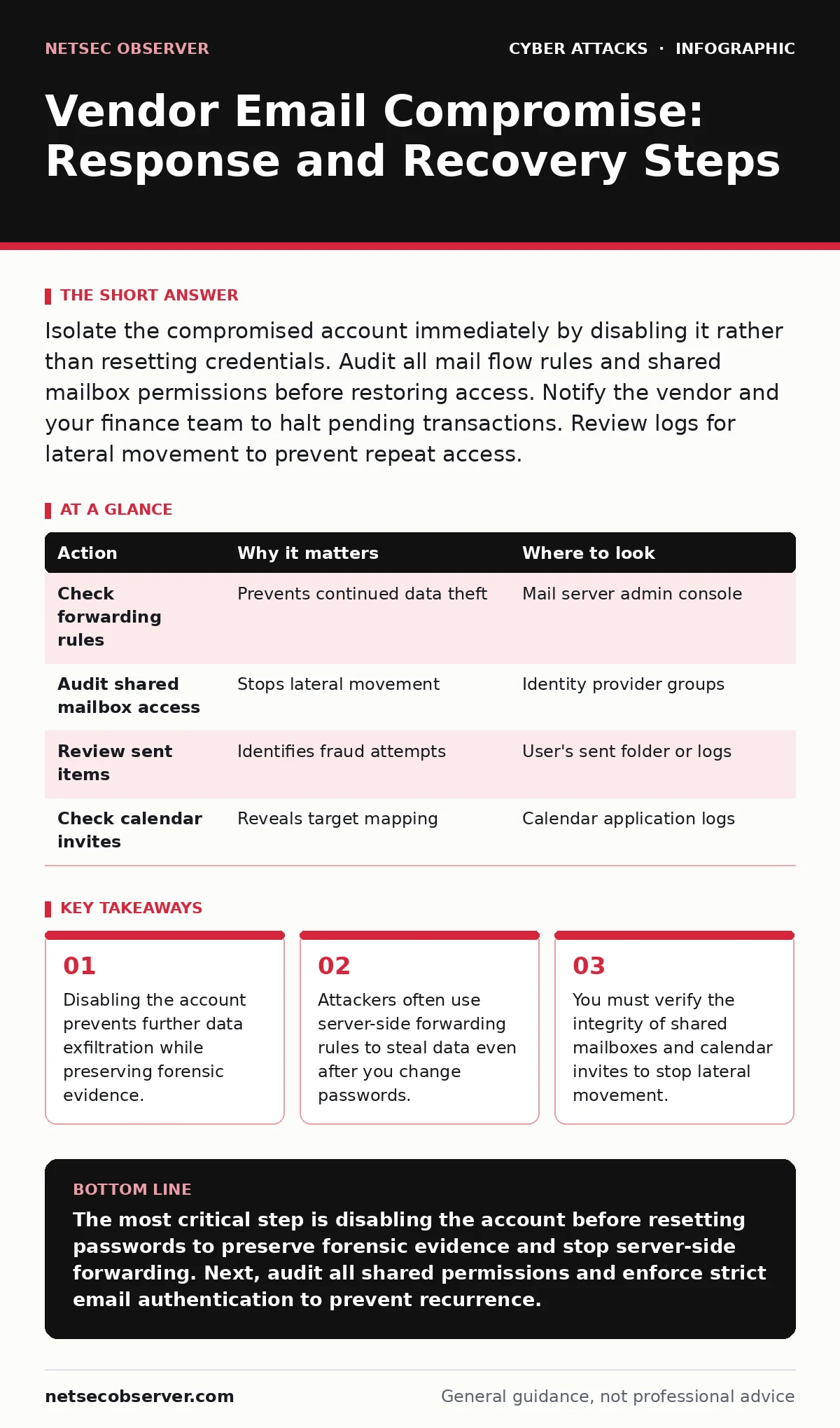
Isolate the compromised account immediately by disabling it rather than resetting credentials. Audit all mail flow rules and shared mailbox permissions before restoring access. Notify the vendor and your finance team to halt pending transactions. Review logs for lateral movement to prevent repeat access.
First hour
The clock starts when you notice the anomaly. A vendor email compromise usually begins with a subtle change in payment details or an urgent request for sensitive documents. Your immediate goal is to stop the bleeding without destroying evidence. Do not delete emails. Do not reply to the suspicious messages. You need to freeze the state of the account to understand what the attacker did.
- Disable the compromised user account in your identity provider.
- Block the attacker's email address at the perimeter firewall and mail gateway.
- Suspend any automated workflows or integrations linked to that account.
- Document the exact time of detection and the first suspicious indicator.
Disabling the account is different from deleting it. Deletion removes access logs and makes forensic analysis nearly impossible. Disabling keeps the account frozen in place. You preserve the inbox, the sent items, and the metadata. This allows your security team to see what the attacker read and what they sent. If you cannot disable the account because it is a service account, revoke all API keys and OAuth tokens associated with it immediately.
First day
Once the account is frozen, you must map the extent of the breach. Attackers rarely stop at one email. They look for shared resources. A vendor account often has access to shared mailboxes, project management tools, or cloud storage. The attacker may have used the compromised credentials to access these shared spaces. You need to check every permission that account held.
Start with the mail server configuration. Look for inbox rules or forwarding settings. These rules run on the server, not on the user's device. This means the attacker can copy every incoming email to an external address even if the user never opens the mail client. Check for rules that move emails to a hidden folder or delete them after forwarding. These are common techniques in spear phishing campaigns where the goal is to hide the initial intrusion.
Next, audit the sent items. Look for emails that do not match the user's normal writing style or timing. Attackers often use templates to request wire transfers or invoice changes. Compare the recipients of these emails against your known vendor list. If you find an unknown recipient, add that address to your block list. Check if the attacker used the account to send calendar invites. This is a common way to discover other employees' schedules and target them for follow-up attacks.
| Action | Why it matters | Where to look |
|---|---|---|
| Check forwarding rules | Prevents continued data theft | Mail server admin console |
| Audit shared mailbox access | Stops lateral movement | Identity provider groups |
| Review sent items | Identifies fraud attempts | User's sent folder or logs |
| Check calendar invites | Reveals target mapping | Calendar application logs |
First week
Recovery is not just about restoring access. It is about ensuring the attacker cannot return. You must rebuild the trust boundaries around the compromised account. This involves more than changing passwords. You need to review the entire authentication chain. Did the attacker use a stolen session token? If so, forcing a global session logout is necessary. This kicks every user out of every service, requiring them to log in again. It is disruptive, but it is safer than leaving a stolen session active.
You must also notify the affected vendor. They need to know their account was compromised so they can check their own systems. More importantly, they need to verify if any sensitive data was exfiltrated. If the attacker stole intellectual property or customer data, the legal and reputational implications change. Work with your legal team to determine if regulatory notification is required. Do not guess. Follow your incident response plan.
Who to tell
Communication is a tactical decision. You must inform your internal finance team immediately. They are the ones who might process a fraudulent payment. Give them a clear list of what to look for: changed bank details, urgent tone, or requests for secrecy. Finance teams often bypass security protocols under pressure. You need to reinforce that no payment changes are valid without verbal confirmation through a known channel.
Notify your IT security team and leadership. They need to allocate resources for monitoring. The attacker may have gained access to other systems before you disabled the account. You need to monitor for unusual login attempts from new locations or devices. If the attacker used MFA fatigue attacks to bypass multi-factor authentication, you must review your MFA policies. Ensure that users are not approving push notifications for logins they did not initiate.
How to stop a repeat
Preventing a repeat attack requires changing how you manage vendor access. Many organizations give vendors the same level of access as internal employees. This is a mistake. Vendors should have the minimum access necessary to do their job. Use service accounts with limited permissions instead of sharing human user accounts. Service accounts can be monitored more easily. They do not have personal email inboxes that can be used for social engineering.
Implement strict email authentication protocols. Ensure that your domain uses SPF, DKIM, and DMARC. These protocols verify that emails claiming to come from your domain actually originated from your servers. They prevent attackers from spoofing your email address in future attacks. If you do not have DMARC set to reject, you are leaving the door open for impersonation. This is a foundational step that stops many callback phishing attempts where attackers pretend to be you to trick others.
See also: Cybersecurity Incident Response Team: How It Works and Why It Matters · WordPress Page Builder Breach: Response and Recovery Steps
Rebuilding trust
The final step is to restore access to the compromised account. Do this only after you have verified that the attacker is gone. Change the password to a strong, unique value. Enable multi-factor authentication if it is not already active. Use a hardware security key if possible. These keys are resistant to phishing and remote theft. They provide a higher level of assurance than SMS or app-based codes.
Monitor the account closely for the next few weeks. Look for any signs of anomalous behavior. If you see any suspicious activity, disable the account again and start the investigation process. Security is not a one-time event. It is a continuous cycle of detection, response, and improvement. By following these steps, you reduce the impact of the breach and make it harder for attackers to succeed in the future.
Key takeaways
- Disabling the account prevents further data exfiltration while preserving forensic evidence.
- Attackers often use server-side forwarding rules to steal data even after you change passwords.
- You must verify the integrity of shared mailboxes and calendar invites to stop lateral movement.
The most critical step is disabling the account before resetting passwords to preserve forensic evidence and stop server-side forwarding. Next, audit all shared permissions and enforce strict email authentication to prevent recurrence.
Frequently asked questions
How do I know if the attacker is still in my system?
Look for new admin accounts, unusual login times, or emails sent from the compromised account after you disabled it. Check for new forwarding rules or shared mailbox permissions that were not there before.
Should I delete the compromised emails?
No. Deleting emails destroys evidence that may be needed for forensic analysis or legal proceedings. Archive the emails securely and isolate the account instead.
What if the attacker used a shared account?
Shared accounts are harder to trace. Reset the password immediately, audit all recent logins, and review all actions taken during the compromised period. Consider moving to individual service accounts to avoid this issue in the future.
Do I need to notify customers?
Only if customer data was accessed or compromised. Consult your legal team to determine if regulatory requirements mandate notification. If no personal data was exposed, a notification may not be necessary.
How this guide was produced: written by the NetSec Observer editorial team with AI assistance, checked against the public references listed below, and reviewed when the facts change. See our editorial policy or report an error.