
Implement Bot Protection: A Step-by-Step Operational Guide
Effective bot protection relies on behavioral analysis rather than simple signature matching, allowing you to distinguish human intent from automated scripts without blocking legitimate users.
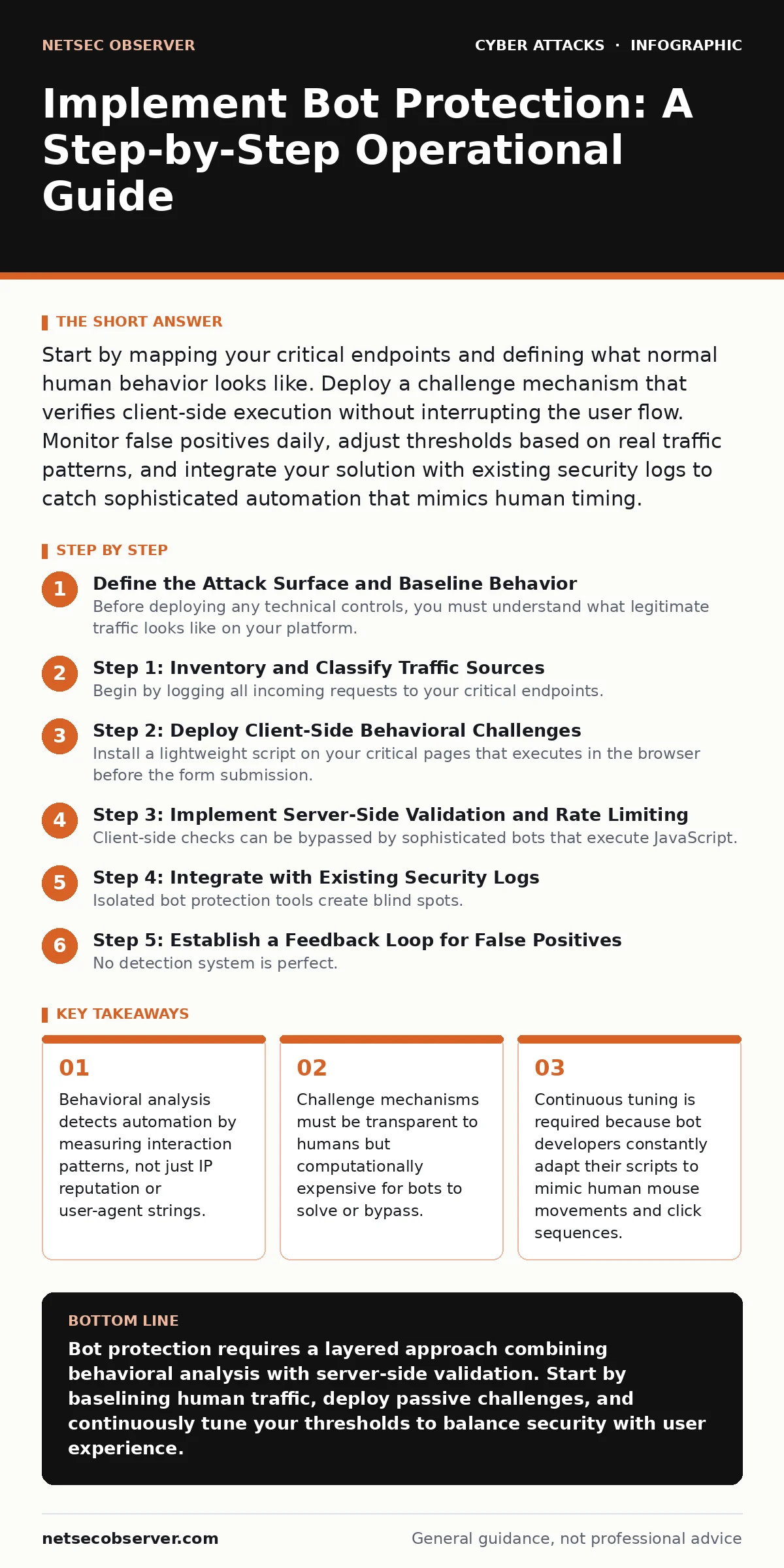
Start by mapping your critical endpoints and defining what normal human behavior looks like. Deploy a challenge mechanism that verifies client-side execution without interrupting the user flow. Monitor false positives daily, adjust thresholds based on real traffic patterns, and integrate your solution with existing security logs to catch sophisticated automation that mimics human timing.
Define the Attack Surface and Baseline Behavior
Before deploying any technical controls, you must understand what legitimate traffic looks like on your platform. Bots are not inherently malicious; search engine crawlers and monitoring tools provide value. The problem arises when automated scripts scrape data, submit fraudulent transactions, or exhaust server resources. You need to identify which endpoints are high-value targets. These are usually login pages, checkout flows, or API endpoints that return sensitive data.
Create a baseline of human interaction for these specific paths. Note the typical time between page load and first click, the variety of mouse movements, and the sequence of form field interactions. Humans are inconsistent and slow. Bots are often perfect and instantaneous. This difference in entropy is your primary detection vector. If you do not have a baseline, your protection will either block real users or let attackers in.
Step 1: Inventory and Classify Traffic Sources
Begin by logging all incoming requests to your critical endpoints. You need to separate known good bots from unknown traffic. Use standard headers like the User-Agent string as a first filter, but do not rely on it exclusively. Bots easily spoof these headers. Instead, look for patterns in the request volume and timing.
Verify this step by checking your logs for a clear distinction between identified crawlers and unclassified traffic. If you see a high volume of requests with no User-Agent or generic strings like "Mozilla/5.0" coming from data center IP ranges, you have identified a pool of suspicious traffic. Mark these sources for closer inspection in the next phase.
Step 2: Deploy Client-Side Behavioral Challenges
Install a lightweight script on your critical pages that executes in the browser before the form submission. This script does not ask the user to solve a puzzle. Instead, it passively collects data about how the user interacts with the page. It measures how the mouse moves, how the user scrolls, and how long they hover over elements. This data is hashed and sent to your server as a token.
The server validates this token against known human behavior patterns. If the token indicates machine-like precision or impossible speed, the request is challenged or blocked. To verify this works, monitor your error logs for a spike in blocked submissions that lack valid behavioral tokens. You should see legitimate users passing through without noticing any change in the user interface.
Step 3: Implement Server-Side Validation and Rate Limiting
Client-side checks can be bypassed by sophisticated bots that execute JavaScript. You must add a second layer of defense on the server. Validate the behavioral token received from the client. If the token is missing, expired, or invalid, reject the request. Combine this with rate limiting based on unique identifiers, such as session IDs or device fingerprints, rather than just IP addresses.
Rate limiting prevents a single source from overwhelming your application logic. Set thresholds that allow for normal human burst activity but cut off sustained high-frequency requests. Verify this step by simulating rapid-fire requests from a single session. Your server should return error codes for requests exceeding the defined limit, while normal usage continues uninterrupted.
Step 4: Integrate with Existing Security Logs
Isolated bot protection tools create blind spots. You must feed the decisions made by your bot protection system into your central logging and security information and event management system. This allows you to correlate bot activity with other security events. For example, a bot might be probing for vulnerabilities that precede a spear phishing campaign or a vendor email compromise attempt.
Check this integration by triggering a blocked bot event and confirming that the alert appears in your central dashboard with all relevant context, including the behavioral token and the source IP. This correlation helps you identify coordinated attacks that use bots for reconnaissance.
See also: Command Injection: How It Works and How to Stop It · Detect SEO Poisoning: Log Signals and Hidden Attack Paths
Step 5: Establish a Feedback Loop for False Positives
No detection system is perfect. You will inevitably block legitimate users. These false positives erode trust and cause revenue loss. You must have a mechanism for users to report when they are incorrectly blocked. This could be a simple contact form or a support ticket system. More importantly, you need an automated way to review blocked requests that came from high-value users or known good IP ranges.
Review these cases daily. If you find a pattern of legitimate users being blocked, adjust your behavioral thresholds. Perhaps your definition of "human speed" is too strict for users on slow connections. Verify this step by tracking the number of user complaints related to access issues. A decreasing trend indicates your tuning is working.
Verification Checklist
Use this list to confirm your implementation is complete and effective.
- Critical endpoints are identified and mapped.
- Baseline human behavior metrics are documented.
- Client-side behavioral script is deployed and asynchronous.
- Server-side token validation is active and rejects invalid tokens.
- Rate limiting is applied per session or device, not just IP.
- Bot protection logs are integrated into the central SIEM.
- A process exists for reviewing and resolving false positives.
Ongoing Upkeep and Adaptation
Bot protection is not a set-and-forget solution. Bot developers constantly update their tools to mimic human behavior more closely. You must regularly review your behavioral thresholds and detection rules. Look for changes in traffic patterns that do not align with business growth. A sudden spike in traffic from a specific region or a change in the time of day when requests occur can indicate a new bot campaign.
Stay aware of emerging threats. Bots are often used to launch DDoS attacks or to perform credential stuffing. They can also be used for HTML smuggling to bypass web application firewalls. By keeping your behavioral models updated and your logs correlated, you maintain a dynamic defense that adapts to these evolving tactics. Regularly test your defenses with simulated bot traffic to ensure your detection mechanisms remain effective.
Key takeaways
- Behavioral analysis detects automation by measuring interaction patterns, not just IP reputation or user-agent strings.
- Challenge mechanisms must be transparent to humans but computationally expensive for bots to solve or bypass.
- Continuous tuning is required because bot developers constantly adapt their scripts to mimic human mouse movements and click sequences.
Bot protection requires a layered approach combining behavioral analysis with server-side validation. Start by baselining human traffic, deploy passive challenges, and continuously tune your thresholds to balance security with user experience.
Frequently asked questions
How do I distinguish between a good bot and a bad bot?
Good bots usually identify themselves via standard headers and follow robots.txt protocols. Bad bots often hide their identity, ignore protocols, and exhibit high-volume, repetitive behavior patterns that differ from human interaction.
Can behavioral analysis block users with disabilities?
It can, if the thresholds are too strict. Ensure your solution allows for alternative input methods and does not rely solely on mouse movement. Provide a manual override or support channel for users who are incorrectly flagged.
Is client-side JavaScript enough to stop bots?
No. Sophisticated bots can execute JavaScript. Client-side checks must be combined with server-side validation and rate limiting. The client-side script provides data, but the server makes the final decision.
How often should I update my bot protection rules?
You should review logs and tune thresholds daily. Major updates to detection logic should happen weekly or whenever you detect a new pattern of automated abuse that evades current controls.
How this guide was produced: written by the NetSec Observer editorial team with AI assistance, checked against the public references listed below, and reviewed when the facts change. See our editorial policy or report an error.