Command Injection: How It Works and How to Stop It
Command injection lets attackers run system commands by tricking applications into treating user input as executable code rather than data.
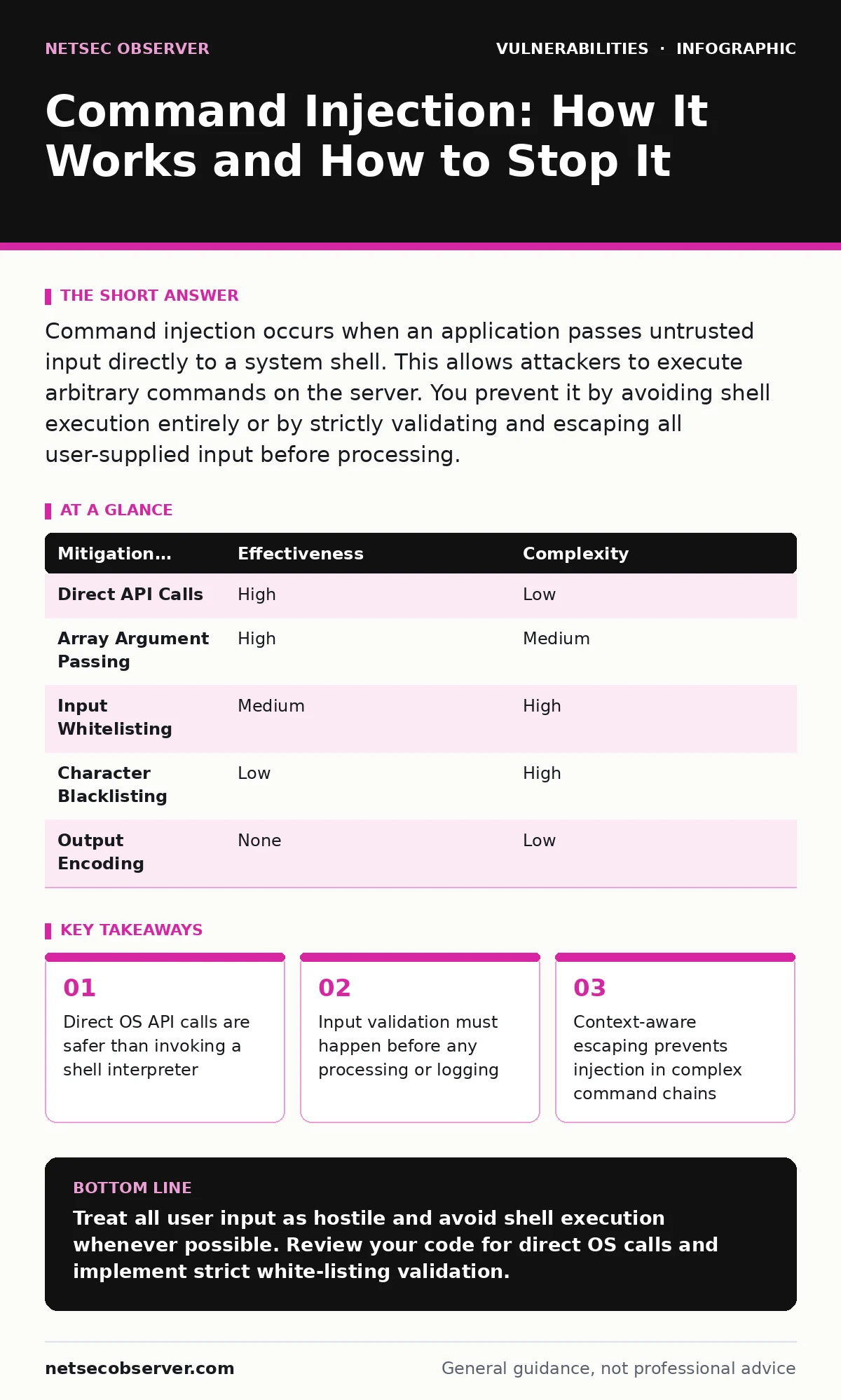
Command injection occurs when an application passes untrusted input directly to a system shell. This allows attackers to execute arbitrary commands on the server. You prevent it by avoiding shell execution entirely or by strictly validating and escaping all user-supplied input before processing.
What exactly is command injection?
Command injection is a vulnerability that allows an attacker to execute arbitrary operating system commands through a vulnerable application. The application takes user input and passes it directly to a system shell without proper sanitization. The shell interprets the input as commands rather than data, granting the attacker the same privileges as the application itself.
This differs from code injection, where attackers execute code within the application’s programming language context. In command injection, the attacker interacts with the underlying operating system. This distinction matters because the available commands depend on the OS, not the application framework.
How does a command injection attack actually work?
Imagine you have a web form that asks for a hostname to ping. The backend code might look like ping -c 1 <user_input>. If you enter example.com, the system runs ping -c 1 example.com. Now suppose you enter example.com; rm -rf /. The shell executes the ping, then executes the removal command. The semicolon acts as a command separator, allowing the attacker to chain instructions.
Attackers use various shell metacharacters to achieve this. Pipes, ampersands, and backticks can also separate or nest commands. The specific character needed depends on the shell being used, such as Bash or PowerShell. Understanding these operators is key to recognizing how an injection bypasses intended logic.
Why is input validation not enough to stop it?
Many developers believe that checking for "bad" characters is sufficient protection. This approach fails because the list of dangerous characters is long and context-dependent. An attacker can often encode or obfuscate characters to bypass simple filters. For example, URL encoding or hexadecimal representation might trick a naive filter.
Validation must be white-listing, not black-listing. You should define exactly what valid input looks like and reject everything else. If a field expects a number, reject any non-numeric character. This positive validation model is significantly harder to bypass than trying to block every possible attack vector.
What is the safest way to handle system commands?
The most effective defense is to avoid using a shell interpreter altogether. Most programming languages provide APIs to execute system functions directly. For instance, instead of calling a shell to ping a host, use a library function designed specifically for network connectivity checks. These functions treat input as data, not as executable commands.
When you must use a shell, pass arguments as an array rather than a single string. This prevents the shell from interpreting metacharacters within the arguments. The operating system receives the command and its parameters separately, eliminating the injection vector. This technique is often called "direct execution" or "API invocation."
Can environment variables be exploited in this way?
Yes, and this is a common oversight in security reviews. If an application sets environment variables based on user input, those variables can be expanded by the shell. An attacker might inject a variable reference like $(malicious_command) into an input field. When the shell processes the command, it expands the variable, executing the embedded code.
This risk extends to temporary files and paths. If an attacker can influence where a temporary file is created, they might place a malicious script there. If the application then executes that path, the script runs. Always use secure, random paths for temporary files and avoid user-controlled environment variables.
| Mitigation Strategy | Effectiveness | Complexity |
|---|---|---|
| Direct API Calls | High | Low |
| Array Argument Passing | High | Medium |
| Input Whitelisting | Medium | High |
| Character Blacklisting | Low | High |
| Output Encoding | None | Low |
How do I escape input if I must use a shell?
If you cannot avoid shell execution, you must escape special characters correctly. Escaping rules vary significantly between different shells and operating systems. A character that is safe in one context might be dangerous in another. For example, a space might need escaping, or a quote might need doubling.
Use a well-tested library function for escaping rather than writing your own. Manual escaping is error-prone and difficult to maintain. These libraries understand the nuances of the specific shell environment. However, remember that escaping is a last resort. Direct API calls are always preferred because they eliminate the need for complex escaping logic.
What is the difference between command injection and SSRF?
Server-side request forgery (SSRF) and command injection both allow server-side actions, but they operate differently. SSRF tricks the server into making HTTP requests to unintended destinations. Command injection runs arbitrary OS commands. SSRF is often used to scan internal networks or access cloud metadata services. Command injection is used to take full control of the system.
You might encounter both in the same application. A file upload feature might be vulnerable to SSRF if it fetches remote URLs. A diagnostic tool might be vulnerable to command injection if it pings hosts. Understanding the difference helps you choose the right defense. SSRF defenses focus on network boundaries, while command injection defenses focus on input handling.
How do I test for command injection vulnerabilities?
Testing involves sending crafted inputs to every point where the application interacts with the OS. Look for forms, API endpoints, and file uploads that might trigger system commands. Inject shell metacharacters like ;, |, &&, and $(...) to see if the application executes them. Monitor the response time or output for signs of command execution.
Static analysis tools can help identify risky function calls, such as system(), exec(), or popen(). Dynamic analysis tools can probe the application with attack payloads. However, automated tools often miss complex injection vectors. Manual testing by a skilled engineer is necessary to find subtle issues. This process is part of broader exposure management efforts.
What happens if an attacker succeeds?
A successful command injection attack typically grants the attacker the privileges of the application user. If the application runs as root or administrator, the attacker gains full control of the system. They can install malware, steal data, or pivot to other systems on the network. The damage is often immediate and severe.
Recovery involves more than just patching the code. You must assume the system is compromised. Reinstalling the operating system and restoring from clean backups is often necessary. This highlights the importance of least privilege. Running applications with minimal permissions limits the damage even if an injection occurs. This principle also helps mitigate risks from DLL hijacking and buffer overflow vulnerabilities.
How does this relate to other security issues?
Command injection is often found alongside other flaws. For example, broken access control might allow an unauthorized user to reach the vulnerable function. Dependency updates are also relevant because older libraries might contain known injection flaws. Keeping your software current reduces the attack surface.
You should also consider HTTP request smuggling if the application handles complex HTTP protocols. While unrelated to command injection, both can lead to server compromise. A holistic security approach addresses all these vectors. Refer to the CISA Known Exploited Vulnerabilities catalog to stay informed about widely abused flaws. This proactive stance prevents attackers from using known weaknesses against you.
Key takeaways
- Direct OS API calls are safer than invoking a shell interpreter
- Input validation must happen before any processing or logging
- Context-aware escaping prevents injection in complex command chains
Treat all user input as hostile and avoid shell execution whenever possible. Review your code for direct OS calls and implement strict white-listing validation.
Frequently asked questions
Can command injection happen in mobile apps?
Yes, if the mobile app communicates with a backend server that is vulnerable. The injection happens on the server, not the device.
Does using a firewall stop command injection?
No, firewalls filter network traffic. Command injection exploits application logic. You need application-level defenses like input validation.
Is parameterized queries enough?
Parameterized queries prevent SQL injection, not command injection. They are different vulnerabilities requiring different fixes.
How do I know if my app is vulnerable?
Perform a code review focusing on functions that execute system commands. Use static and dynamic analysis tools to find risky patterns.
How this guide was produced: written by the NetSec Observer editorial team with AI assistance, checked against the public references listed below, and reviewed when the facts change. See our editorial policy or report an error.