
Detect SEO Poisoning: Log Signals and Hidden Attack Paths
SEO poisoning hides malicious redirects in clean-looking search results, forcing defenders to trace traffic anomalies rather than relying on signature-based alerts.
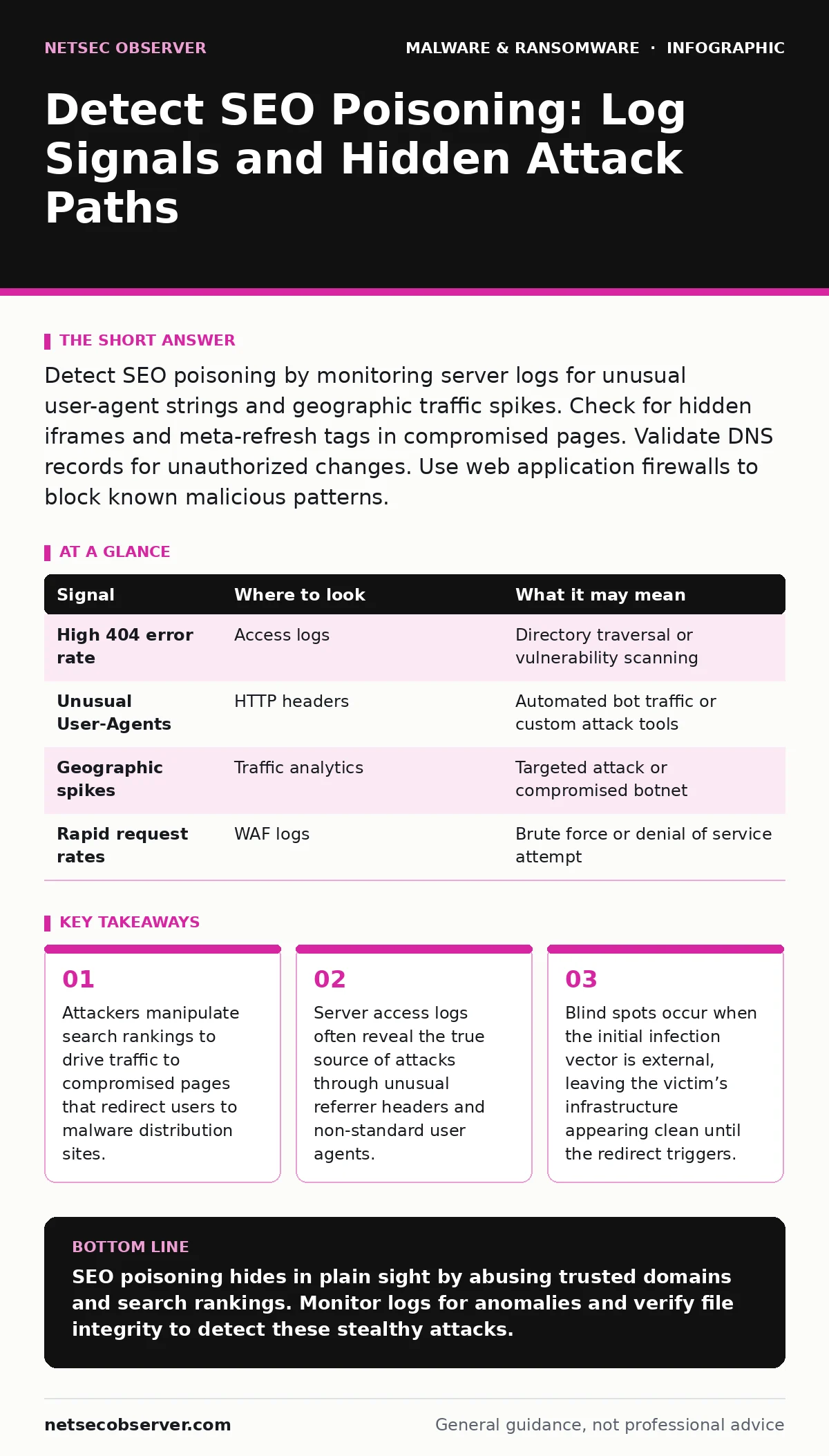
Detect SEO poisoning by monitoring server logs for unusual user-agent strings and geographic traffic spikes. Check for hidden iframes and meta-refresh tags in compromised pages. Validate DNS records for unauthorized changes. Use web application firewalls to block known malicious patterns.
Search Engine Manipulation Mechanics
Search engine optimization poisoning occurs when attackers compromise legitimate websites to rank highly for specific search queries. They do not create new sites. Instead, they hijack existing domains with established trust. The goal is to intercept users searching for software, updates, or popular content.
When a user clicks a poisoned result, the browser loads the compromised page. This page may appear normal. Behind the scenes, JavaScript or meta tags redirect the user to a secondary domain. This secondary domain hosts the actual malware or phishing kit. The initial site acts as a bridge. It benefits from the victim’s domain reputation while hiding the malicious payload.
Server Access Log Anomalies
Your web server logs are the first line of defense. Attackers often use automated bots to test for vulnerabilities before launching the full attack. Look for repeated requests to specific endpoints from a single IP range. These requests may target known vulnerable plugins or administrative interfaces.
Examine the user-agent strings. Legitimate browsers send standard identifiers. Attackers often use generic or missing user-agents to evade detection. Suppose you see a spike in traffic from a region where you have no business presence. This geographic mismatch is a strong indicator of automated scanning or attack traffic.
| Signal | Where to look | What it may mean |
|---|---|---|
| High 404 error rate | Access logs | Directory traversal or vulnerability scanning |
| Unusual User-Agents | HTTP headers | Automated bot traffic or custom attack tools |
| Geographic spikes | Traffic analytics | Targeted attack or compromised botnet |
| Rapid request rates | WAF logs | Brute force or denial of service attempt |
Hidden Redirect Mechanisms
The redirect itself is often hidden from casual inspection. Attackers use techniques that bypass basic content filters. One common method is the meta-refresh tag. This HTML element tells the browser to load a new URL after a short delay. The delay can be as short as zero seconds.
Another technique involves JavaScript obfuscation. The code is encoded to look like random characters. When the browser executes it, the script reveals the malicious URL. You must view the page source to see this. Standard browsing will not show the underlying code.
Check for iframe injections. An iframe embeds another webpage within your page. Attackers use tiny, invisible iframes to load malicious content. This content runs in the background. It can steal cookies or install malware without the user noticing.
DNS and Domain Reputation
SEO poisoning often involves changing DNS records. Attackers may add unauthorized CNAME records. These records point subdomains to external servers. You should audit your DNS zone files regularly. Look for records you did not create.
Domain reputation services can help. These services track the history of domains. If your domain suddenly appears on a blacklist, it is likely compromised. Check multiple reputation sources. One service may miss the threat. Cross-referencing provides a clearer picture.
Web Application Firewall Rules
A web application firewall sits between your server and the internet. It inspects incoming traffic for malicious patterns. Configure it to block requests containing known malicious signatures. This includes SQL injection attempts and cross-site scripting payloads.
However, WAFs are not perfect. Attackers can obfuscate their payloads to bypass rules. You must update your rules regularly. Use threat intelligence feeds to keep your WAF current. This ensures you block the latest attack techniques.
See also: Prevent SQL Injection: Stop Database Hacks at the Source · HTTP Request Smuggling Warning Signs and Immediate Response Steps
Content Management System Integrity
Most SEO poisoning targets content management systems. These systems manage your website content. Attackers exploit vulnerabilities in plugins or themes. They inject malicious code into legitimate files.
You must verify the integrity of your core files. Compare your current files against the original distribution. Any changes indicate a compromise. Use checksums to detect modifications. This process is manual but necessary. Automated tools may miss subtle changes.
Imagine your CMS updates automatically. An attacker may intercept the update process. They replace the legitimate update with a malicious version. This is a supply chain attack. It bypasses standard security controls. You must verify the source of every update.
Common Blind Spots
One major blind spot is third-party scripts. These scripts load content from external servers. If the external server is compromised, your site becomes a vector. You cannot control the security of these third parties.
Another blind spot is cached content. Search engines cache pages. If a page is poisoned, the cache may serve the malicious version. Even if you fix the site, users may still encounter the threat. You must request cache invalidation from search engines.
Incident Response Steps
When you detect SEO poisoning, act quickly. Isolate the affected server. Prevent further propagation. Capture forensic images for analysis. Do not delete logs. They are critical for understanding the attack.
Identify the entry point. Was it a vulnerable plugin? A weak password? A misconfiguration? Fix the root cause. Do not just remove the malicious code. The attacker will return if the vulnerability remains.
Review your ransomware recovery plans if the attack included data encryption. Check your macro security settings if the payload targeted documents. Ensure real-time protection is active on all endpoints. If you are using a Mac, refer to guides on removing malware from a Mac for specific steps.
Analyze the malware if possible. Malware analysis helps understand the threat. Check for adware components that may have been installed. Be aware of malvertising campaigns that may be using your site. Understand the ransomware payment debate if encryption occurred, though payment is generally discouraged.
Key takeaways
- Attackers manipulate search rankings to drive traffic to compromised pages that redirect users to malware distribution sites.
- Server access logs often reveal the true source of attacks through unusual referrer headers and non-standard user agents.
- Blind spots occur when the initial infection vector is external, leaving the victim’s infrastructure appearing clean until the redirect triggers.
SEO poisoning hides in plain sight by abusing trusted domains and search rankings. Monitor logs for anomalies and verify file integrity to detect these stealthy attacks.
Frequently asked questions
How do I know if my site is SEO poisoned?
Check for unusual traffic spikes, hidden redirects in page source, and unauthorized DNS changes. Monitor server logs for suspicious user-agents.
Can SEO poisoning infect my computer directly?
No. SEO poisoning redirects you to a malicious site. The infection occurs when you interact with that site or download a payload.
Does a WAF prevent SEO poisoning?
A WAF can block some attack vectors but not all. It must be configured correctly and updated regularly to be effective.
How long does it take to remove SEO poisoning?
It depends on the scope. You must clean the code, update DNS, and request search engine cache updates. This can take days.
How this guide was produced: written by the NetSec Observer editorial team with AI assistance, checked against the public references listed below, and reviewed when the facts change. See our editorial policy or report an error.