
Implement a Ransomware Recovery Plan: Step-by-Step Guide
Your backup strategy fails if you cannot verify file integrity before restoring data to a live network, leaving hidden encryption artifacts behind.
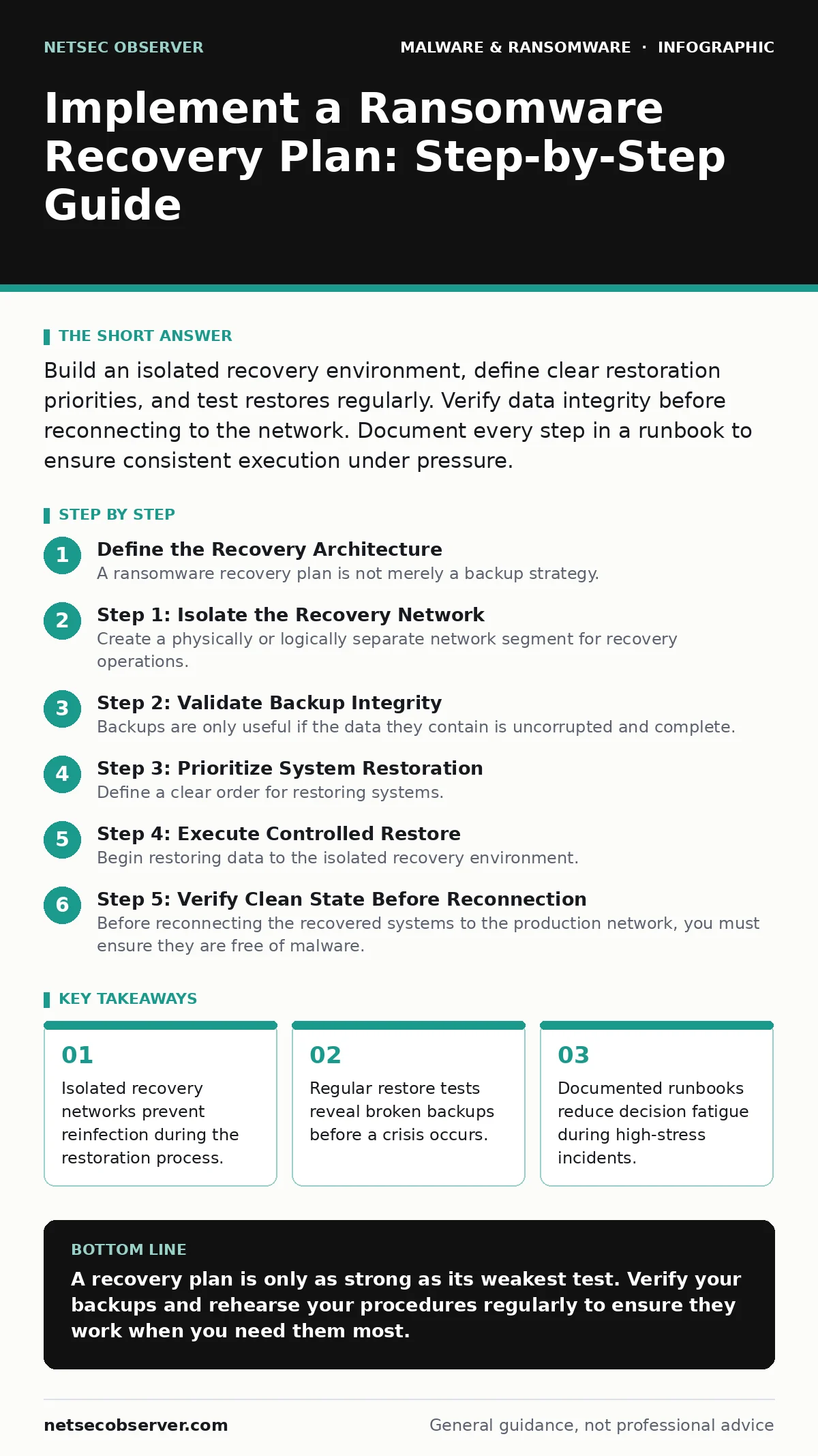
Build an isolated recovery environment, define clear restoration priorities, and test restores regularly. Verify data integrity before reconnecting to the network. Document every step in a runbook to ensure consistent execution under pressure.
Define the Recovery Architecture
A ransomware recovery plan is not merely a backup strategy. It is a blueprint for rebuilding operations when primary systems are compromised. You must separate the recovery environment from the production network. This isolation prevents malware from jumping to clean systems during the restore process.
Choose which data sets are critical for immediate business function. Not all data needs to be restored at once. Identify the applications and services that depend on this data. Map these dependencies clearly. If you restore a database but not the application that reads it, the data remains useless.
Step 1: Isolate the Recovery Network
Create a physically or logically separate network segment for recovery operations. This segment should have no direct route to the production network until you verify the restored systems are clean. Use separate hardware or virtual machines that do not share storage with production servers.
Configure network access controls to restrict traffic to only what is necessary for restoration. This includes access to backup repositories and administrative tools. Ensure that authentication mechanisms for this network are distinct from the main domain. If the attacker has harvested credentials from the production network, those credentials must not work in the recovery zone.
Verification Checklist
- Recovery network is segmented from production VLANs.
- Administrative accounts are unique to the recovery environment.
- No default routes exist between recovery and production subnets.
Step 2: Validate Backup Integrity
Backups are only useful if the data they contain is uncorrupted and complete. You must verify that backups are not encrypted or altered. Ransomware often targets backup files before encrypting primary data. If your backups are compromised, you have no clean source for recovery.
Use checksums to verify file integrity. Compare the hash values of backup files against known good values. Automate this verification process to run regularly. If a verification fails, alert your team immediately. Do not assume a backup is good because it was created successfully.
Step 3: Prioritize System Restoration
Define a clear order for restoring systems. Start with identity management services, such as Active Directory or LDAP. Without these, you cannot authenticate users or enforce access controls. Next, restore critical business applications and their dependent databases.
Document the specific version and configuration of each system. Ransomware may alter configurations to maintain persistence. Restoring to a known good state requires precise configuration data. Keep this documentation updated after every change. If you restore a server with outdated software, you reintroduce known vulnerabilities.
Verification Checklist
- Identity services are restored and functioning.
- Critical application dependencies are mapped and prioritized.
- Configuration documentation is current and accessible offline.
Step 4: Execute Controlled Restore
Begin restoring data to the isolated recovery environment. Monitor the restore process for errors or anomalies. If a restore fails, investigate the cause before proceeding. Do not skip failed files or directories. They may indicate deeper corruption or ongoing tampering.
Use air-gapped backups if available. These are backups stored on media that is not connected to any network. This provides the highest level of assurance that the data is clean. Connect the media only to the recovery system, perform the restore, and then disconnect it.
See also: Cybersecurity Incident Response Team: How It Works and Why It Matters · WordPress Page Builder Breach: Response and Recovery Steps
Step 5: Verify Clean State Before Reconnection
Before reconnecting the recovered systems to the production network, you must ensure they are free of malware. Run full system scans using updated signatures. Check for unauthorized changes to system files, registry keys, or scheduled tasks.
Review network logs for unusual activity originating from the recovered systems. Look for connections to known malicious IP addresses or domains. If you detect any suspicious activity, isolate the system again and investigate. Do not reconnect until you are certain the system is clean.
Verification Checklist
- Full antivirus scans are clean.
- No unauthorized changes to system configurations.
- Network logs show no suspicious outbound connections.
Step 6: Reconnect and Monitor
Once the systems are verified clean, reconnect them to the production network. Start with a limited subset of services. Monitor performance and security logs closely. Gradually expand access as confidence in the system’s integrity grows.
Implement enhanced monitoring for the first few weeks after recovery. Look for signs of reinfection or lateral movement. Attackers may have left backdoors that were not detected during the initial scan. Continuous monitoring helps catch these late-stage threats.
Maintain and Update the Plan
A recovery plan is a living document. You must update it after every significant change to your infrastructure. Test the plan regularly through tabletop exercises and actual restore tests. Identify gaps and weaknesses. Fix them before an incident occurs.
Review the plan with your team. Ensure everyone understands their role. Practice the procedures until they become second nature. Stress tests reveal flaws that paper exercises miss. If a step fails during a test, update the runbook immediately.
Common Pitfalls in Recovery Planning
Many organizations focus solely on backup frequency and ignore recovery speed. A backup that takes days to restore is useless for critical systems. Define Recovery Time Objectives (RTO) and Recovery Point Objectives (RPO) for each system. Align your backup strategy with these targets.
Another common error is assuming that cloud backups are automatically secure. Cloud providers offer protection against data loss, but not necessarily against ransomware if credentials are compromised. Use immutable storage options where available. These prevent deletion or modification of backup files for a set period.
Key takeaways
- Isolated recovery networks prevent reinfection during the restoration process.
- Regular restore tests reveal broken backups before a crisis occurs.
- Documented runbooks reduce decision fatigue during high-stress incidents.
A recovery plan is only as strong as its weakest test. Verify your backups and rehearse your procedures regularly to ensure they work when you need them most.
Frequently asked questions
How often should I test my ransomware recovery plan?
Test your plan at least twice a year. Include both tabletop exercises and actual restore tests. Increase frequency if your infrastructure changes significantly.
What is the difference between RTO and RPO?
RTO is the maximum acceptable downtime. RPO is the maximum acceptable data loss. Define both for each critical system to guide your backup and recovery strategy.
Can I use the same credentials for recovery and production?
No. Use distinct credentials for the recovery environment. This prevents attackers who have compromised production credentials from accessing your clean recovery systems.
How do I ensure backups are not encrypted by ransomware?
Use immutable storage and air-gapped backups. Verify backup integrity regularly using checksums. Monitor backup logs for unusual activity or large volume changes.
How this guide was produced: written by the NetSec Observer editorial team with AI assistance, checked against the public references listed below, and reviewed when the facts change. See our editorial policy or report an error.