
Detect Database Exposure: Signs, Logs, and Hidden Risks
Database exposure often hides in plain sight through subtle query patterns and unexpected file permissions rather than loud intrusion alerts.
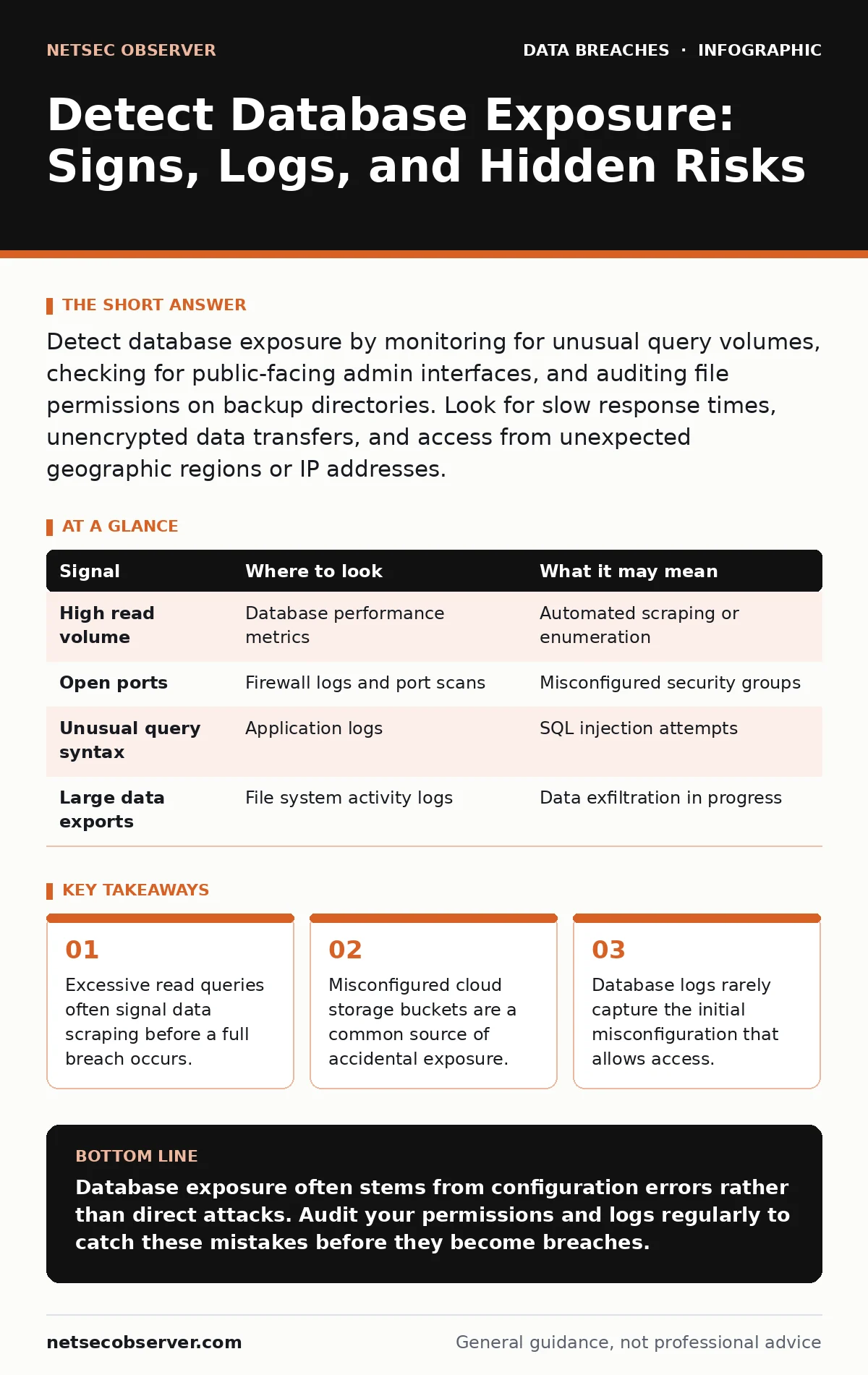
Detect database exposure by monitoring for unusual query volumes, checking for public-facing admin interfaces, and auditing file permissions on backup directories. Look for slow response times, unencrypted data transfers, and access from unexpected geographic regions or IP addresses.
Query Anomalies and Volume Spikes
You can detect exposure by watching how your database behaves under load. Normal application traffic follows predictable patterns in timing and volume. When you see a sudden spike in read operations, especially from a single source, it often indicates automated scraping. Attackers do not always dump tables immediately. They may crawl indexes to map the schema first.
Suppose your web server handles thousands of requests per minute. The database should process these efficiently. If you notice the database CPU usage climbing while network traffic remains low, the application might be executing heavy queries. This happens when an attacker injects complex logic into search fields. These queries force the database to work harder than intended.
Look for repeated execution of the same query with slightly different parameters. This pattern suggests an attacker is testing boundaries. They might be trying to bypass filters or extract specific records. Your monitoring tools should flag deviations from the baseline. Establishing what normal looks like is the first step to spotting the abnormal.
Network Traffic and Port Exposure
Databases should rarely speak directly to the public internet. They usually sit behind application servers that handle the translation. If your database port is open to the world, anyone can attempt to connect. You can detect this by scanning your external IP addresses for open ports.
Imagine a developer accidentally leaves a test database running on the default port. They forget to change the firewall rules before deployment. Scanners will find this port within minutes. They will attempt common username and password combinations. You will see many failed login attempts followed by a sudden success.
Check your firewall logs for connections to database ports from unknown IP ranges. Legitimate applications connect from known server addresses. If you see connections from residential IP addresses, something is wrong. These connections rarely originate from authorized users. They usually come from attackers trying to reach the service directly.
| Signal | Where to look | What it may mean |
|---|---|---|
| High read volume | Database performance metrics | Automated scraping or enumeration |
| Open ports | Firewall logs and port scans | Misconfigured security groups |
| Unusual query syntax | Application logs | SQL injection attempts |
| Large data exports | File system activity logs | Data exfiltration in progress |
File System and Backup Permissions
Data often leaks through files rather than live connections. Developers frequently create backup scripts that write data to temporary directories. If these directories have loose permissions, anyone on the network can read them. You must audit the file system permissions regularly.
Suppose a backup script creates a SQL dump file. The script runs with high privileges. The resulting file might be readable by all users on the server. An attacker who gains low-level access can read this file. They do not need to break into the database engine. They just need to find the backup file.
Check for files containing sensitive data in public web directories. Misconfigured web servers might serve these files if requested by URL. You can detect this by trying to access common backup file extensions. If you receive a file instead of an error page, you have an exposure. This is often easier to find than a hidden database port.
Application Error Messages
Applications often reveal too much when they fail. Detailed error messages can show the structure of your database. They might list table names, column headers, or even stored data. You can detect this by intentionally triggering errors in your applications.
Imagine a user enters invalid data into a search form. The application crashes and displays a stack trace. This trace might include the raw SQL query that caused the failure. An attacker can use this information to craft better attacks. They now know exactly what the database expects.
Review your application logs for unhandled exceptions. Look for messages that reference database objects. If you see these messages in production, your application is leaking information. You should configure your application to return generic error messages. This hides the underlying technology from potential attackers.
Cloud Configuration Missteps
Cloud providers make it easy to store data, but also easy to expose it. Storage buckets and managed databases have complex permission settings. A single mistake in these settings can make data public. You can detect this by using cloud-native security tools.
Suppose you create a storage bucket for application logs. You forget to enable access controls. The bucket becomes publicly readable by default. Anyone with the URL can download your logs. These logs might contain sensitive user information. You will not see network traffic spikes because the data is served statically.
Use configuration scanning tools to check your cloud resources. These tools compare your settings against best practices. They will flag buckets that allow public access. They will also flag databases that accept connections from any IP address. Run these scans frequently as your infrastructure changes.
See also: Build an Incident Communication Plan That Prevents Panic
Blind Spots in Detection
Most detection efforts focus on the database server itself. This misses the application layer and the configuration layer. You might secure the database but leave the application vulnerable. Attackers exploit the path of least resistance.
One common blind spot is third-party integrations. Your application might send data to external services. If those services are compromised, your data is exposed. You cannot see this traffic in your database logs. You must monitor the outbound connections from your application servers.
Another blind spot is insider threat. Legitimate users with high privileges can export data without triggering alerts. They use normal tools and follow normal processes. Your detection systems expect this behavior. You need separate controls for privileged access. This includes reviewing access logs for unusual data volumes.
Tools for Continuous Monitoring
You cannot monitor everything manually. You need tools that automate the detection process. Database activity monitoring tools record every query and user action. They look for patterns that indicate abuse or error.
Application firewalls can block malicious requests before they reach the database. They inspect incoming traffic for known attack signatures. They can also block requests that look like data scraping. Combine these with file integrity monitoring. This ensures that critical configuration files are not changed.
Regular audits are necessary to keep these tools effective. Attackers change their tactics over time. Your detection rules must evolve with them. Review false positives to refine your alerts. This reduces noise and helps you focus on real threats.
Key takeaways
- Excessive read queries often signal data scraping before a full breach occurs.
- Misconfigured cloud storage buckets are a common source of accidental exposure.
- Database logs rarely capture the initial misconfiguration that allows access.
Database exposure often stems from configuration errors rather than direct attacks. Audit your permissions and logs regularly to catch these mistakes before they become breaches.
Frequently asked questions
How do I know if my database is being scraped?
Look for a high volume of read queries from a single source or a pattern of sequential access.
Can I detect exposure without installing new software?
Yes, by reviewing existing firewall logs, application error logs, and cloud configuration dashboards.
What is the biggest blind spot in database security?
Misconfigured cloud storage buckets and backup files that are publicly accessible.
How often should I audit database permissions?
You should audit permissions after every infrastructure change and at least quarterly otherwise.
How this guide was produced: written by the NetSec Observer editorial team with AI assistance, checked against the public references listed below, and reviewed when the facts change. See our editorial policy or report an error.