Container Escape Myths: Why Your Assumptions Are Wrong
Containers are not virtual machines, and running a container as root does not automatically grant you host control without specific privilege escalation paths.
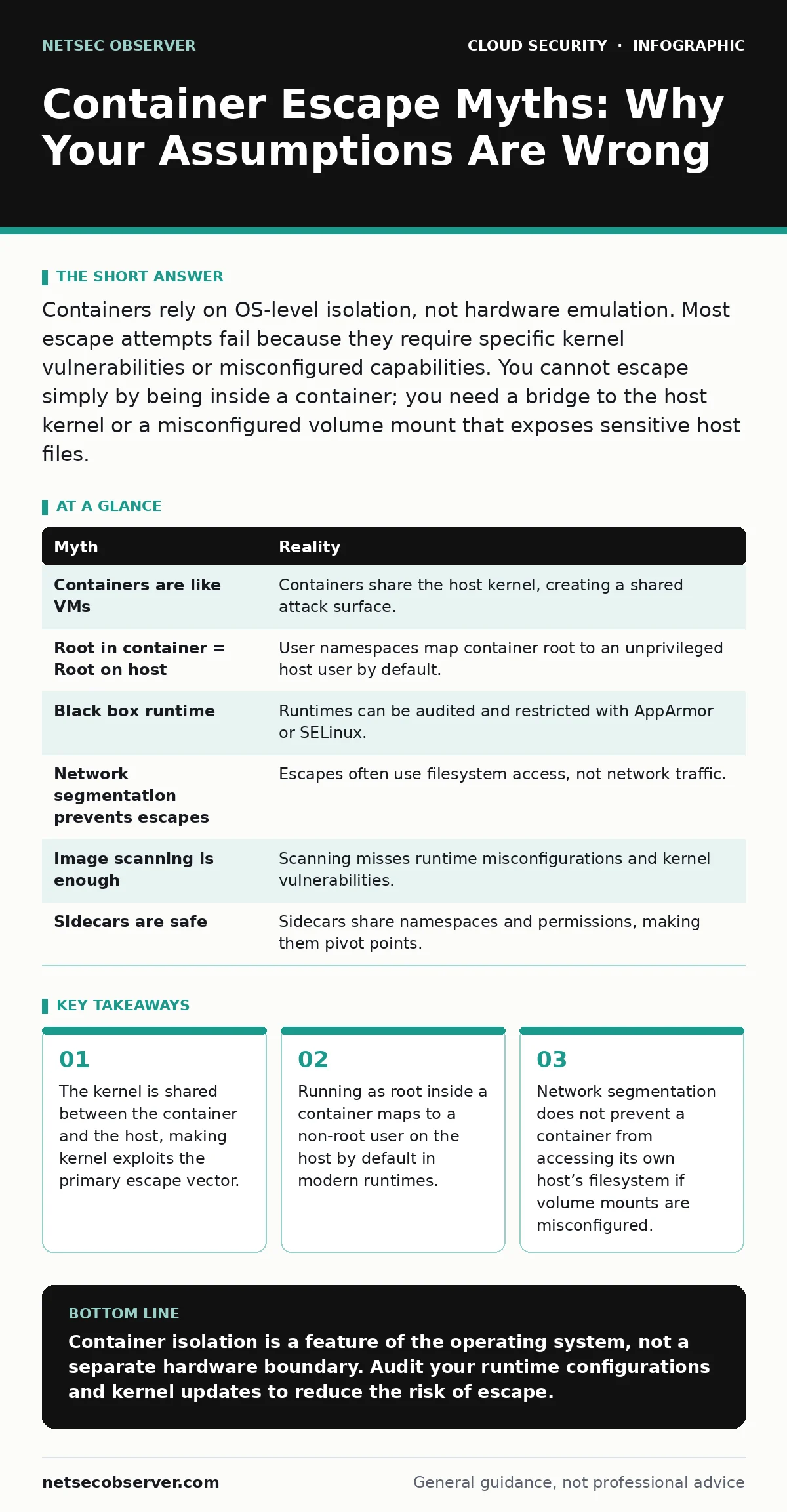
Containers rely on OS-level isolation, not hardware emulation. Most escape attempts fail because they require specific kernel vulnerabilities or misconfigured capabilities. You cannot escape simply by being inside a container; you need a bridge to the host kernel or a misconfigured volume mount that exposes sensitive host files.
Myth: Containers are isolated like virtual machines
Reality: Containers share the host kernel, whereas virtual machines run their own operating system kernels on top of a hypervisor. This architectural difference means that a container is not a separate computer. It is a set of processes with restricted views of the filesystem and network.
Because the kernel is shared, a vulnerability in the kernel affects every container running on that host. If an attacker finds a way to exploit the kernel from within a container, they can bypass all container-level isolation. The isolation relies on Linux namespaces and cgroups, not on hardware boundaries.
Namespaces hide system resources like process IDs and network interfaces from other containers. Cgroups limit the amount of CPU and memory a container can use. Neither mechanism prevents a process from executing arbitrary code if it has compromised the kernel itself.
Myth: Running a container as root gives you root on the host
Reality: Modern container runtimes map the container’s root user to an unprivileged user on the host system. This is often called user namespace remapping. When you run a command as root inside the container, the process actually runs with a high numeric user ID on the host.
This mapping prevents the container process from modifying host files that require true host root privileges. However, this protection is not absolute. If the container is run with the --privileged flag, this mapping is disabled. The container then gains full access to host devices and capabilities.
Many legacy applications require root privileges to function correctly. Administrators often add the privileged flag to make these applications work without debugging their permissions. This single flag removes almost all security boundaries.
Myth: The container runtime is a black box you cannot control
Reality: The runtime is software that translates container definitions into kernel system calls. You can audit the runtime configuration to see exactly what capabilities are granted. Tools like AppArmor or SELinux can restrict what the container can do even if it is running as root.
AppArmor is a Linux security module that confines programs to a limited set of resources. SELinux is a similar module that enforces mandatory access controls. Both can be configured to deny a container from accessing specific host paths or executing certain system calls.
If you do not configure these profiles, the container uses the default profile, which is often permissive. This allows the container to do almost anything the underlying user ID is allowed to do. Tightening these profiles reduces the impact of a compromise.
Myth: Network segmentation stops container escapes
Reality: Network segmentation controls traffic between containers and external networks. It does not control access to the host’s filesystem or kernel. A container escape often happens entirely within the host’s memory and storage layers.
Imagine a container that cannot talk to the internet. It can still read files from the host if the administrator mounted the host’s root directory into the container. This is a common mistake when debugging or logging. The container can then read sensitive configuration files or private keys.
Myth: Image scanning prevents container escapes
Reality: Image scanning checks for known vulnerabilities in the libraries and code bundled in the image. It does not check for runtime misconfigurations or kernel vulnerabilities. A clean image can still be escaped if the host kernel is outdated or if the container is run with excessive privileges.
Scanning happens before the container runs. It cannot detect if an administrator adds a privileged flag at runtime. It also cannot detect if a new kernel vulnerability is discovered after the image was built.
You must combine image scanning with runtime monitoring. Runtime monitoring checks for anomalous behavior, such as a process trying to access kernel modules or mount host filesystems. This catches escapes that static scanning misses.
See also: Debunking Secrets in Source Code: 6 Myths That Leave Systems Open
Myth: Sidecar containers are always safe
Reality: Sidecar containers share the same network namespace and often the same volume mounts as the main application container. If the main application is compromised, the attacker may be able to pivot to the sidecar.
Sidecars often have additional permissions to interact with the container orchestration platform. They might need to read secrets or update service discovery records. This makes them attractive targets for an attacker who has already breached the main application.
Isolating sidecars from the main application is difficult because they are designed to work closely together. You must treat the sidecar as part of the same trust boundary. If the main container is untrusted, the sidecar is also at risk.
For more on managing credentials, see service account security. For managing encryption keys, see cloud key management services. To prevent accidental exposure of credentials, review secrets in source code. To limit lateral movement, implement cloud network segmentation.
| Myth | Reality |
|---|---|
| Containers are like VMs | Containers share the host kernel, creating a shared attack surface. |
| Root in container = Root on host | User namespaces map container root to an unprivileged host user by default. |
| Black box runtime | Runtimes can be audited and restricted with AppArmor or SELinux. |
| Network segmentation prevents escapes | Escapes often use filesystem access, not network traffic. |
| Image scanning is enough | Scanning misses runtime misconfigurations and kernel vulnerabilities. |
| Sidecars are safe | Sidecars share namespaces and permissions, making them pivot points. |
Key takeaways
- The kernel is shared between the container and the host, making kernel exploits the primary escape vector.
- Running as root inside a container maps to a non-root user on the host by default in modern runtimes.
- Network segmentation does not prevent a container from accessing its own host’s filesystem if volume mounts are misconfigured.
Container isolation is a feature of the operating system, not a separate hardware boundary. Audit your runtime configurations and kernel updates to reduce the risk of escape.
Frequently asked questions
Can a container escape if it is not running as root?
Yes, if the host kernel has a vulnerability that allows privilege escalation or if the container has access to sensitive host devices via volume mounts.
How do I know if my container is running in privileged mode?
Check the container’s runtime flags or the orchestration manifest for the privileged setting. Privileged containers have access to all host devices.
Does using a read-only root filesystem prevent escapes?
It limits the ability to modify the container’s internal files, but it does not prevent access to host files if volume mounts are misconfigured.
Are serverless containers more secure?
They often use ephemeral containers that are destroyed after each request, reducing the window for exploitation, but they still share the host kernel.
How this guide was produced: written by the NetSec Observer editorial team with AI assistance, checked against the public references listed below, and reviewed when the facts change. See our editorial policy or report an error.