
Debunking Secrets in Source Code: 6 Myths That Leave Systems Open
Version control history retains deleted secrets forever, and environment variables often fail to protect credentials from memory dumps or process listings.
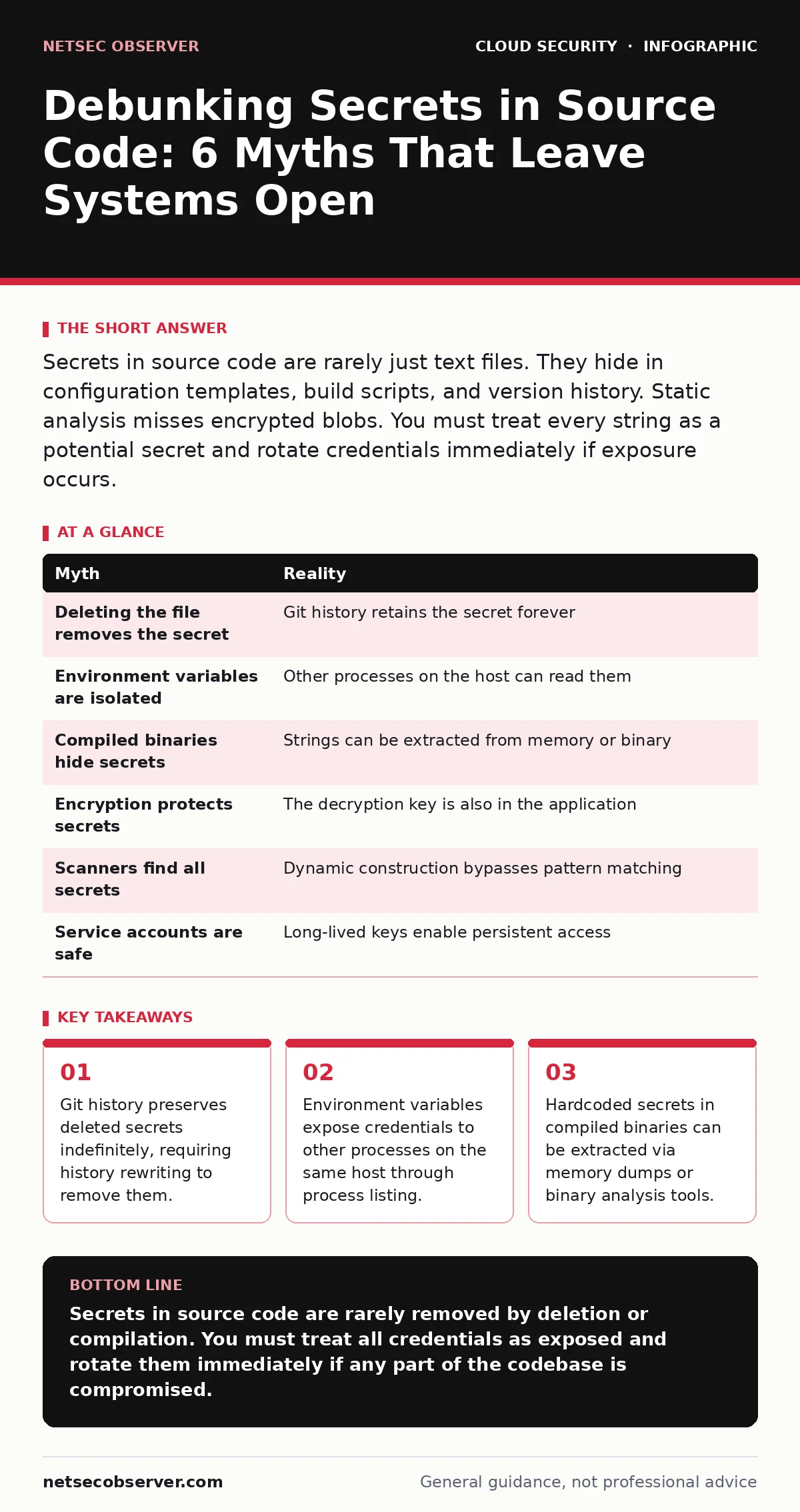
Secrets in source code are rarely just text files. They hide in configuration templates, build scripts, and version history. Static analysis misses encrypted blobs. You must treat every string as a potential secret and rotate credentials immediately if exposure occurs.
Myth: Deleting the secret from the file removes it from the repository
Reality: Version control systems like Git store the complete history of every file change. Deleting a line containing a secret removes it from the current working tree, but the secret remains in every previous commit. Anyone with read access to the repository can view the entire history and retrieve the credential. This is the most common source of exposure in public code repository leaks.
The mechanism of distributed version control means every clone contains the full history. You cannot simply delete the file and push. You must rewrite the repository history using tools that alter commit hashes. Even then, clones already distributed to other developers still contain the old history. Those clones must be purged and re-cloned. If you fail to notify every user, the secret remains accessible to anyone who had access before the rewrite.
Myth: Environment variables keep secrets safe from other users
Reality: Environment variables are passed to processes at startup and remain visible to any process running under the same user account. An attacker who gains access to a low-privilege process on the same host can enumerate environment variables. This includes secrets stored in variables for database passwords or API keys. The isolation is only at the user level, not the process level.
Imagine a web server running alongside a monitoring agent. If the agent is compromised, it can read the environment variables of the web server. This bypasses file system permissions entirely. The credential is in memory, not on disk. Standard file permission checks do not apply. You must treat the host as a shared trust boundary. Using identity as the new perimeter strategies reduces reliance on static credentials that can be harvested this way.
Myth: Compiled binaries hide secrets from attackers
Reality: Compilation translates source code into machine instructions, but it does not encrypt the data. Hardcoded secrets in source code become embedded in the binary executable. Attackers can extract these strings using simple hex editors or disassemblers. Memory dumps of the running process also reveal the secrets in plaintext. The binary is just another file that can be analyzed.
Static analysis tools often miss these because they look for patterns in text files, not binary blobs. Dynamic analysis reveals the secrets when the program runs. The secret exists in the application's memory space. If an attacker can inject code or dump memory, they obtain the credential. You must load secrets from external sources at runtime. This ensures the secret is never part of the distributable artifact.
Myth: Encrypting the config file prevents secret extraction
Reality: Encrypting a configuration file requires a decryption key. If the application holds the key, the key is also in the application. An attacker who compromises the application can extract the key and decrypt the file. This is known as security through obscurity. It provides no real protection because the attacker has access to the same runtime environment. The encryption only protects the secret at rest, not in use.
The trade-off is complexity for zero security gain. You add a decryption step that can be bypassed. If the key is hardcoded, it is as vulnerable as the secret itself. If the key is in an environment variable, it is vulnerable to enumeration. True protection requires separating the key from the data. Use cloud key management services to handle key rotation and access control. This ensures the application never holds the key directly.
Myth: Static analysis tools find all hardcoded secrets
Reality: Static analysis tools use pattern matching to identify secrets. They look for known formats like base64 strings or specific prefixes. They miss secrets that are constructed dynamically. If code concatenates strings or uses obfuscation, the tool sees only code, not a secret. It also misses secrets that do not match known patterns. False negatives are common and dangerous.
You cannot rely on a single scan. Human review is necessary for complex logic. The tool checks the current state, not the history. It does not check build artifacts. It does not check runtime behavior. You must combine automated scanning with manual review of high-risk areas. Infrastructure-as-code scanning helps catch secrets in deployment templates, but application code requires deeper inspection.
See also: Infrastructure-as-Code Scanning: 10 Answers for Secure Deployment
Myth: Service accounts do not need secret rotation
Reality: Service accounts hold long-lived credentials for automation. If these credentials are exposed, they remain valid until manually rotated. Attackers use these accounts to persist in the environment. They do not trigger login alerts because they are expected. The damage accumulates over time. You must treat service accounts like human users for security purposes.
Service account security relies on the principle of least privilege. The account should only have the permissions it needs. If a secret is exposed, the impact is limited by those permissions. You must automate rotation to reduce the window of exposure. Manual rotation is error-prone and often delayed. Automation ensures that credentials are short-lived and that exposure does not lead to long-term compromise.
| Myth | Reality |
|---|---|
| Deleting the file removes the secret | Git history retains the secret forever |
| Environment variables are isolated | Other processes on the host can read them |
| Compiled binaries hide secrets | Strings can be extracted from memory or binary |
| Encryption protects secrets | The decryption key is also in the application |
| Scanners find all secrets | Dynamic construction bypasses pattern matching |
| Service accounts are safe | Long-lived keys enable persistent access |
Key takeaways
- Git history preserves deleted secrets indefinitely, requiring history rewriting to remove them.
- Environment variables expose credentials to other processes on the same host through process listing.
- Hardcoded secrets in compiled binaries can be extracted via memory dumps or binary analysis tools.
- Encrypted configuration files often contain the decryption key within the same application context.
Secrets in source code are rarely removed by deletion or compilation. You must treat all credentials as exposed and rotate them immediately if any part of the codebase is compromised.
Frequently asked questions
How do I find secrets already in my Git history?
Use specialized tools that scan commit history for patterns. These tools identify secrets in past commits, not just the current branch. You must then rewrite history to remove them.
Can I use a .gitignore file to prevent secrets from being committed?
No. Git ignore only prevents new files from being tracked. It does not remove files already in history. You must use history rewriting tools to purge existing secrets.
What is the difference between a secret and a configuration value?
A secret is sensitive data that grants access, like a password or key. A configuration value is non-sensitive, like a port number. Secrets require strict access control and rotation.
Should I encrypt secrets in my database?
Yes, but you must manage the encryption keys separately. Storing the key in the application code defeats the purpose. Use a dedicated key management system to handle key storage and rotation.
How this guide was produced: written by the NetSec Observer editorial team with AI assistance, checked against the public references listed below, and reviewed when the facts change. See our editorial policy or report an error.