
Single Sign On in Active Directory: How Kerberos Works
Single sign on in Active Directory relies on encrypted tickets rather than repeated password checks, which shifts the security burden from user memory to server-side key protection.
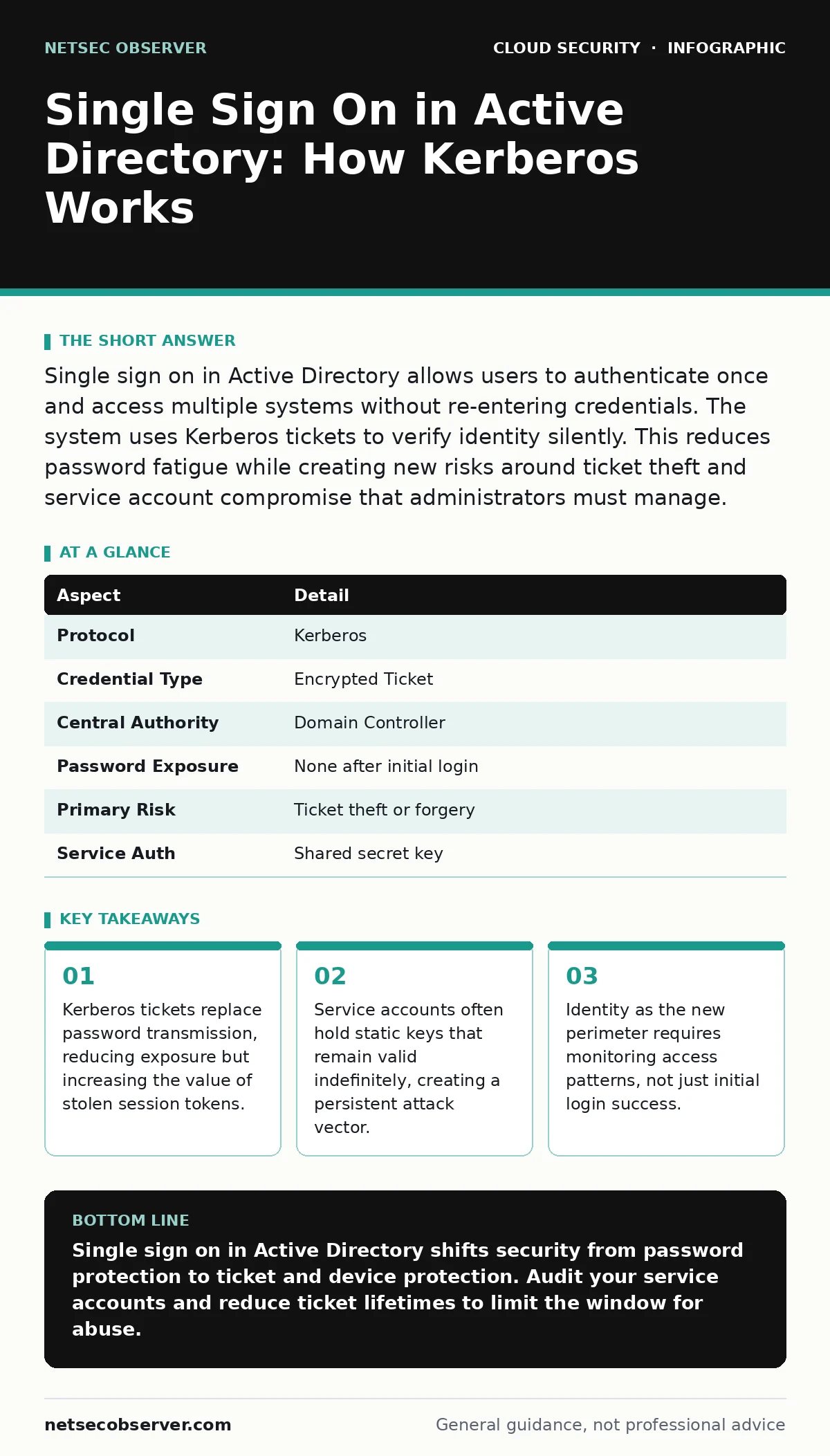
Single sign on in Active Directory allows users to authenticate once and access multiple systems without re-entering credentials. The system uses Kerberos tickets to verify identity silently. This reduces password fatigue while creating new risks around ticket theft and service account compromise that administrators must manage.
The Ticket Office Analogy
Imagine a large convention center with hundreds of booths. You show your ID at the entrance and receive a wristband. Each booth attendant checks the wristband, not your ID. You never show your ID again. This is how single sign on in Active Directory works. The initial check is the login. The wristband is the ticket. The booths are the servers and applications.
This model removes the friction of repeated authentication. It also changes where the risk lives. In traditional systems, the password is the key. In this model, the ticket is the key. If someone steals your wallet, they can open your door. If someone steals your wristband, they can enter every booth. The protection must shift from guarding the password to guarding the ticket.
How Single Sign On in Active Directory Functions
The system uses a protocol called Kerberos. Kerberos is a network authentication protocol that uses secret-key cryptography. It involves three parties: the client, the server, and the Key Distribution Center. The Key Distribution Center is usually part of the domain controller.
- The user logs in with a username and password.
- The domain controller verifies the credentials and issues a Ticket Granting Ticket.
- The user requests access to a specific service.
- The domain controller issues a service ticket encrypted with that service's key.
- The user presents the service ticket to the server.
- The server decrypts the ticket and grants access.
No password travels across the network after step 1. The server never sees your password. It only sees a cryptographic proof that the domain controller trusted you. This reduces the chance of password sniffing. It increases the consequence of a compromised domain controller.
| Aspect | Detail |
|---|---|
| Protocol | Kerberos |
| Credential Type | Encrypted Ticket |
| Central Authority | Domain Controller |
| Password Exposure | None after initial login |
| Primary Risk | Ticket theft or forgery |
| Service Auth | Shared secret key |
Who This Architecture Affects
This setup affects every user in the organization. It also affects every service account. A service account is a non-human identity used by software to interact with the network. Administrators often create these accounts for databases, web servers, or backup jobs.
Users benefit from convenience. They do not need to remember multiple passwords. They do not need to type credentials into every application. This reduces help desk calls for password resets. It also reduces the temptation to write passwords on sticky notes.
Administrators face a different reality. They must manage the health of the domain controllers. They must rotate service account keys. They must monitor for anomalous ticket requests. A breach here is silent. There is no failed login attempt. There is only successful access using a valid ticket. This makes detection harder.
What People Usually Get Wrong
Many teams assume that single sign on in Active Directory eliminates password risks. It does not. It moves the risk upstream. If an attacker compromises a user account, they can request tickets. If they compromise a service account, they can impersonate that service.
Another common error is treating all accounts equally. Human users change passwords. Service accounts often do not. A service account with a static key is a permanent backdoor. Attackers target these accounts because the keys rarely change. This is a core issue in service account security. Teams often ignore this because the accounts do not have interactive logins. They are invisible until they are abused.
Teams also overlook the network scope. Kerberos tickets are valid across the domain. A ticket stolen on one subnet can be used on another. This breaks network segmentation assumptions. You cannot isolate a server if it accepts tickets from the central directory. The identity layer transcends the network layer.
The Hidden Cost of Convenience
The trade-off for convenience is centralization. You create a single point of failure. If the Key Distribution Center is down, no one can log in. If it is compromised, everyone is at risk. This centralization requires rigorous hardening of domain controllers.
There is also a maintenance cost. You must monitor ticket lifetimes. Default settings often allow tickets to remain valid for hours or days. This gives attackers a large window to operate. Shortening ticket lifetimes improves security but can break legacy applications that expect long sessions. You must balance security with operational stability.
Imagine a developer who leaves a workstation unlocked. An attacker sits down and opens a browser. The browser already holds valid tickets. The attacker accesses sensitive data without typing a password. The logs show a successful login from the developer's account. The attacker blends in. This is why endpoint security matters as much as identity security.
See also: Cloud Ransomware: How It Works and How to Stop It
Managing the Risk
You must treat tickets as secrets. Protect the devices that hold them. Use device encryption. Require screen locks. Monitor for rapid ticket requests. A sudden spike in ticket generation often indicates an attacker trying to map the environment.
Rotate service account keys regularly. Do not use the same key for years. Automate this process. Manual rotation is error-prone. Consider using managed identities where possible. These are dynamic credentials that the platform rotates automatically. This reduces the attack surface for static keys.
Review access rights frequently. Users accumulate permissions over time. They move roles. They leave. Their accounts remain active. This is where SaaS access reviews become relevant. Even if the access is on-premises, the principle is the same. Least privilege limits the damage of a stolen ticket.
The Perimeter Shift
The network perimeter is no longer the primary defense. Firewalls and VLANs do not stop an insider with a valid ticket. The identity is the perimeter. This is the concept of identity as the new perimeter. You must verify who is acting, not just where they are connecting from.
This shift requires better logging. Traditional logs show successful logins. They do not always show what the user did after login. You need detailed audit trails. This connects to cloud logging gaps. If you cannot see the actions, you cannot detect abuse. Ensure your logging captures both authentication events and authorization decisions.
Next Steps for Implementation
Start by auditing your service accounts. Identify accounts with static keys. Identify accounts with high privileges. Create a rotation schedule. Implement monitoring for ticket anomalies. Train users on device security. Emphasize that unlocking a device is like handing over a key.
Review your ticket lifetime settings. Reduce them where possible. Test applications to ensure they handle short-lived tickets. Update your incident response plans. Include scenarios for ticket theft. Practice detecting silent access. This prepares you for the reality of modern identity attacks.
Key takeaways
- Kerberos tickets replace password transmission, reducing exposure but increasing the value of stolen session tokens.
- Service accounts often hold static keys that remain valid indefinitely, creating a persistent attack vector.
- Identity as the new perimeter requires monitoring access patterns, not just initial login success.
Single sign on in Active Directory shifts security from password protection to ticket and device protection. Audit your service accounts and reduce ticket lifetimes to limit the window for abuse.
Frequently asked questions
Does single sign on in Active Directory work with cloud apps?
Yes, through federation protocols like SAML or OIDC. The on-premises directory validates the user, then issues a token for the cloud app. This extends the identity perimeter to external services.
Can an attacker reuse a stolen ticket?
Yes, within the ticket's lifetime. This is why shortening ticket durations and monitoring for replay attacks is critical. Forward secrecy mechanisms can also limit reuse.
How do I detect a compromised service account?
Monitor for unusual access patterns. Look for access outside business hours or from unexpected locations. Check for high-volume data requests or privilege escalation attempts.
Is Kerberos secure enough for modern threats?
Kerberos is secure when configured correctly. Weaknesses usually stem from misconfiguration, static keys, or poor endpoint security. Regular audits and key rotation maintain its effectiveness.
How this guide was produced: written by the NetSec Observer editorial team with AI assistance, checked against the public references listed below, and reviewed when the facts change. See our editorial policy or report an error.