Cloud Ransomware: How It Works and How to Stop It
Cloud ransomware rarely encrypts your data directly; it hijacks your permissions to lock you out of the systems you built.
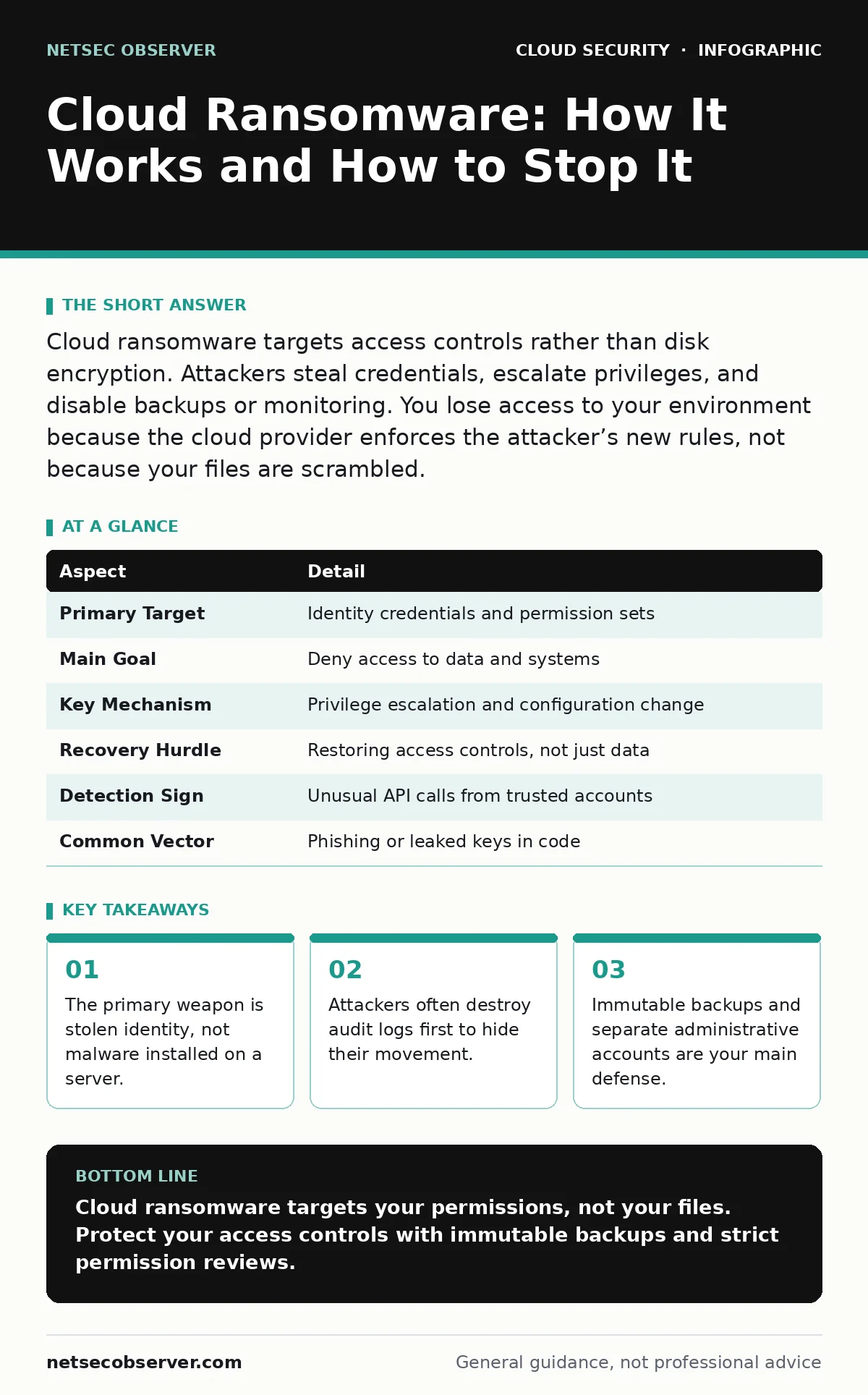
Cloud ransomware targets access controls rather than disk encryption. Attackers steal credentials, escalate privileges, and disable backups or monitoring. You lose access to your environment because the cloud provider enforces the attacker’s new rules, not because your files are scrambled.
The House Key Analogy
Imagine you rent a storage unit. A traditional burglar breaks the lock and steals the contents. Cloud ransomware is different. The attacker finds the spare key you left under the mat, walks in, changes the combination on the lock, and throws away your original key. You still have your lease, but you cannot enter. The storage company enforces the new code. You must prove you own the lease to get a new key, but the attacker has already sold the contents or locked them in a safe only they can open.
This shift from breaking in to taking over is the defining feature of cloud ransomware. It relies on trust and permission rather than brute force against a firewall.
What Cloud Ransomware Actually Is
Cloud ransomware is a campaign that targets the identity and access management layer of a cloud environment. Instead of installing malicious software on a virtual machine to encrypt files, the threat actor compromises an account. They use that account to modify security settings, delete backups, and block legitimate users from accessing resources.
The cloud provider remains operational. The infrastructure is fine. The data is often still there. But you cannot reach it because the attacker has rewritten the rules of who can touch what. This makes recovery slower and more complex than restoring from a backup tape.
At a glance
| Aspect | Detail |
|---|---|
| Primary Target | Identity credentials and permission sets |
| Main Goal | Deny access to data and systems |
| Key Mechanism | Privilege escalation and configuration change |
| Recovery Hurdle | Restoring access controls, not just data |
| Detection Sign | Unusual API calls from trusted accounts |
| Common Vector | Phishing or leaked keys in code |
How the Attack Unfolds
The attack usually begins long before you see a ransom note. The attacker needs a foothold. This often comes from secrets in source code where developers accidentally commit API keys to a public repository. It might come from a phishing email that tricks an employee into handing over login tokens.
Once inside, the attacker looks for elevation. They scan for accounts with broad permissions. They might find a service account that was created for a specific task but given full administrative rights. They pivot from this low-level access to high-level control. This is where service account security becomes a critical failure point.
Next, the attacker moves to silence the alarms. They disable logging services. They delete CloudTrail or equivalent audit logs. This creates a blind spot. You cannot investigate what happened if the record of who did what is gone. They then locate backups and delete them. Finally, they lock out legitimate administrators and change passwords. The ransom demand follows, usually via a message posted in a console or sent to known email addresses.
Who Gets Hit and Why
Any organization using public cloud services is at risk. However, the impact varies by maturity. Small teams often lack the monitoring tools to detect subtle permission changes. Large enterprises have more complex environments, making it harder to track which account has which right.
The common thread is misconfiguration. Cloud platforms are flexible. That flexibility allows for mistakes. A permission that works for development might be dangerous in production. Attackers exploit these gaps. They do not need to hack the cloud provider. They only need to find the one door you left unlocked.
This is why public code repository leaks are a frequent starting point. Code is everywhere. Keys are often embedded in scripts. If that code is visible, the keys are visible. The attacker does not guess the password; they find it published.
Common Forms of Cloud Lockout
There are a few patterns attackers use to hold your cloud environment hostage.
- Identity Hijacking: The attacker takes over a human user’s account. They change the password and email address associated with the account. You lose access because the attacker now owns the identity.
- Role Escalation: The attacker finds a role that grants more power than intended. They assign themselves this role. Now they can do anything that role can do, including deleting security groups or modifying firewall rules.
- Backup Destruction: The attacker identifies backup buckets or snapshot schedules. They delete the backups and disable the creation of new ones. This ensures you cannot roll back to a previous state.
- Network Isolation: The attacker modifies security groups or network access control lists. They block traffic from your office IP addresses. Your servers are running, but you cannot connect to them.
These forms often overlap. An attacker might hijack an identity, escalate privileges, and then destroy backups. The combination is what creates the ransom situation.
See also: Why is Identity Described as the New Security Perimeter · Cloud Key Management Services Explained with Real Analogies
What People Usually Get Wrong
Many teams think encryption solves the problem. They encrypt their data at rest and in transit. This is good practice, but it does not stop cloud ransomware. If the attacker has the permissions to access the encrypted data, they can use those same permissions to deny you access. The encryption key is often stored in a key management service that the attacker can also access if they have the right credentials.
Another common mistake is assuming that because the cloud provider manages the infrastructure, the provider will fix the access issue. The provider enforces the rules you set. If you set a rule that says "this account can delete backups," and that account is compromised, the provider will allow the deletion. The provider does not judge the intent of the API call.
How to Reduce the Risk
You cannot prevent every mistake, but you can make recovery faster and attacks harder.
Start with bring your own key encryption. If you manage your own encryption keys, the cloud provider cannot access your data even if they are compelled to, or if their systems are breached. More importantly for ransomware, if the attacker cannot access the keys, they cannot decrypt the data or easily destroy the keys without triggering alerts.
Implement cloud network segmentation. Divide your environment into zones. Limit what each zone can do. If an attacker compromises a web server, they should not be able to reach the database or the backup storage. This limits the blast radius.
Review your access regularly. Conduct SaaS access reviews to ensure that only the right people have access to the right tools. Remove permissions that are no longer needed. An old admin account is a goldmine for attackers.
Use immutable backups. These are backups that cannot be deleted or modified for a set period. Even if an attacker gains full administrative rights, they cannot touch these backups. This is your safety net.
Finally, monitor your API calls. Set up alerts for unusual activity, such as a user deleting a backup or changing a security group. Detecting the attack early allows you to revoke access before the attacker locks you out completely.
The Path to Recovery
If you are locked out, do not pay. Paying does not guarantee you get your keys back. It only funds the next attack.
First, isolate the compromised accounts. Revoke all sessions and tokens. This stops the attacker from doing more damage.
Second, restore from your immutable backups. If you do not have these, you may need to reconstruct your environment from scratch.
Third, audit everything. Check every permission, every key, and every configuration. Do not assume the attacker only touched what you saw. They likely moved further than you realized.
Recovery is a process of rebuilding trust in your own systems. It requires patience and thoroughness. Rushing back online without fixing the root cause invites the attacker to return.
Key takeaways
- The primary weapon is stolen identity, not malware installed on a server.
- Attackers often destroy audit logs first to hide their movement.
- Immutable backups and separate administrative accounts are your main defense.
- Misconfigured permissions allow lateral movement without breaking into new systems.
Cloud ransomware targets your permissions, not your files. Protect your access controls with immutable backups and strict permission reviews.
Frequently asked questions
Can antivirus software stop cloud ransomware?
No. Cloud ransomware operates at the identity and configuration level, not as a file on a disk. Antivirus looks for malicious code, not for a user deleting a backup bucket.
Does multi-factor authentication prevent this attack?
It helps, but it is not enough. If an attacker steals a valid session token after you log in, MFA is bypassed. You need to monitor for suspicious session activity.
What is the difference between cloud ransomware and traditional ransomware?
Traditional ransomware encrypts your files. Cloud ransomware changes your access rules. Your files may be intact, but you cannot reach them because the attacker controls the keys to the door.
How do I know if I have been targeted?
Look for sudden changes in permissions, deleted logs, or disabled backups. Alert on API calls that modify security settings or delete data.
How this guide was produced: written by the NetSec Observer editorial team with AI assistance, checked against the public references listed below, and reviewed when the facts change. See our editorial policy or report an error.