
SaaS Access Reviews: Real Benefits and Hidden Costs
Access reviews often create false security theater by forcing users to re-approve permissions they do not understand, while missing the actual risk of privilege escalation.
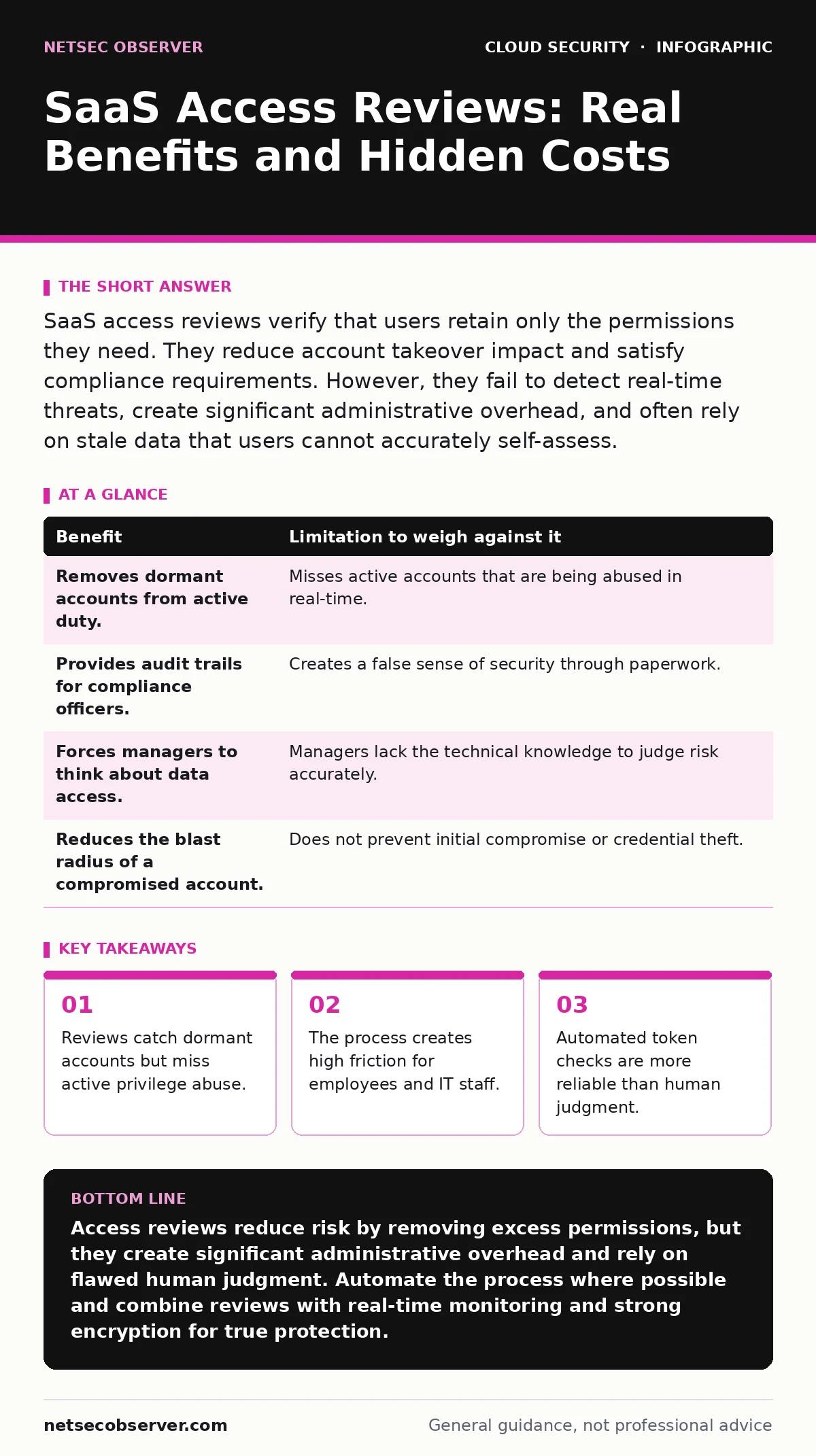
SaaS access reviews verify that users retain only the permissions they need. They reduce account takeover impact and satisfy compliance requirements. However, they fail to detect real-time threats, create significant administrative overhead, and often rely on stale data that users cannot accurately self-assess.
The Promise of Permission Audits
You grant access to Software as a Service (SaaS) applications to help your team work. Over time, roles change. People leave projects. They move to different departments. The permissions they held at the start no longer match their current duties. This drift creates a large attack surface.
An access review is a periodic check of these permissions. You ask owners to confirm whether each user still needs their current level of access. The goal is to remove excess rights. This reduces the number of accounts an attacker can use if they breach the network. It also helps you meet compliance standards that require proof of least privilege.
The mechanism is simple in theory. You export a list of users and their roles. You send it to managers. They approve or deny each entry. You revoke denied access. In practice, this process is where the rubber meets the road, and the friction begins.
The Reality of Human Judgment
The biggest limitation of access reviews is human error. Managers do not know what "Editor" or "Admin" actually allows in a specific application. They see a name and a role title. They assume the role matches the job description. It often does not.
Imagine a marketing manager reviewing access for a design tool. They see a junior designer listed as an "Admin." They do not know that this admin role allows the designer to export all company data to a personal drive. The manager clicks "Approve" because the designer is still employed. The excessive permission remains. The risk stays hidden.
This is a non-obvious consequence of the process. You are outsourcing security decisions to people who lack technical context. You are asking them to make binary choices on complex configurations. The result is often a rubber stamp. The review looks complete in the audit log, but the security posture has not improved.
Hidden Costs and Operational Drag
Access reviews are not free. They consume time. IT staff must extract data, format it, and send it out. Managers must read it, understand it, and respond. If they miss the deadline, IT must follow up. This cycle repeats every quarter or every six months.
This administrative burden creates a hidden cost. Your security team spends hours managing the review process instead of hunting for threats or hardening infrastructure. Your managers spend hours clicking buttons instead of leading their teams. This drag can lead to "review fatigue." People start approving everything just to get the task done.
Suppose your company uses twenty different SaaS tools. Conducting a manual review for each one is impossible. You will likely skip the smaller tools. Those smaller tools often have weaker security controls. They become the easy entry point for attackers. You have created a blind spot by trying to manage too much manually.
| Benefit | Limitation to weigh against it |
|---|---|
| Removes dormant accounts from active duty. | Misses active accounts that are being abused in real-time. |
| Provides audit trails for compliance officers. | Creates a false sense of security through paperwork. |
| Forces managers to think about data access. | Managers lack the technical knowledge to judge risk accurately. |
| Reduces the blast radius of a compromised account. | Does not prevent initial compromise or credential theft. |
When Static Checks Fail
Static reviews look at a snapshot in time. They do not see behavior. An attacker who steals credentials can act normally for weeks. They might not change any settings. They might just read emails or download files. The access review will show that the user has valid access. It will not flag the malicious activity.
This is why access reviews are not a detection tool. They are a hygiene tool. They keep the garden tidy. They do not catch the weed that has already taken root. You need other mechanisms for detection. You should integrate your identity logs with a security information and event management system. This allows you to see unusual access patterns, not just static permissions.
Consider the concept of bring your own key encryption. If you control the encryption keys, you add a layer of security that access reviews cannot touch. Even if an attacker gains access, they cannot read the data without the key. Access reviews manage who gets in. Encryption manages what they can see once inside. Both are necessary, but they solve different problems.
When It Is Worth It
Access reviews are worth the effort for high-privilege roles. These are accounts that can change system settings, manage users, or export large datasets. The risk here is high. The cost of a breach is catastrophic. Regular reviews ensure that only the necessary few hold these keys.
They are also worth it for compliance-heavy industries. If you handle health data, financial records, or government information, you must prove that you monitor access. The audit trail from a review is your evidence. Without it, you face fines and legal liability. The administrative cost is the price of doing business.
Finally, reviews are useful for onboarding and offboarding. When a person leaves, you must cut their access. A review process ensures that this happens systematically. It prevents "orphaned" accounts from lingering in the system. These orphaned accounts are prime targets for attackers because no one is watching them.
See also: Infrastructure-as-Code Scanning: 10 Answers for Secure Deployment
When It Is Not
Access reviews are not worth it for low-risk, consumer-grade applications. If a tool only allows users to edit their own profile, the risk of privilege escalation is near zero. Spending time reviewing these accounts is a waste of resources. You should automate access for these tools using single sign-on. This ensures that access is tied to employment status. If the person leaves, the access stops automatically.
They are also not worth it if your data is already exposed. If you have exposed storage buckets or public code repository leaks, fixing permissions inside the SaaS app will not stop the leak. The data is already out. You need to address the exposure first. Cleaning up internal permissions is a secondary concern when the perimeter is open.
Do not use reviews as a substitute for architecture. If your cloud network segmentation is poor, an attacker can move laterally between services regardless of individual permissions. You must segment your network to limit movement. Access reviews manage identity. Segmentation manages infrastructure. You need both, but reviews alone will not stop a lateral attack.
Automating the Review Process
To make reviews effective, you must reduce the human element. Use identity governance tools that integrate with your SaaS applications. These tools can pull data automatically. They can route reviews to the right managers. They can enforce deadlines.
More importantly, they can use rules to suggest decisions. If a user has not logged in for ninety days, the tool can recommend revocation. If a user’s role changed in the HR system, the tool can adjust permissions automatically. This reduces the need for manual judgment.
Imagine a system that flags anomalies. If a user suddenly accesses a file they never touched before, the system alerts you. This is dynamic review. It is far more effective than a quarterly static check. It combines the structure of access reviews with the responsiveness of monitoring.
Integrating with Broader Security
Access reviews are one part of a larger puzzle. They work best when combined with other controls. For example, if you use cloud key management services, you can tie access to key usage. This adds a layer of verification.
You should also consider the risk of denial-of-wallet attacks. If an attacker gains access to a cloud billing account, they can spin up expensive resources. Access reviews for billing roles are critical. They ensure that only finance and IT staff can modify spending limits.
Finally, remember that cloud ransomware often starts with a compromised admin account. If your reviews ensure that admin access is tightly controlled and regularly verified, you reduce the chance of a successful ransomware deployment. The review does not stop the initial hack, but it limits the damage once the attacker is inside.
Key takeaways
- Reviews catch dormant accounts but miss active privilege abuse.
- The process creates high friction for employees and IT staff.
- Automated token checks are more reliable than human judgment.
Access reviews reduce risk by removing excess permissions, but they create significant administrative overhead and rely on flawed human judgment. Automate the process where possible and combine reviews with real-time monitoring and strong encryption for true protection.
Frequently asked questions
How often should I conduct SaaS access reviews?
Conduct reviews for high-privilege accounts quarterly. For standard users, semi-annual reviews may suffice if automated offboarding is in place.
Can I automate access reviews completely?
You can automate data collection and routing. However, human validation is still required for complex roles to ensure business context is considered.
What is the difference between an access review and a user audit?
An access review focuses on permissions and roles. A user audit looks at login activity and behavioral anomalies. Both are needed for a complete picture.
Do access reviews help with GDPR compliance?
Yes, they demonstrate that you only process data with necessary access rights, which is a core principle of GDPR data minimization.
How this guide was produced: written by the NetSec Observer editorial team with AI assistance, checked against the public references listed below, and reviewed when the facts change. See our editorial policy or report an error.