
Log Tampering Risks and Protection for Small Businesses
Attackers erase digital footprints to hide inside your network, turning your security logs from a witness into a silent accomplice.
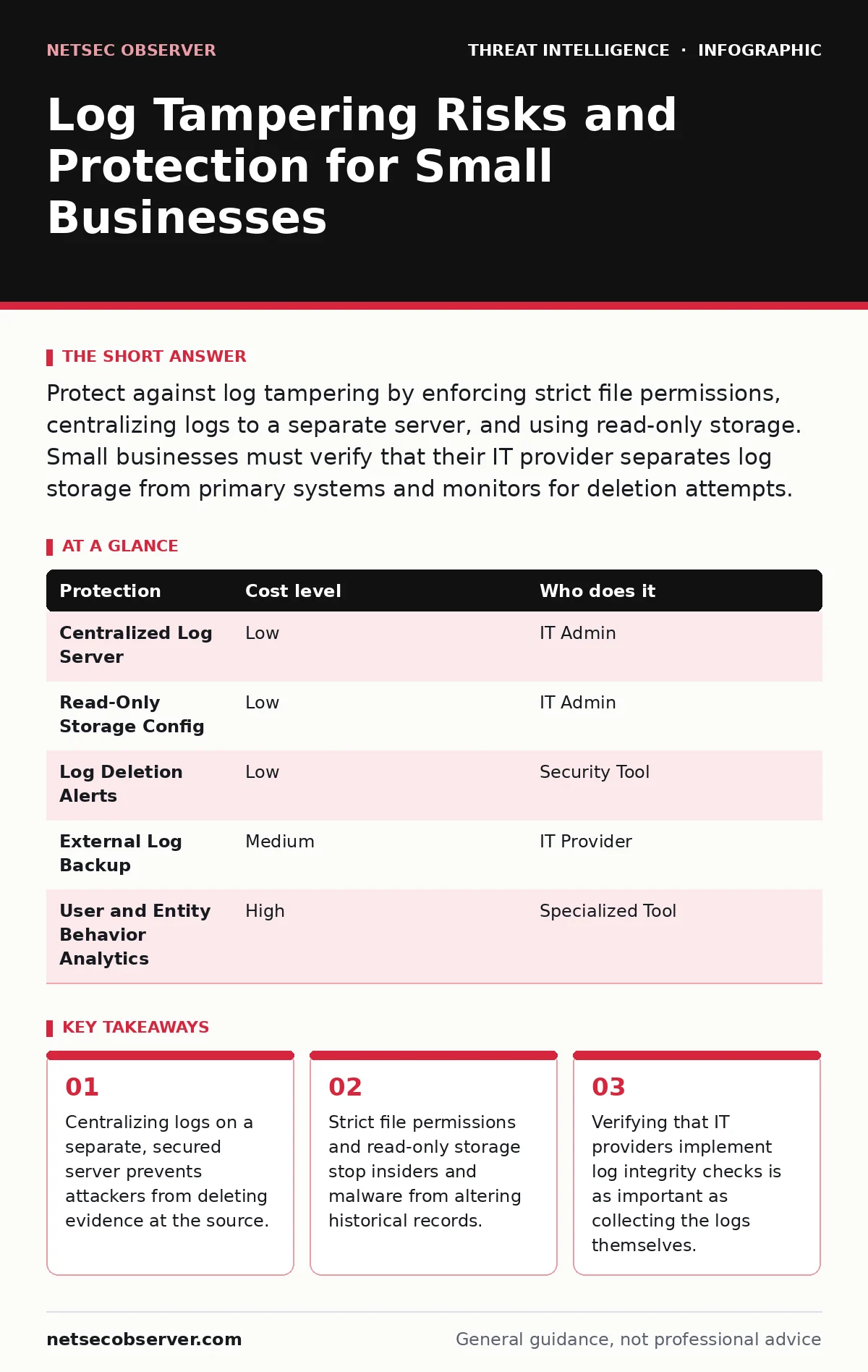
Protect against log tampering by enforcing strict file permissions, centralizing logs to a separate server, and using read-only storage. Small businesses must verify that their IT provider separates log storage from primary systems and monitors for deletion attempts.
The Hidden Cost of Missing Logs
Log tampering occurs when an attacker modifies, deletes, or fabricates system records to hide their presence. Most small organizations assume that if an event happened, the computer recorded it. This assumption fails when the attacker has administrative control. If they can run commands, they can often run the command to clear the history.
The risk is not just losing data. It is losing the timeline of the breach. Without accurate timestamps, you cannot determine when the attacker entered or what they touched. This delays containment and increases the total damage.
Why Small Organizations Are Exposed
Small businesses often run simplified IT environments. This simplicity creates a single point of failure. If your logs live on the same server as your applications, an attacker who compromises the application also compromises the logs. There is no separation of duties.
Many small teams rely on local log storage for ease of access. This is convenient for quick checks but dangerous for security. Local logs are vulnerable to disk encryption, formatting, or direct file deletion. If the server is seized or wiped, the logs go with it.
Lack of monitoring is another factor. If no one is watching for log deletion events, the act of tampering goes unnoticed. The attacker works in the dark, knowing that their cleanup efforts will not trigger an alert.
Centralization as a Primary Defense
The most effective low-cost protection is log centralization. This means sending logs from all devices to a single, separate server. This server should be distinct from the production environment. It should have its own IP address, its own operating system, and its own access controls.
When logs are centralized, an attacker on a web server cannot delete the logs stored on the logging server. They might stop new logs from being sent, but the historical record remains safe. This creates a gap in the data that is itself a red flag.
You must ensure the central server is hardened. It should not run unnecessary services. Access should be limited to a few trusted administrators. If the central server is compromised, you lose the entire historical record.
Enforcing Read-Only Storage
Even with centralization, you must protect the stored data. Use read-only storage for archived logs. This can be achieved through file system permissions or by writing logs to append-only storage media. Append-only storage allows new data to be added but prevents modification or deletion of existing data.
This mechanism stops both external attackers and internal threats. A malicious insider with administrative rights cannot rewrite history if the storage layer refuses the write command. It also protects against ransomware that attempts to encrypt or delete files.
The trade-off is management complexity. You must plan for storage capacity. Logs grow over time. You need a retention policy that moves old logs to cheaper, cold storage while keeping recent logs in read-only active storage.
Monitoring for Tampering Attempts
You must detect when someone tries to tamper with logs. This is often more valuable than detecting the initial breach. Configure your systems to alert on log deletion events. If a user or process deletes a log file, that action should generate a high-priority alert.
This approach aligns with the MITRE ATT&CK framework technique for indicator removal. By monitoring for this specific behavior, you catch the attacker in the act of hiding. It shifts your defense from passive recording to active detection.
Consider using security telemetry to correlate these events. If a log deletion happens at the same time as unusual network traffic, the correlation strengthens the alert. You are looking for patterns, not just isolated events.
See also: GDPR Breach Notification Rules for Small Businesses: What You Must Do · OSINT tools for investigators map digital footprints
Low-Cost Protections Table
| Protection | Cost level | Who does it |
|---|---|---|
| Centralized Log Server | Low | IT Admin |
| Read-Only Storage Config | Low | IT Admin |
| Log Deletion Alerts | Low | Security Tool |
| External Log Backup | Medium | IT Provider |
| User and Entity Behavior Analytics | High | Specialized Tool |
What to Ask Your IT Provider
If you outsource your IT, you must verify how they handle logs. Many providers focus on uptime and speed, not security forensics. You need to ask specific questions to ensure your logs are protected.
- Do you store logs on a separate server from our production systems?
- Can you provide a sample alert triggered by a log deletion attempt?
- How do you prevent administrative accounts from altering historical logs?
- Do you back up logs to an external, immutable storage location?
- How do you handle log retention and legal compliance requirements?
Integrating with Incident Response
Log integrity is part of your broader security posture. When an incident occurs, you need accurate data to execute your incident response runbooks. If logs are missing or tampered with, your response plan fails. You cannot isolate the threat if you do not know its scope.
Training your team to recognize log gaps is vital. A sudden stop in log flow is as significant as a deletion. It suggests the attacker has severed the connection to the logging server. This is a critical signal in attacker reconnaissance and lateral movement phases.
You should also consider beaconing detection. Attackers often set up commands to report back to them. If these commands are hidden in system processes, logs help reveal them. If the logs are tampered with, the beaconing remains hidden.
Conclusion on Log Integrity
Protecting logs is not about collecting every possible event. It is about ensuring the events you do collect are trustworthy. For small businesses, this means separating storage, restricting write access, and monitoring for deletion.
The cost of these measures is low compared to the cost of a silent breach. By making log tampering difficult and detectable, you force attackers to leave traces. These traces are your only path to recovery and understanding.
Key takeaways
- Centralizing logs on a separate, secured server prevents attackers from deleting evidence at the source.
- Strict file permissions and read-only storage stop insiders and malware from altering historical records.
- Verifying that IT providers implement log integrity checks is as important as collecting the logs themselves.
Frequently asked questions
Can free tools protect against log tampering?
Yes, open-source log collectors can centralize logs to a separate server. The protection comes from the architecture, not the software cost.
How long should we keep logs?
Retention depends on your legal needs and storage capacity. Keep critical security logs for at least several months to allow for delayed detection.
Does cloud storage prevent log tampering?
Cloud storage helps if configured correctly. Use versioning and immutable buckets to prevent deletion, but ensure access keys are secure.
What if we lose logs during a breach?
Focus on network traffic logs and endpoint detection data. These sources may still exist even if system logs are wiped.
How this guide was produced: written by the NetSec Observer editorial team with AI assistance, checked against the public references listed below, and reviewed when the facts change. See our editorial policy or report an error.