
Cloud Key Management Mistakes and How to Fix Them
Misconfigured access policies and unrotated keys expose your data even when encryption algorithms remain unbroken.
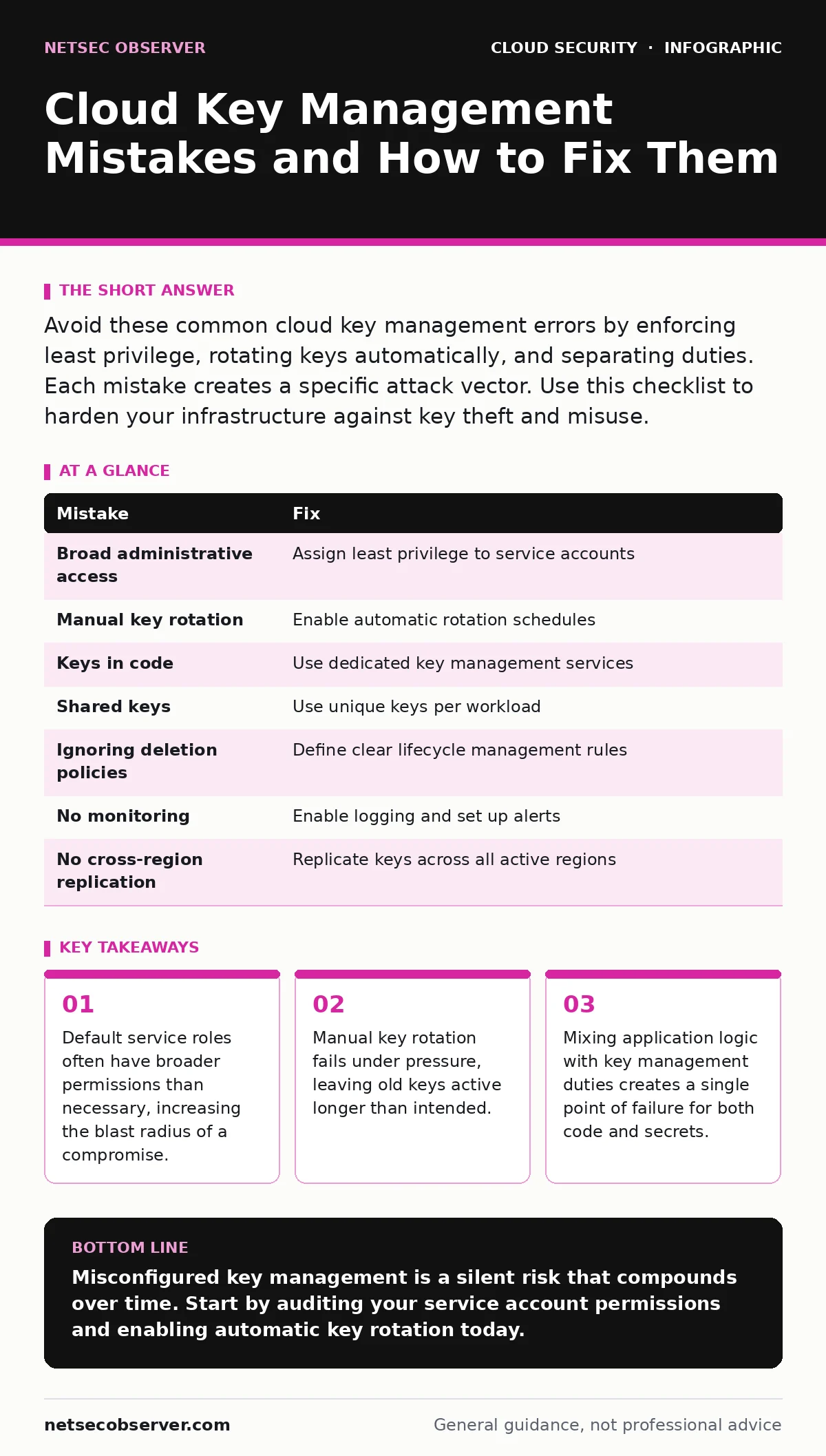
Avoid these common cloud key management errors by enforcing least privilege, rotating keys automatically, and separating duties. Each mistake creates a specific attack vector. Use this checklist to harden your infrastructure against key theft and misuse.
Mistake 1: Granting Broad Administrative Access to Service Accounts
Cloud providers create default service accounts for various managed services. Many administrators leave the default permissions attached to these accounts. These defaults often include full administrative rights over key management resources to simplify initial setup.
Why it hurts:
If an attacker compromises one service, they gain the same broad access. They can read, delete, or disable encryption keys for unrelated workloads. This breaks the principle of least privilege. The breach spreads laterally across your entire infrastructure because the compromised account holds the keys to the kingdom.
The fix:
Audit every service account. Remove administrative roles. Assign only the specific permissions required for that service to function. For example, a database service needs permission to decrypt data, not to create or delete keys. Refer to our guide on service account security for detailed steps on minimizing permission scopes.
Mistake 2: Relying on Manual Key Rotation
Many organizations set up key management services but leave the rotation schedule set to manual. Administrators intend to rotate keys periodically but forget due to other priorities. The system continues to use the same cryptographic material for months or years.
Why it hurts:
Long-lived keys increase the window of opportunity for attackers. If a key is stolen, it remains valid until you manually revoke it. This extends the impact of the breach. Automated systems do not get tired or distracted. Manual processes introduce human error and inconsistency.
The fix:
Enable automatic rotation. Most cloud key management services allow you to set a rotation period, such as every ninety days. Configure the service to generate a new primary key while keeping the old key for decryption of historical data. This ensures continuity without exposing current operations to stale credentials.
Mistake 3: Storing Keys in Application Code or Configuration Files
Developers sometimes embed encryption keys directly into source code or configuration files for convenience. They may store these files in version control systems or deployment scripts. This practice treats sensitive secrets as ordinary data.
Why it hurts:
Source code repositories are often shared among many developers and sometimes mirrored externally. If a repository is exposed, the keys are exposed too. Attackers scan public code repositories for secrets regularly. Once a key is in the wild, you must assume it is compromised. You must rotate that key immediately.
The fix:
Never store keys in code. Use a dedicated key management service. Retrieve keys at runtime through secure APIs. Integrate checks into your deployment pipeline to detect accidental commits of secrets. See our guide on public code repository leaks for strategies to prevent secret exposure in version control.
Mistake 4: Using the Same Key for Multiple Workloads
To simplify management, some teams use a single encryption key for multiple applications or databases. They assume that since the key is stored securely, sharing it is harmless. This reduces the number of keys they need to track.
Why it hurts:
A breach in one workload compromises all others. If an attacker gains access to the key used by a low-security application, they can decrypt data from high-security systems. This violates the concept of defense in depth. Compartmentalization fails when keys are shared. The blast radius of a single incident becomes your entire data estate.
The fix:
Use unique keys for each workload or logical data group. This limits the damage of a compromise. If one key is stolen, only the data protected by that specific key is at risk. Other systems remain secure. This adds management overhead but significantly reduces risk.
Mistake 5: Ignoring Key Deletion and Archival Policies
Administrators focus on creating and using keys but neglect what happens when they are no longer needed. They delete keys from the management console without understanding the underlying process. Some assume deletion is immediate and irreversible.
Why it hurts:
Many services have a pending deletion period. During this time, the key can be recovered. If you do not manage this period, you might accidentally retain access to sensitive data longer than necessary. Conversely, if you bypass safeguards, you might permanently delete keys needed for compliance audits. This creates legal and operational risks.
The fix:
Define clear policies for key lifecycle management. Understand the difference between disabling a key and deleting it. Disable keys you no longer use but may need for audit trails. Delete keys only when you are certain the data is no longer required or has been securely erased. Document these decisions for compliance purposes.
See also: Orphaned Cloud Resources: Risks and Protection for Small Businesses · Why is Identity Described as the New Security Perimeter
Mistake 6: Failing to Monitor Key Usage
Teams set up key management services and then ignore them. They do not enable logging or monitoring for key usage events. They assume that if the service is running, it is working correctly. This creates a blind spot in your security posture.
Why it hurts:
You cannot detect misuse if you do not monitor it. An attacker might use a stolen key to decrypt data slowly, avoiding detection. Without logs, you will not know until the data is already gone. Monitoring provides visibility into who is using keys and when. It helps identify anomalous behavior.
The fix:
Enable detailed logging for all key management actions. Send these logs to a secure, immutable storage system. Set up alerts for unusual patterns, such as keys being used from unexpected locations or at odd hours. Regularly review these logs. This helps you detect and respond to threats quickly.
Mistake 7: Neglecting Cross-Region Key Replication
Organizations with global infrastructure often forget to replicate keys across regions. They deploy applications in multiple regions but manage keys in a single location. This creates a dependency on one geographic area for all decryption operations.
Why it hurts:
If the primary region experiences an outage, your applications in other regions cannot decrypt data. This leads to service disruption. It also creates a single point of failure. Attackers targeting the primary region can effectively disable your global operations. Redundancy is not just about compute; it is about keys too.
The fix:
Replicate keys across regions. Ensure that each region has access to the keys it needs. Test failover scenarios regularly. This ensures business continuity during regional outages. It also distributes risk, making it harder for an attacker to disrupt all your services at once.
| Mistake | Fix |
|---|---|
| Broad administrative access | Assign least privilege to service accounts |
| Manual key rotation | Enable automatic rotation schedules |
| Keys in code | Use dedicated key management services |
| Shared keys | Use unique keys per workload |
| Ignoring deletion policies | Define clear lifecycle management rules |
| No monitoring | Enable logging and set up alerts |
| No cross-region replication | Replicate keys across all active regions |
Key takeaways
- Default service roles often have broader permissions than necessary, increasing the blast radius of a compromise.
- Manual key rotation fails under pressure, leaving old keys active longer than intended.
- Mixing application logic with key management duties creates a single point of failure for both code and secrets.
Misconfigured key management is a silent risk that compounds over time. Start by auditing your service account permissions and enabling automatic key rotation today.
Frequently asked questions
What is the difference between a key and a certificate?
A key is a secret value used for encryption and decryption. A certificate is a public document that binds a key to an identity, used for authentication.
Can I recover a deleted key?
It depends on the service. Many have a pending deletion period during which recovery is possible. After that, the key is gone forever.
How often should I rotate keys?
Best practice suggests rotating keys annually or more frequently for high-security data. Automatic rotation ensures consistency.
Do I need a separate key for each user?
No. Keys are typically associated with workloads or data sets, not individual users. Users authenticate separately.
How this guide was produced: written by the NetSec Observer editorial team with AI assistance, checked against the public references listed below, and reviewed when the facts change. See our editorial policy or report an error.