
How Encryption Key Management Actually Works
The encryption algorithm is rarely the weak point; the failure occurs when keys are stored with the data they protect or logged in plain text during routine operations.
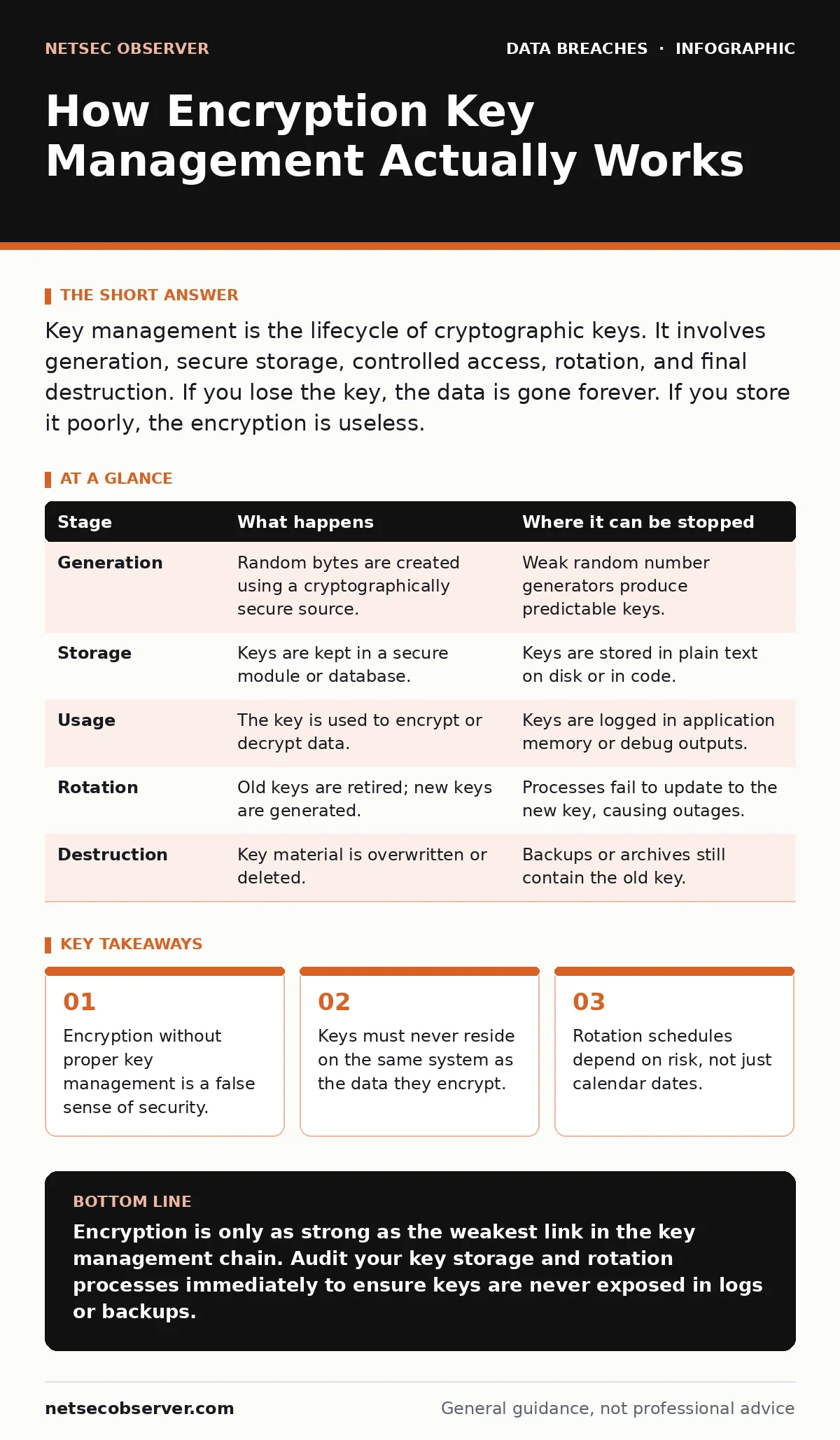
Key management is the lifecycle of cryptographic keys. It involves generation, secure storage, controlled access, rotation, and final destruction. If you lose the key, the data is gone forever. If you store it poorly, the encryption is useless.
The Paradox of Access
Encryption transforms readable data into ciphertext using a mathematical algorithm and a key. The algorithm is public and open for scrutiny. The key is the secret variable. If an attacker obtains the key, the ciphertext becomes plaintext. This creates a paradox: the key must be available to authorized users to decrypt data, but it must be inaccessible to unauthorized users. Most security failures happen not because the math was broken, but because the key was left where it could be found.
You might assume that using strong encryption is enough. It is not. A vault made of steel is useless if you leave the key under the mat. In digital systems, the "mat" is often a configuration file, a database query log, or an unencrypted backup. The mechanism of protection shifts from the data itself to the management of the key.
The Lifecycle Table
To understand how this works, you must look at the entire lifecycle. A key is not a static object. It moves through stages where it is most vulnerable.
| Stage | What happens | Where it can be stopped |
|---|---|---|
| Generation | Random bytes are created using a cryptographically secure source. | Weak random number generators produce predictable keys. |
| Storage | Keys are kept in a secure module or database. | Keys are stored in plain text on disk or in code. |
| Usage | The key is used to encrypt or decrypt data. | Keys are logged in application memory or debug outputs. |
| Rotation | Old keys are retired; new keys are generated. | Processes fail to update to the new key, causing outages. |
| Destruction | Key material is overwritten or deleted. | Backups or archives still contain the old key. |
Stage 1: Generation and Entropy
The process begins with creation. You need a key that cannot be guessed. This requires entropy, which is a measure of randomness. Computers are deterministic machines; they follow logic. They are bad at being random. If a system generates keys based on the current time or process ID, an attacker can recreate the sequence.
You must use a Cryptographically Secure Pseudo-Random Number Generator. This is a specific type of algorithm designed to produce output that appears random and cannot be reversed. The strength of your key depends entirely on this step. If the source of randomness is flawed, the rest of the system is compromised. This is why many legacy systems fail audits; they used simple math to create secrets.
Stage 2: Secure Storage
Once generated, the key must be stored. This is the most common point of failure. You should never store the key in the same place as the data it protects. If an attacker steals the database, they should not also find the key file sitting in the same folder.
Hardware Security Modules are dedicated devices that store keys and perform cryptographic operations. The key never leaves the hardware. Software-based key management is cheaper but riskier. It relies on the operating system to protect the file. If the server is compromised, the attacker likely has access to the key. The trade-off is cost versus isolation. You must choose where the boundary of trust lies.
Stage 3: Access and Usage
When an application needs to decrypt data, it requests the key. The key management system checks permissions. It verifies that the application is authorized and that the user has the right to access the data. The key is delivered to the application’s memory, not to the user’s screen or a log file.
This step is invisible to the end user. The application receives the plaintext data and displays it. The key is then discarded from memory. If the application crashes or logs an error, the key must not be written to disk. Many developers forget this. They enable verbose logging for debugging. This captures memory dumps that contain the active key. This is a silent leak.
See also: Malware Analysis FAQ: Answers to Common Questions · Ransomware Payment Debate: The Hidden Economics of Extortion
Stage 4: Rotation and Re-keying
Keys do not last forever. Over time, the probability of an attacker guessing the key increases slightly. More importantly, if a key is exposed, you need a way to limit the damage. Rotation is the process of replacing an old key with a new one.
You must re-encrypt data that was protected by the old key. This is computationally expensive. It slows down the system. Many organizations delay rotation to avoid this cost. This is a dangerous trade-off. If a key is compromised and never rotated, the attacker can decrypt all historical data encrypted with that key. You must balance performance with risk.
Stage 5: Destruction and Archival
When a key is no longer needed, it must be destroyed. This is not just deleting a file. Deleting a file often only removes the pointer to the data. The data remains on the disk until it is overwritten. You must use secure deletion methods that overwrite the key material multiple times.
However, you must also consider backups. If you destroy the key, but a backup of the key exists on a tape drive or cloud snapshot, the key is still alive. You must have a process to identify and remove keys from all archives. This is often overlooked. Organizations focus on the primary system and forget the shadow copies.
The Hidden Cost of Complexity
Implementing key management adds friction. Developers must integrate with key management services. Systems must handle key expiration. If a key is lost, data is unrecoverable. This is the hard limit of encryption. There is no master password. There is no backdoor. If you lose the key, the data is permanently gone.
This creates a tension between security and availability. You want keys to be hard to get, but you also need them when the system is running. You must design for failure. Suppose the primary key server goes offline. How do you decrypt data for emergency services? You need a recovery plan. This plan itself becomes a security target. You must protect the recovery keys with the same rigor as the primary keys.
Integration with Broader Security
Key management does not exist in a vacuum. It interacts with other security controls. If you have poor access controls, an attacker can steal the key. If you have poor network security, an attacker can intercept the key in transit. You must review your third-party risk assessments to ensure vendors handling your keys meet your standards.
You should also consider privacy impact assessments when designing key policies. Some regulations require data to be encrypted at rest and in transit. Your key management strategy must support these requirements. If you ignore database exposure risks, the encryption may be the only thing standing between your data and the public.
The Reality of Implementation
Most organizations use a hybrid approach. They use hardware modules for the most sensitive keys and software solutions for less critical data. This reduces cost but increases complexity. You must track which keys are where. If you lose track of a key, you cannot manage its lifecycle.
You must also train your staff. Developers must know how to request keys securely. Operations staff must know how to rotate keys without downtime. Security staff must know how to audit key usage. This is a team effort. One weak link breaks the chain.
Key takeaways
- Encryption without proper key management is a false sense of security.
- Keys must never reside on the same system as the data they encrypt.
- Rotation schedules depend on risk, not just calendar dates.
Encryption is only as strong as the weakest link in the key management chain. Audit your key storage and rotation processes immediately to ensure keys are never exposed in logs or backups.
Frequently asked questions
Can I recover data if I lose my encryption key?
No. Encryption is designed to be irreversible without the key. If the key is lost, the data is permanently inaccessible.
How often should I rotate encryption keys?
Rotation frequency depends on the sensitivity of the data and the risk of exposure. High-risk data may require monthly rotation, while low-risk data may be rotated annually.
Is cloud key management secure?
Cloud providers offer robust key management services, but you share responsibility. You must configure access controls and monitor usage to prevent unauthorized access.
What is the difference between symmetric and asymmetric key management?
Symmetric keys are used for both encryption and decryption and must be kept secret. Asymmetric keys use a public key for encryption and a private key for decryption, allowing for easier distribution.
How this guide was produced: written by the NetSec Observer editorial team with AI assistance, checked against the public references listed below, and reviewed when the facts change. See our editorial policy or report an error.