Dynamic Malware Analysis: 7 Common Mistakes and How to Fix Them
Most analysts miss detection because they treat the sandbox as a static room rather than an interactive environment that requires specific triggers.
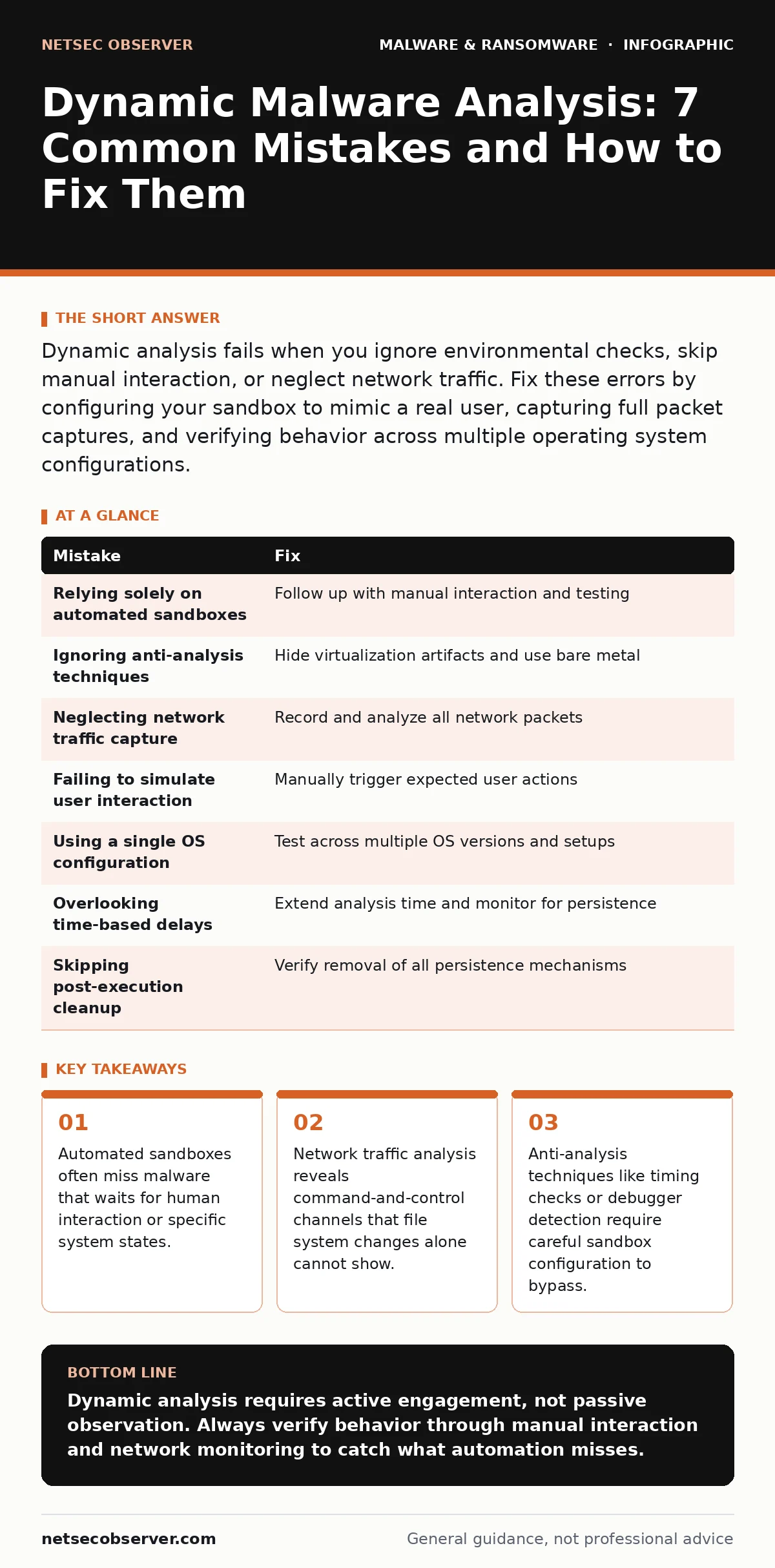
Dynamic analysis fails when you ignore environmental checks, skip manual interaction, or neglect network traffic. Fix these errors by configuring your sandbox to mimic a real user, capturing full packet captures, and verifying behavior across multiple operating system configurations.
Mistake 1: Relying Solely on Automated Sandboxes
Many analysts drop a sample into an automated sandbox and wait for the report. These platforms execute the file in a virtual environment and record changes. They are fast, but they lack context. The malware may detect the virtualization and remain dormant. It might also wait for a specific user action that the automation never performs. You miss the payload entirely.
Why it hurts:
The sample appears benign because it never reached its execution trigger. You classify a dangerous threat as safe. This false negative allows the malware to spread if you share your findings or deploy the file to production.
The fix:
Use automated tools for initial triage, but follow up with manual analysis. Run the sample in a controlled environment where you can interact with it. Trigger file openings, click links, and enter data. For deeper insights, consult our guide on malware analysis to understand the full workflow.
Mistake 2: Ignoring Anti-Analysis Techniques
Malware often checks for signs that it is being watched. It looks for debuggers, known sandbox processes, or virtual machine drivers. If it finds them, it alters its behavior or shuts down. This is a deliberate attempt to hide its true capabilities from you.
Why it hurts:
You analyze a decoy behavior rather than the actual malicious function. Your mitigation strategies will fail because they target the wrong symptoms.
The fix:
Configure your analysis environment to hide virtualization artifacts. Disable common anti-debugging triggers. Use a bare-metal machine if possible, or a heavily modified virtual image. Remember that memory forensics can reveal hidden processes that the malware tried to conceal during execution.
Mistake 3: Neglecting Network Traffic Capture
Focusing only on file system changes and registry edits is a narrow view. Modern malware lives on the network. It phones home for instructions, exfiltrates data, or downloads additional payloads. If you do not capture this traffic, you miss the most critical part of its operation.
Why it hurts:
You see the local damage but not the cause or the extent. You cannot block the command-and-control server because you do not know its address. The malware continues to operate even after you delete the local file.
The fix:
Start a packet capture before executing the sample. Use a tool that records all network activity. Analyze the traffic for unusual domains, protocols, or data sizes. This complements the local behavior you observe on the host.
Mistake 4: Failing to Simulate Real User Interaction
Automated tools often just double-click the file. Real users do more. They type in search bars, they save files to specific folders, they open documents with macros. Malware can wait for these specific actions before activating.
Why it hurts:
The malware remains dormant because the expected interaction never happens. You conclude the file is safe. In reality, it is waiting for a user to perform a simple task. This is common with macro security settings that users often bypass.
The fix:
Manually interact with the sample. Open documents, enter text, and navigate menus. If the sample is an executable, try different command-line arguments. Mimic the behavior of a typical user in your target environment.
Mistake 5: Using a Single Operating System Configuration
Malware often targets specific versions of Windows or Linux. It may check the OS version, service pack level, or installed software. If your sandbox runs a different configuration, the malware may not execute or may behave differently.
Why it hurts:
You miss version-specific exploits. The malware works on your client's system but not in your lab. You provide false assurance. This is particularly relevant for Linux malware, which often targets specific server configurations.
The fix:
Maintain multiple analysis environments. Use different operating system versions and configurations. Test the sample on each one. Document which environments trigger the malicious behavior. This ensures you catch variants that target specific setups.
See also: How Encryption Key Management Actually Works · Ransomware Payment Debate: The Hidden Economics of Extortion
Mistake 6: Overlooking Time-Based Delays
Some malware waits a long time before acting. It might sleep for hours or days. Automated sandboxes often time out after a few minutes. If the malware has a long delay, you stop recording before the bad stuff happens.
Why it hurts:
You see only the initial, harmless setup phase. The actual payload, such as data theft or system destruction, occurs after your analysis window closes. You miss the core functionality.
The fix:
Increase the timeout settings in your analysis tools. Use manual analysis for samples that show signs of long delays. Monitor the system over an extended period. Check for scheduled tasks or services that trigger later.
Mistake 7: Skipping Post-Execution Cleanup Verification
After the malware runs, it may leave behind persistence mechanisms. These allow it to survive a reboot or removal. If you do not check for these, you think the threat is gone when it is not.
Why it hurts:
The malware returns after you clean the system. You repeat the analysis without understanding the persistence. This wastes time and resources. It also complicates ransomware recovery plans if the malware is part of a larger attack.
The fix:
Check for new services, scheduled tasks, and registry run keys. Verify that no new files were created in system directories. Ensure that the malware has no way to restart itself. Document all persistence mechanisms for future reference.
| Mistake | Fix |
|---|---|
| Relying solely on automated sandboxes | Follow up with manual interaction and testing |
| Ignoring anti-analysis techniques | Hide virtualization artifacts and use bare metal |
| Neglecting network traffic capture | Record and analyze all network packets |
| Failing to simulate user interaction | Manually trigger expected user actions |
| Using a single OS configuration | Test across multiple OS versions and setups |
| Overlooking time-based delays | Extend analysis time and monitor for persistence |
| Skipping post-execution cleanup | Verify removal of all persistence mechanisms |
Key takeaways
- Automated sandboxes often miss malware that waits for human interaction or specific system states.
- Network traffic analysis reveals command-and-control channels that file system changes alone cannot show.
- Anti-analysis techniques like timing checks or debugger detection require careful sandbox configuration to bypass.
Dynamic analysis requires active engagement, not passive observation. Always verify behavior through manual interaction and network monitoring to catch what automation misses.
Frequently asked questions
Is dynamic analysis safe for beginners?
It carries risk if the environment is not properly isolated. Beginners should use heavily restricted virtual machines and never connect them to personal networks.
How long should I let a sample run?
Start with short runs, but extend the time if the sample shows signs of waiting. Monitor for scheduled tasks that might trigger later.
Can I use cloud-based sandboxes?
Yes, but they often have limited interaction capabilities. Use them for initial triage, but verify suspicious results with manual analysis.
What if the malware destroys the sandbox?
Use snapshots or immutable infrastructure. Restore the environment to a known good state before each test to ensure consistent results.
How this guide was produced: written by the NetSec Observer editorial team with AI assistance, checked against the public references listed below, and reviewed when the facts change. See our editorial policy or report an error.