
Memory Forensics Best Practices for Accurate Incident Response
Volatile memory holds active encryption keys and decrypted data that disappear instantly when a system loses power or reboots.
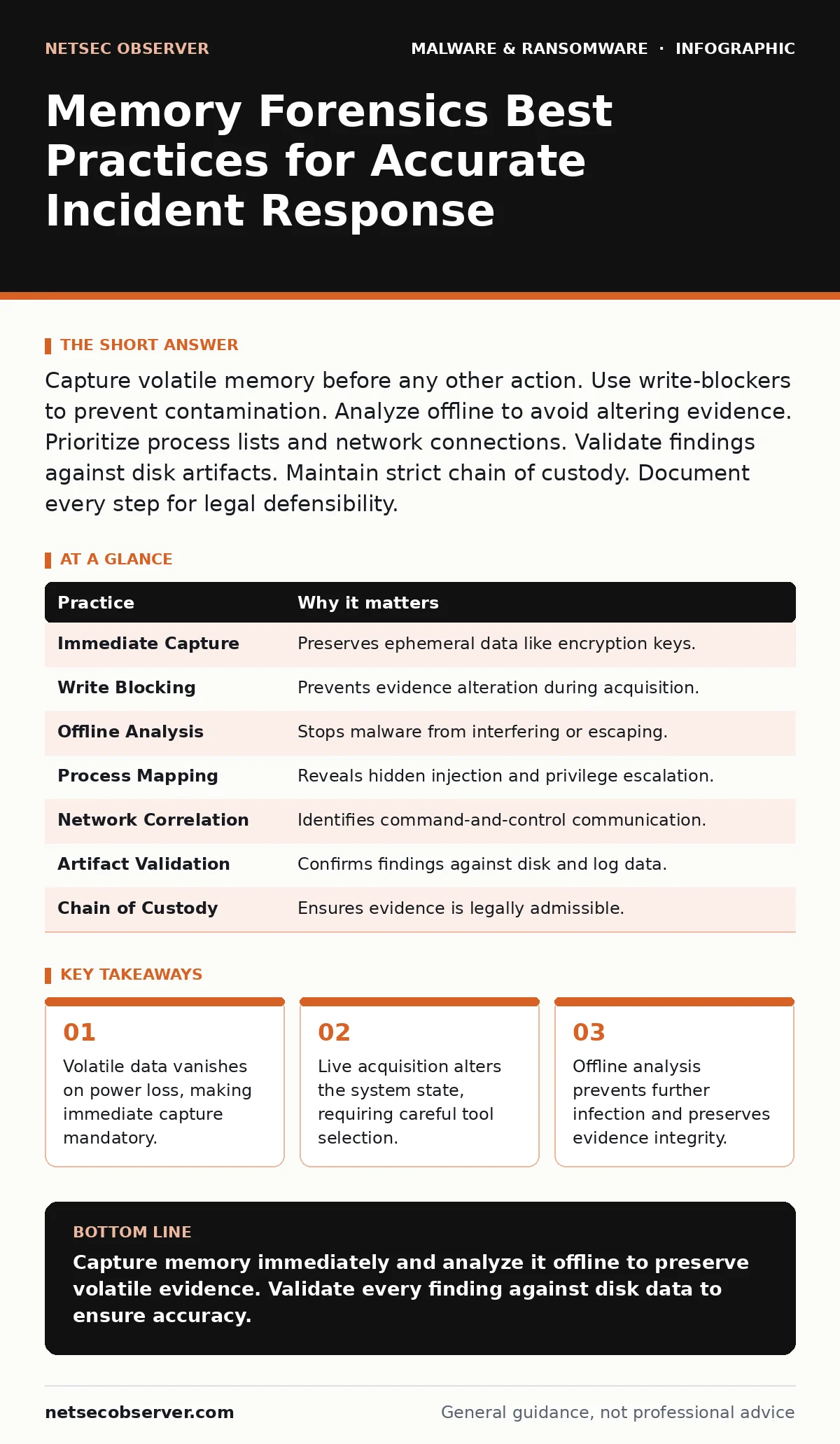
Capture volatile memory before any other action. Use write-blockers to prevent contamination. Analyze offline to avoid altering evidence. Prioritize process lists and network connections. Validate findings against disk artifacts. Maintain strict chain of custody. Document every step for legal defensibility.
The Volatility Priority
When a system is compromised, the hard drive tells you what happened in the past. The memory tells you what is happening right now. Malware often resides entirely in RAM to avoid detection by file-based scanners. If you reboot the machine before capturing this state, you destroy the evidence. This includes decryption keys for ransomware, which are often stored in memory while the encryption process runs. Once power is cut or the system restarts, those keys are gone.
You must treat memory as the highest priority evidence source. It is ephemeral. It does not survive a shutdown. Your first action upon identifying a potential compromise should not be to disconnect the network or reboot the machine. It should be to prepare for memory acquisition. This requires having the right tools ready before an incident occurs.
Write Blocking and Acquisition
Acquiring memory from a live system is invasive. The act of reading memory can trigger anti-forensic mechanisms in sophisticated malware. Some threats detect the presence of forensic tools and delete themselves or encrypt data faster. Others may alter their code to look benign when they sense they are being watched. This changes the evidence you are trying to collect.
To mitigate this, use hardware or software write-blockers that allow read-only access. This ensures you do not accidentally modify the system state while capturing the image. A write-blocker prevents any data from being written back to the source. It also helps maintain the chain of custody by proving the image is an exact copy.
Offline Analysis Environment
Never analyze a memory dump on the infected machine. The malware is still active. It may interfere with your analysis tools or exfiltrate data from your forensic workstation if it has network access. You must move the memory image to a separate, isolated environment. This environment should have no connection to the production network.
This separation protects your forensic tools from infection. It also prevents the malware from detecting that it is being analyzed. Many advanced threats check for virtualization or specific debugging environments. If they detect these, they may change their behavior. Analyzing offline ensures you see the malware’s true behavior.
Process and Connection Mapping
Start your analysis by mapping the process tree. This shows you which programs are running and who started them. Legitimate system processes usually have a clear parent-child relationship. Malware often injects code into legitimate processes to hide. This technique, known as process injection, makes the malware appear as part of a trusted application.
Look for processes with unusual parent relationships. A web browser should not be spawning a command shell. A graphics driver should not be initiating network connections. Map these anomalies to understand the scope of the infection. This helps you identify the entry point and the lateral movement paths.
| Practice | Why it matters |
|---|---|
| Immediate Capture | Preserves ephemeral data like encryption keys. |
| Write Blocking | Prevents evidence alteration during acquisition. |
| Offline Analysis | Stops malware from interfering or escaping. |
| Process Mapping | Reveals hidden injection and privilege escalation. |
| Network Correlation | Identifies command-and-control communication. |
| Artifact Validation | Confirms findings against disk and log data. |
| Chain of Custody | Ensures evidence is legally admissible. |
Network Artifact Extraction
Memory contains active network connections. You can extract socket handles, DNS cache entries, and HTTP headers from the RAM dump. This reveals where the malware is communicating. It often shows connections to command-and-control servers that are not visible in firewall logs if the traffic is encrypted or uses covert channels.
Compare these network artifacts with your firewall and proxy logs. Discrepancies indicate hidden communication. Malware may use legitimate-looking domains to hide its traffic. This technique, often seen in malvertising campaigns, blends malicious traffic with normal web browsing. Identifying these hidden channels helps you block the attacker’s command path.
See also: Cybersecurity Incident Response Team: How It Works and Why It Matters · WordPress Page Builder Breach: Response and Recovery Steps
String and Pattern Search
Raw memory contains strings of text. These can include passwords, file paths, URLs, and configuration data. Searching for these strings helps you understand what the malware is looking for and what it has already stolen. However, raw strings can be misleading. They may be remnants of deleted files or false positives.
Use pattern matching to identify specific malware signatures. Look for known byte sequences associated with the threat. This is more reliable than string searching alone. It reduces noise and helps you focus on relevant artifacts. Combine this with dynamic malware analysis techniques to understand the code’s behavior.
Validation Against Disk Data
Memory artifacts must be validated against disk data. If you find a malicious process in memory, look for its executable on the disk. If the file is missing, the malware is likely fileless. If the file exists, compare its hash with known good hashes. This confirms whether the file has been modified or is a known threat.
This cross-referencing also helps in ransomware recovery plans. If you find decryption keys in memory, you may be able to recover files without paying the ransom. However, this is rare and requires precise timing. Most often, validation helps you understand the persistence mechanisms the attacker used.
Documentation and Chain of Custody
Every step you take must be documented. Record the time, date, and tool version used for acquisition. Note any anomalies encountered during the process. This documentation is critical for legal proceedings. Without it, the evidence may be inadmissible in court.
Maintain a strict chain of custody. Log every person who handles the evidence. Use cryptographic hashes to prove the data has not been altered. This applies to both the memory image and the analysis results. Consistent documentation builds trust in your findings.
Tool Selection and Calibration
Choose your tools carefully. Open standards and public frameworks are preferred. They allow for independent verification of results. Avoid proprietary black-box tools that do not explain their methods. Calibrate your tools on known clean systems. This establishes a baseline for normal behavior.
Regularly update your tools and signatures. Threats evolve quickly. What works today may fail tomorrow. Stay informed about new detection techniques. Review macro security settings and real-time protection logs for additional context. This holistic approach improves your detection accuracy.
Key takeaways
- Volatile data vanishes on power loss, making immediate capture mandatory.
- Live acquisition alters the system state, requiring careful tool selection.
- Offline analysis prevents further infection and preserves evidence integrity.
Capture memory immediately and analyze it offline to preserve volatile evidence. Validate every finding against disk data to ensure accuracy.
Frequently asked questions
Can I use cloud storage for memory images?
No. Memory images contain sensitive data and potential malware. Storing them in the cloud risks exposure and violates data privacy regulations. Use encrypted local storage.
How do I handle encrypted memory?
If the system uses full-disk encryption, the memory may still be encrypted. You need the decryption key, which is often in memory. Capture the memory before the system sleeps or locks.
Is memory forensics legal?
Yes, if done with proper authorization. Always have written permission to access and analyze the system. Follow local laws and company policies.
What if the malware detects my tools?
Use hardware-based acquisition tools that are harder to detect. Analyze offline in a sandboxed environment. Assume the malware will adapt and plan accordingly.
How this guide was produced: written by the NetSec Observer editorial team with AI assistance, checked against the public references listed below, and reviewed when the facts change. See our editorial policy or report an error.