
How Malvertising Infects Systems: The Step-by-Step Chain
Malvertising bypasses direct user clicks by exploiting the trust placed in legitimate advertising networks, turning routine web browsing into a delivery mechanism for malware.
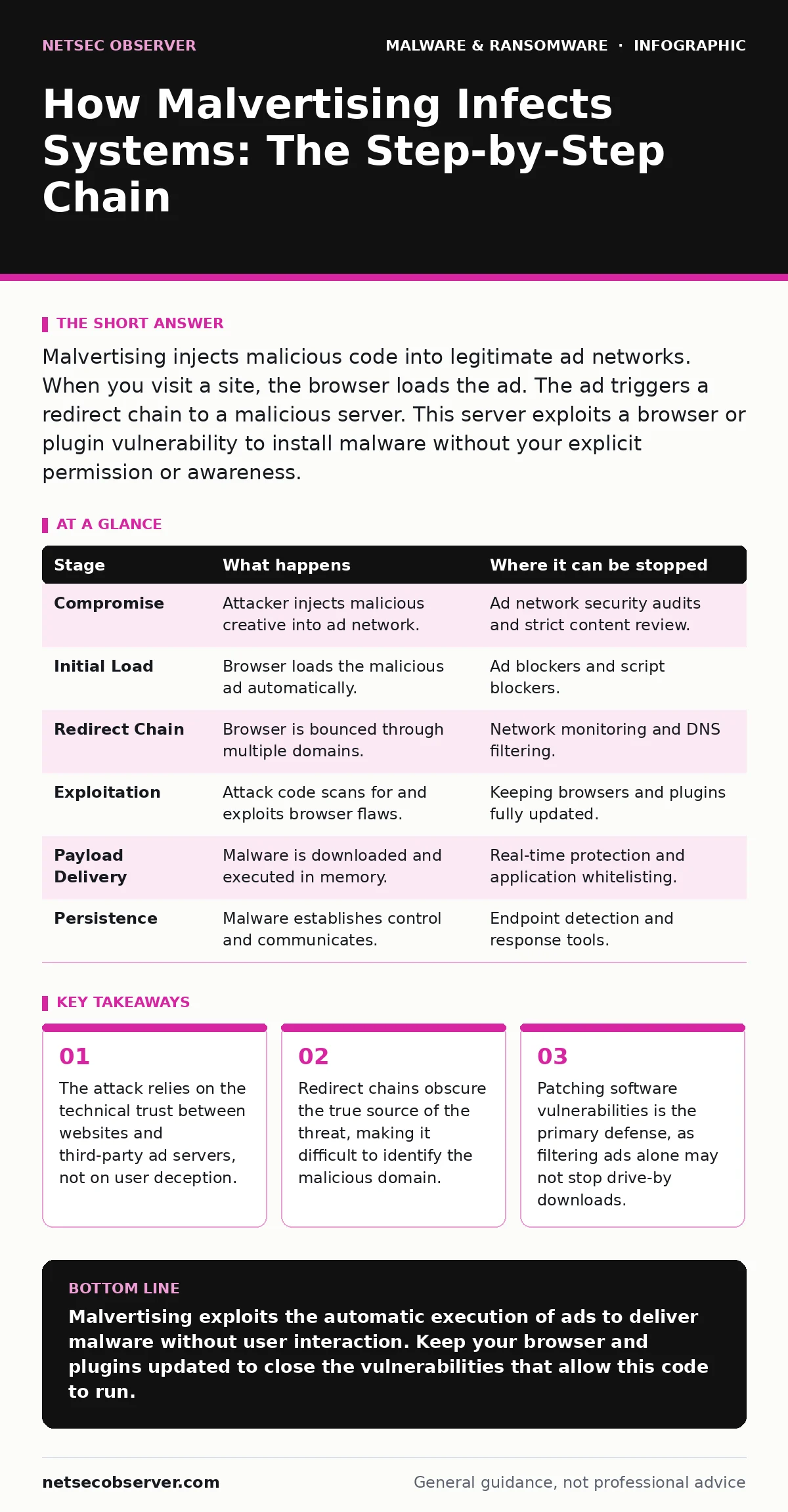
Malvertising injects malicious code into legitimate ad networks. When you visit a site, the browser loads the ad. The ad triggers a redirect chain to a malicious server. This server exploits a browser or plugin vulnerability to install malware without your explicit permission or awareness.
The Illusion of Safety
You visit a news site or a blog. The page loads quickly, displaying articles and images. Embedded within that content are advertisements. These ads come from third-party networks that serve content to thousands of sites. You trust the website, so you trust the ad. The attacker exploits this assumption.
The attack does not require you to click a deceptive button. It does not rely on phishing emails. It uses the standard infrastructure of the web. This makes it invisible to users who assume that visiting a known, reputable site is safe.
Stage 1: Compromise of the Ad Supply Chain
The process begins long before you open your browser. The attacker targets an advertising network or a publisher. They do not always hack the ad server directly. Often, they submit malicious creative assets that pass initial review.
Ad networks process thousands of creatives daily. Automated filters look for obvious malware signatures. Sophisticated attackers encode their payloads to look like benign images or scripts. Once the malicious creative is approved, it enters the rotation. It is now part of the legitimate inventory.
Stage 2: The Initial Load
You navigate to a website that participates in the ad network. The browser requests the page content. The page includes a tag that calls the ad server. The ad server responds with a list of ads to display. Your malicious creative is among them.
The browser renders the ad. This happens automatically. You do not need to interact with it. The ad is now executing code in your browser environment. This execution is permitted by the same-site policies that allow legitimate ads to run. The boundary between the site you trust and the code you do not trust is thin.
Stage 3: The Redirect Chain
The malicious ad does not immediately download malware. That would trigger immediate detection. Instead, it initiates a redirect chain. The ad redirects your browser to a different domain. That domain redirects to another. This happens in milliseconds.
This chain serves two purposes. First, it hides the final destination. By the time you see the malicious site, the referrer header may be stripped or altered. Second, it allows the attacker to test your system. Each redirect can check for specific vulnerabilities. If your browser is up to date, the chain may stop. If not, it continues.
Stage 4: Exploitation of Vulnerabilities
The final redirect lands on a landing page. This page contains an exploit kit. The kit scans your browser for known weaknesses. It looks for outdated plugins, unpatched browsers, or misconfigured settings.
If it finds a vulnerability, it executes an exploit. This exploit allows code to run outside the browser sandbox. The sandbox is a security mechanism that restricts what web code can do. Breaking out of it gives the attacker access to your file system and memory. This is the critical moment. The attack shifts from web-based to local execution.
See also: Command Injection: How It Works and How to Stop It · Detect SEO Poisoning: Log Signals and Hidden Attack Paths
Stage 5: Payload Delivery
With execution privileges, the attacker downloads the payload. This is the malware itself. It could be a keylogger, a cryptominer, or ransomware. The payload is often stored on a separate server to avoid detection on the landing page.
The malware executes in memory. It may write files to disk. It may modify system settings to persist after a reboot. The entire process can take less than a second. You may see a brief flicker or a new tab open and close. You likely assume it is a glitch.
Stage 6: Persistence and Communication
The malware establishes communication with the attacker. It sends back system information. It receives commands. It may wait for instructions. It may begin encrypting files or stealing credentials.
The ad network is no longer involved. The connection between the initial ad and the final malware is broken. Forensic analysis must trace the redirect chain to understand the source. This is difficult because the intermediate domains may be disposable. They exist only for this campaign.
Interrupting the Chain
You can stop malvertising at several points. The most effective method is keeping software updated. This closes the vulnerabilities the exploit kit looks for. If there is no weakness, the chain stops at Stage 4.
Ad blockers prevent Stage 2. If the ad never loads, it never executes. However, some malicious code is embedded directly in the page HTML, not served by an ad network. Ad blockers do not catch this. This is why real-time protection is a necessary second layer. It monitors for suspicious behavior even if the code bypasses the ad filter.
| Stage | What happens | Where it can be stopped |
|---|---|---|
| Compromise | Attacker injects malicious creative into ad network. | Ad network security audits and strict content review. |
| Initial Load | Browser loads the malicious ad automatically. | Ad blockers and script blockers. |
| Redirect Chain | Browser is bounced through multiple domains. | Network monitoring and DNS filtering. |
| Exploitation | Attack code scans for and exploits browser flaws. | Keeping browsers and plugins fully updated. |
| Payload Delivery | Malware is downloaded and executed in memory. | Real-time protection and application whitelisting. |
| Persistence | Malware establishes control and communicates. | Endpoint detection and response tools. |
The Hidden Cost of Trust
The danger of malvertising is that it weaponizes trust. You do not click a link because you want to. You click nothing at all. The system you rely on for information becomes the vector for attack. This changes how you must view web browsing.
It also highlights the weakness of perimeter defenses. Firewalls look at IP addresses and ports. They do not inspect the content of HTTPS traffic deeply. If the ad network has a valid certificate, the traffic looks legitimate. This is why memory forensics becomes critical after an incident. The malware may leave no trace on disk, only in the RAM where it executed.
Beyond the Ad Network
Malvertising is often confused with adware. Adware is software that displays unwanted ads. It is usually installed voluntarily or bundled with other software. Malvertising is malicious advertising. It uses legitimate channels to deliver harmful code. The distinction matters for defense. Removing adware cleans your system. Stopping malvertising requires securing the supply chain and your browser.
The attack vector is also related to SEO poisoning. In SEO poisoning, attackers manipulate search results to point to malicious sites. In malvertising, the malicious content appears on legitimate sites. Both exploit the user's trust in a platform. Both require a multi-layered defense.
The Role of User Behavior
You cannot see the redirect chain. You cannot inspect the ad code. Your primary role is maintenance. Update your browser. Update your plugins. Remove unused extensions. These extensions often have their own vulnerabilities.
Disable JavaScript for untrusted sites. This breaks the execution chain at Stage 2. Most modern websites will still function, though some features may break. This is a trade-off between convenience and security. For high-risk browsing, this trade-off is worth it.
Related Threats and Defenses
This attack method shares traits with other threats. Macro security settings protect against documents that run code. Malvertising protects against web pages that run code. Both require disabling automatic execution.
On different platforms, the impact varies. Linux malware is less common but growing. Malvertising targets Linux browsers just as it targets Windows. Removing malware from a Mac often involves checking for malicious browser extensions, as these are a common persistence method for ad-based attacks.
The ransomware payment debate is irrelevant here. If you are infected via malvertising, paying does not guarantee recovery. The attacker already has access. Prevention is the only viable strategy.
Final Considerations
Malvertising turns the web into a minefield. The mines are hidden in plain sight. You cannot avoid them by being careful. You avoid them by being prepared.
Keep your software current. Use strict browser settings. Monitor your network traffic. Understand that trust is not a security control. It is a vulnerability to be managed.
Key takeaways
- The attack relies on the technical trust between websites and third-party ad servers, not on user deception.
- Redirect chains obscure the true source of the threat, making it difficult to identify the malicious domain.
- Patching software vulnerabilities is the primary defense, as filtering ads alone may not stop drive-by downloads.
Malvertising exploits the automatic execution of ads to deliver malware without user interaction. Keep your browser and plugins updated to close the vulnerabilities that allow this code to run.
Frequently asked questions
Does an antivirus program stop malvertising?
Standard antivirus may detect the final payload, but it often misses the initial ad or the redirect chain. Real-time behavioral monitoring is more effective than signature-based scanning for this threat.
Can I get malvertising on mobile devices?
Yes. Mobile browsers also load ads. If your mobile browser or OS has an unpatched vulnerability, malvertising can infect your phone. Keep your mobile OS and browsers updated.
Is using a private browsing mode safe from malvertising?
Private mode does not prevent ads from loading. It only prevents the browser from saving history and cookies. The malicious code still executes and can exploit vulnerabilities in real-time.
How do I know if I have been infected by malvertising?
Look for unexpected pop-ups, new browser extensions, or slow performance. Run a scan with a reputable tool. Check your browser settings for unknown extensions or altered homepage settings.
How this guide was produced: written by the NetSec Observer editorial team with AI assistance, checked against the public references listed below, and reviewed when the facts change. See our editorial policy or report an error.