
Vulnerability Lifecycle: What Small Businesses Need to Know
Patches often introduce new flaws, meaning the cycle of exposure never ends and requires continuous monitoring rather than one-time fixes.
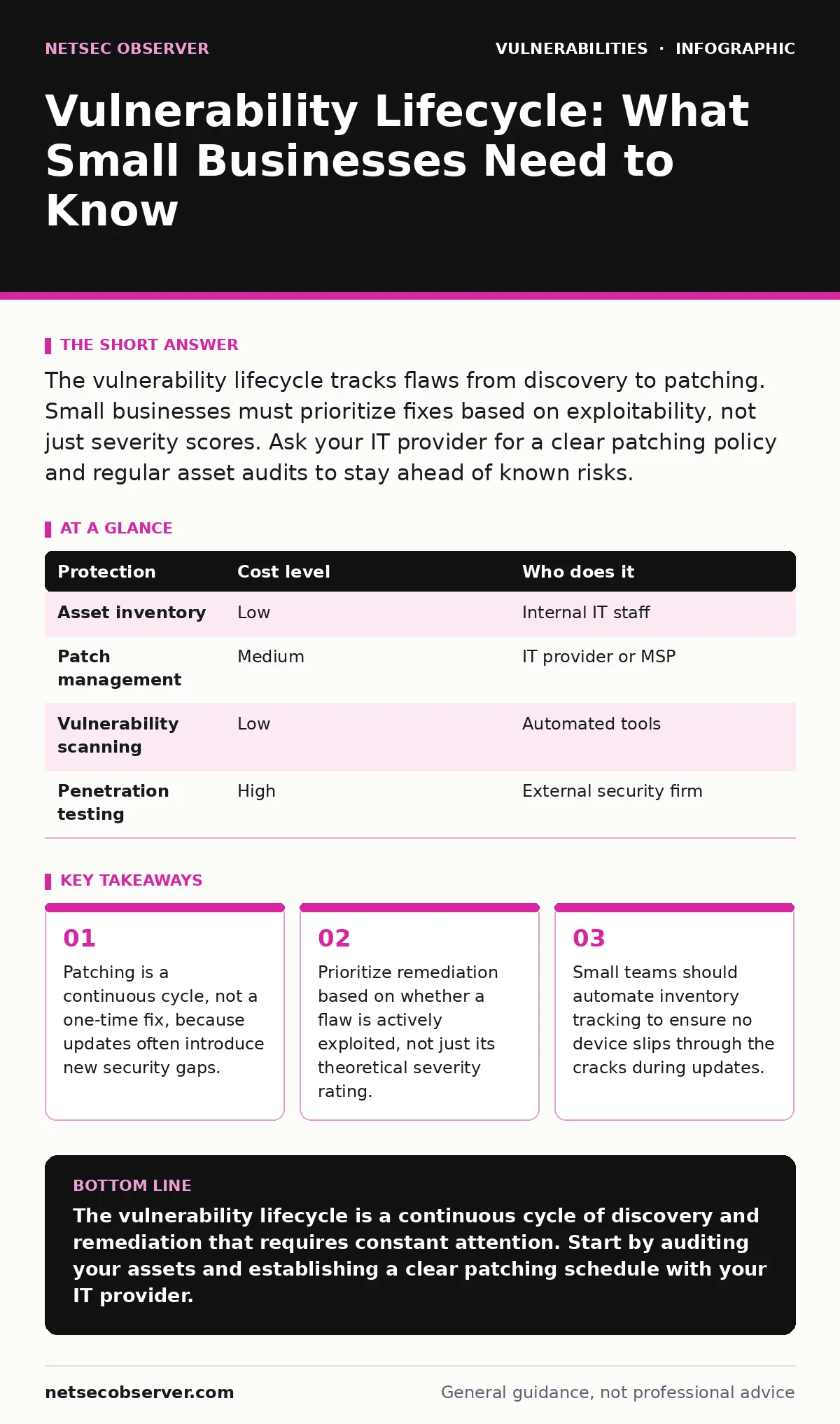
The vulnerability lifecycle tracks flaws from discovery to patching. Small businesses must prioritize fixes based on exploitability, not just severity scores. Ask your IT provider for a clear patching policy and regular asset audits to stay ahead of known risks.
Understanding the Vulnerability Lifecycle Phases
The vulnerability lifecycle describes the journey of a software flaw from its creation to its resolution. This cycle typically begins when a developer writes code containing an error. The flaw exists silently until a researcher or attacker discovers it. Once discovered, the vendor must analyze the issue and create a fix. This phase is critical because the window between discovery and patching is when systems are most vulnerable.
Attackers often race to exploit flaws before vendors release patches. This period is known as zero-day exposure. Small businesses are frequent targets during this window because they often lack the resources for advanced threat detection. Understanding that vulnerabilities are not static events helps you prepare for ongoing maintenance. You must plan for the time it takes to test and deploy fixes without disrupting operations.
Why Lifecycle Management Matters for Small Teams
Small organizations often believe they are too small to be targeted by sophisticated attacks. This belief is dangerous because automated tools scan the entire internet for known weaknesses. Attackers do not need to craft custom exploits for every target. They use generic scripts to find systems running outdated software. The lifecycle matters because it dictates how long your systems remain exposed to these automated scans.
A short lifecycle reduces the window of opportunity for attackers. When you update systems quickly, you remove the foothold that automated scripts rely on. Small teams often struggle with the trade-off between security and stability. Applying patches too quickly can break business applications. Waiting too long leaves gaps in your defense. You must find a balance that keeps systems functional while minimizing exposure time.
Practical Steps for Managing Exposure
Managing the lifecycle starts with knowing what you have. You cannot patch a device if you do not know it exists. Create a comprehensive inventory of all hardware and software assets. This includes servers, workstations, mobile devices, and internet-connected appliances. Many small businesses overlook personal devices used for work or legacy systems that are no longer officially supported.
Prioritize updates based on risk, not just vendor notifications. Not all vulnerabilities are equal. Some flaws allow remote code execution, while others only affect local user privileges. Focus first on flaws that can be exploited remotely without authentication. Use a vulnerability management tool to scan your network regularly. These tools compare your software versions against known databases of flaws. This helps you identify which systems need immediate attention.
| Protection | Cost level | Who does it |
|---|---|---|
| Asset inventory | Low | Internal IT staff |
| Patch management | Medium | IT provider or MSP |
| Vulnerability scanning | Low | Automated tools |
| Penetration testing | High | External security firm |
Integrating Attack Surface Management
Attack surface management helps you understand where your organization is exposed to the internet. This process goes beyond simple inventory. It identifies which services are publicly accessible and how they are configured. A small business might have a web server, an email gateway, and a cloud storage bucket. Each of these is a potential entry point for attackers.
Regularly review your public-facing services. Disable any ports or services that are not strictly necessary for business operations. The more services you expose, the larger your attack surface becomes. Reducing this surface simplifies the vulnerability lifecycle. You have fewer assets to monitor and patch. This approach is particularly effective for small teams with limited bandwidth. It allows you to focus resources on the most critical systems.
What to Ask Your IT Provider
If you outsource your IT needs, you must ensure your provider follows a structured vulnerability management process. Do not assume that basic maintenance includes security patching. Ask specific questions about their procedures. Request a written policy that outlines how they identify, prioritize, and apply patches. This policy should include timelines for critical updates versus routine maintenance.
- How do you track new vulnerabilities and determine their relevance to our environment?
- What is your average time to patch critical vulnerabilities after a vendor releases a fix?
- Do you perform regular vulnerability scans, and how often are they conducted?
- How do you handle patches for legacy systems that no longer receive official updates?
- Can you provide a report showing the current patch status of all managed assets?
See also: How the CISA KEV Catalog Works and Why You Must Patch It · Dependency Updates: 8 Questions About Security Risks and Fixes
Common Pitfalls in Small Business Security
One common mistake is relying solely on antivirus software for protection. Antivirus tools detect known malware signatures. They do not prevent exploitation of unpatched software flaws. If a vulnerability allows an attacker to execute code, antivirus may not stop the initial compromise. You must combine endpoint protection with regular patching and configuration management.
Another pitfall is ignoring third-party software. Small businesses often use off-the-shelf applications for accounting, project management, or communication. These applications have their own vulnerabilities. Failing to update these tools leaves gaps in your security. Ensure your patching process includes all software, not just operating systems and core infrastructure.
The Role of Known Exploited Vulnerabilities
The CISA Known Exploited Vulnerabilities catalog lists flaws that attackers are actively using in the wild. This list is updated regularly and provides a clear prioritization guide. If a vulnerability appears on this list, it requires immediate attention. Small businesses should check this catalog weekly. It helps you focus on the most dangerous threats rather than getting overwhelmed by minor issues.
Using this catalog simplifies decision-making. You do not need to analyze the technical details of every new CVE. If it is on the list, patch it. If it is not, you can schedule it for routine maintenance. This approach ensures that your limited resources are directed toward the highest risks. It aligns your patching efforts with real-world attacker behavior.
Maintaining Security Over Time
Security is not a destination. It is a continuous process. The vulnerability lifecycle repeats with every software update. New flaws are discovered, and new patches are released. You must maintain a routine that includes regular scanning, patching, and review. Set aside time each month to review your security posture. Evaluate whether your processes are working effectively.
Consider the impact of supply chain risks. When you update a single application, you may introduce dependencies on other libraries. These libraries might have their own vulnerabilities. Understanding this interconnectedness helps you appreciate the complexity of the lifecycle. It reinforces the need for thorough testing before deploying patches to production environments.
Key takeaways
- Patching is a continuous cycle, not a one-time fix, because updates often introduce new security gaps.
- Prioritize remediation based on whether a flaw is actively exploited, not just its theoretical severity rating.
- Small teams should automate inventory tracking to ensure no device slips through the cracks during updates.
The vulnerability lifecycle is a continuous cycle of discovery and remediation that requires constant attention. Start by auditing your assets and establishing a clear patching schedule with your IT provider.
Frequently asked questions
How often should small businesses scan for vulnerabilities?
Small businesses should perform automated vulnerability scans at least weekly. Critical systems may require daily scans to detect new exposures quickly.
What is the difference between a vulnerability and an exploit?
A vulnerability is a weakness in software. An exploit is the code or technique used to take advantage of that weakness to gain unauthorized access.
Do I need a vulnerability management tool if I have an antivirus?
Yes. Antivirus detects malware. Vulnerability management tools identify unpatched software flaws that could allow malware to enter the system in the first place.
How do I handle software that is no longer supported?
Unsupported software cannot receive patches. Isolate these systems from the internet, restrict access strictly, or replace them with supported alternatives.
How this guide was produced: written by the NetSec Observer editorial team with AI assistance, checked against the public references listed below, and reviewed when the facts change. See our editorial policy or report an error.