
External Attack Surface Scanning Best Practices
External attack surface scanning reveals hidden digital assets that internal audits miss, exposing the true scope of your organization's exposure to remote threats.
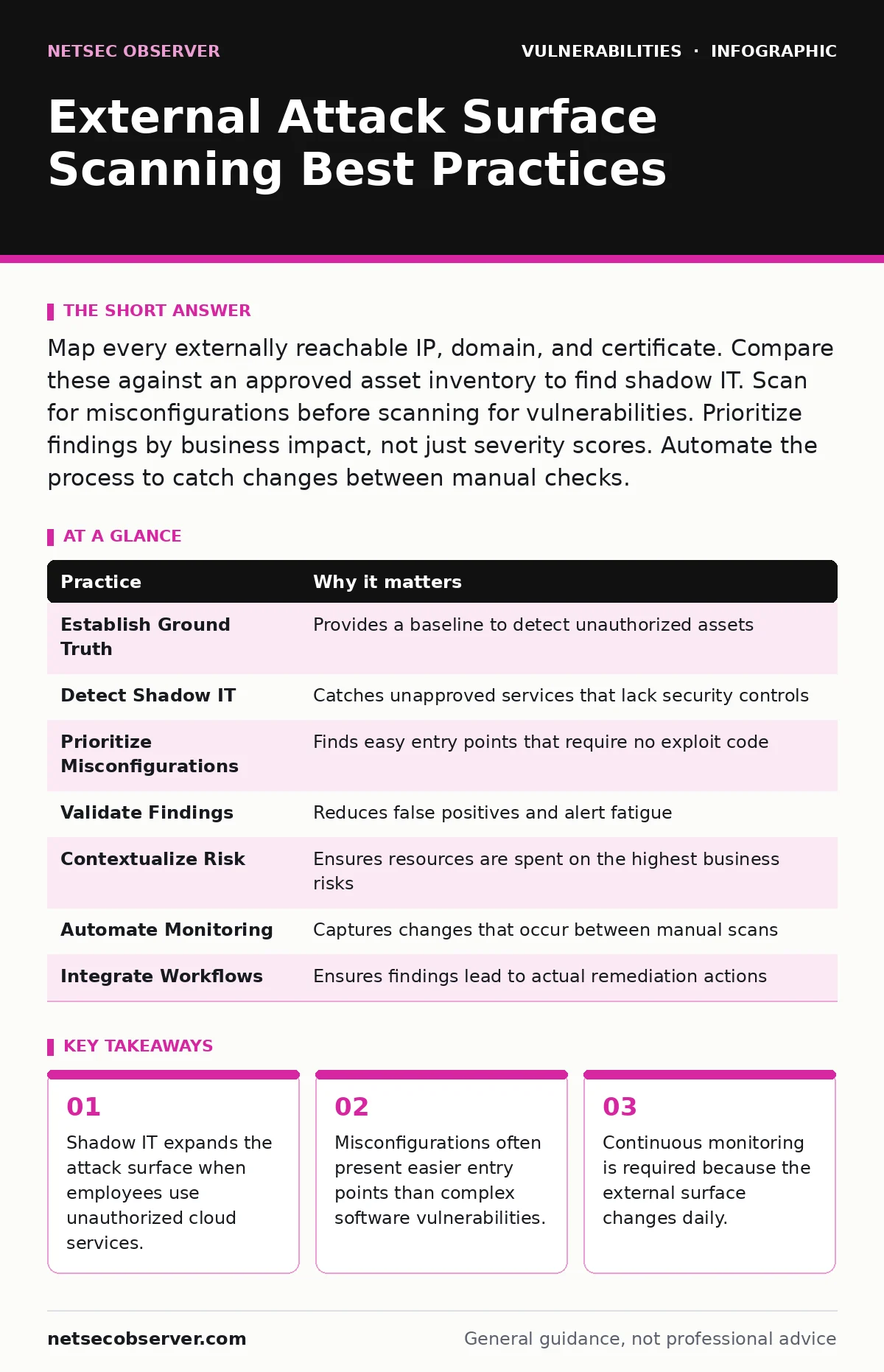
Map every externally reachable IP, domain, and certificate. Compare these against an approved asset inventory to find shadow IT. Scan for misconfigurations before scanning for vulnerabilities. Prioritize findings by business impact, not just severity scores. Automate the process to catch changes between manual checks.
1. Establish a Ground Truth Inventory
You cannot protect what you do not know exists. External attack surface scanning identifies every digital asset visible from the internet. This includes web servers, APIs, and cloud storage buckets. Many organizations assume their internal asset management system is accurate. It rarely is. Employees often deploy temporary resources that persist after the project ends. These orphaned assets become easy targets for attackers.
Start by defining what constitutes a valid asset in your environment. Include all domains, subdomains, IP ranges, and cloud identifiers. Cross-reference this list with your DNS records. This baseline allows you to detect anomalies quickly. Without a clear definition of scope, scanning tools will return noise that overwhelms your analysis team.
Tip: Export your DNS zone files and compare them against a passive DNS lookup service to find registered but undocumented subdomains.
2. Detect Shadow IT and Orphaned Assets
Shadow IT refers to technology systems, devices, or applications that operate without explicit approval from your IT department. Employees often use third-party collaboration tools or cloud storage for convenience. They often lack multi-factor authentication or proper access controls. Scanning the external surface reveals these hidden entry points.
Attackers search for these low-hanging fruits first. A misconfigured S3 bucket or an exposed Jupyter notebook can leak sensitive data. These assets are often ignored by internal security teams because they are not on the official radar. Identifying them early allows you to either secure them or decommission them.
Tip: Monitor for new DNS records that point to IP addresses outside your known ranges to spot sudden deployments.
3. Prioritize Misconfigurations Over Vulnerabilities
Finding a known vulnerability in a web server is valuable. Finding a misconfigured server that exposes debug interfaces is often more critical. Misconfigurations are human errors that leave default settings in place. These settings often include verbose error messages, directory listings, or unused ports. Attackers exploit these mistakes without needing complex exploit code.
A vulnerability requires a specific payload to trigger a bug. A misconfiguration often requires only a browser request. Scanning tools should check for common misconfigurations before running deep vulnerability scans. This approach yields faster results and reduces the time to remediation. It also helps junior analysts understand the immediate risk.
Tip: Configure your scanner to flag any endpoint that returns a default welcome page or server version information.
4. Validate Findings to Reduce Noise
Scanning tools produce thousands of results. Many of these are false positives. A tool might report a vulnerability that does not exist in your specific version of the software. It might also report a critical issue on a system that is not connected to the internal network. Validating findings ensures you spend time on real risks.
Manual verification is tedious but necessary for high-severity alerts. Automated validation can handle common false positives. Use contextual data to filter results. For example, ignore vulnerabilities on operating systems that do not run on your servers. This process builds trust in your scanning program. It prevents alert fatigue among your security operations center staff.
Tip: Create a whitelist of known safe configurations that the scanner should automatically exclude from reporting.
5. Contextualize Risk with Business Impact
Not all vulnerabilities are created equal. A critical flaw in an internal database server poses less risk than a moderate flaw in a public-facing login portal. Contextualization assigns a business value to each asset. This helps prioritize remediation efforts. You must consider the sensitivity of the data stored on the asset. You must also consider the potential for lateral movement from that asset.
Attackers target assets that give them the most leverage. A public-facing web application is a prime target for command injection. Understanding the attack path helps you prioritize fixes. This approach aligns security efforts with business objectives. It also helps you justify resource requests to management.
Tip: Tag each asset with a business owner and a data sensitivity classification in your asset management system.
See also: Vulnerability Lifecycle: What Small Businesses Need to Know · How the CISA KEV Catalog Works and Why You Must Patch It
6. Automate Continuous Monitoring
The external attack surface changes constantly. New assets are deployed. Old assets are retired. Configurations drift over time. A one-time scan provides a snapshot that is outdated within hours. Continuous monitoring detects changes in real-time. It alerts you to new subdomains, open ports, or expired certificates.
Automation reduces the manual effort required to maintain visibility. It ensures that no new asset goes unnoticed. Scheduled scans catch changes that occur between manual checks. This consistency is vital for maintaining a secure posture. It also provides historical data for trend analysis.
Tip: Set up automated alerts for any new domain registration that matches your organization's naming conventions.
7. Integrate with Vulnerability Management
Scanning is only half the process. You must integrate findings with your vulnerability management workflow. This ensures that identified risks are tracked, assigned, and resolved. Without integration, findings sit in a report and gather dust. Integration creates a closed loop of detection and remediation.
This process often intersects with dependency updates. When a scan reveals a vulnerable library in a public-facing application, the development team must update it. This connection bridges the gap between security operations and software development. It ensures that fixes are applied in a timely manner.
Tip: Use API integrations to push scanning results directly into your ticketing system with pre-populated context.
| Practice | Why it matters |
|---|---|
| Establish Ground Truth | Provides a baseline to detect unauthorized assets |
| Detect Shadow IT | Catches unapproved services that lack security controls |
| Prioritize Misconfigurations | Finds easy entry points that require no exploit code |
| Validate Findings | Reduces false positives and alert fatigue |
| Contextualize Risk | Ensures resources are spent on the highest business risks |
| Automate Monitoring | Captures changes that occur between manual scans |
| Integrate Workflows | Ensures findings lead to actual remediation actions |
8. Review Access Controls Regularly
Even if an asset is secure, the people who manage it may not be. External access to cloud consoles and DNS management platforms is a common attack vector. Attackers compromise individual credentials to modify DNS records or delete security rules. Regular reviews of access permissions ensure that only authorized personnel have control.
This practice complements broader efforts to find hardcoded secrets in source code. If credentials are leaked in a public repository, attackers can use them to alter your external configuration. Removing unnecessary access reduces the impact of such leaks. It also simplifies the incident response process.
Tip: Use just-in-time access for administrative tasks to minimize the window of opportunity for credential theft.
9. Test Incident Response Procedures
Scanning reveals your surface, but it does not test your response. When a critical vulnerability is found, how quickly can you contain it? Your incident response plan must include scenarios for external compromises. Simulate the discovery of a new, malicious subdomain. Practice the steps to take it down.
This testing reveals gaps in communication and tooling. It ensures that your team knows who to contact and what tools to use. It also highlights the need for clear documentation. Without practice, even the best scanning program will fail during a real crisis.
Tip: Conduct tabletop exercises that start with a scanner alert for a known exploit kit on a public IP.
Key takeaways
- Shadow IT expands the attack surface when employees use unauthorized cloud services.
- Misconfigurations often present easier entry points than complex software vulnerabilities.
- Continuous monitoring is required because the external surface changes daily.
Frequently asked questions
How often should I run external attack surface scans?
Run continuous monitoring for asset discovery and misconfigurations. Run deeper vulnerability scans weekly or monthly, depending on your risk tolerance and release cycles.
Can I use open-source tools for external scanning?
Yes, many effective open-source tools exist. However, they require significant maintenance and integration effort. Commercial platforms often provide better data correlation and support.
How do I handle false positives in scanning results?
Validate high-severity findings manually. Use historical data to filter out persistent false positives. Refine your scanning rules to better match your specific environment.
What is the difference between external and internal scanning?
External scanning looks at assets visible from the internet. Internal scanning looks at assets within your network. Both are necessary for a complete security posture.
How this guide was produced: written by the NetSec Observer editorial team with AI assistance, checked against the public references listed below, and reviewed when the facts change. See our editorial policy or report an error.