Antivirus Software Explained: How Detection Actually Works
Antivirus software relies on signature matching and behavior analysis, but it cannot stop attacks that exploit legitimate system functions without malicious code.
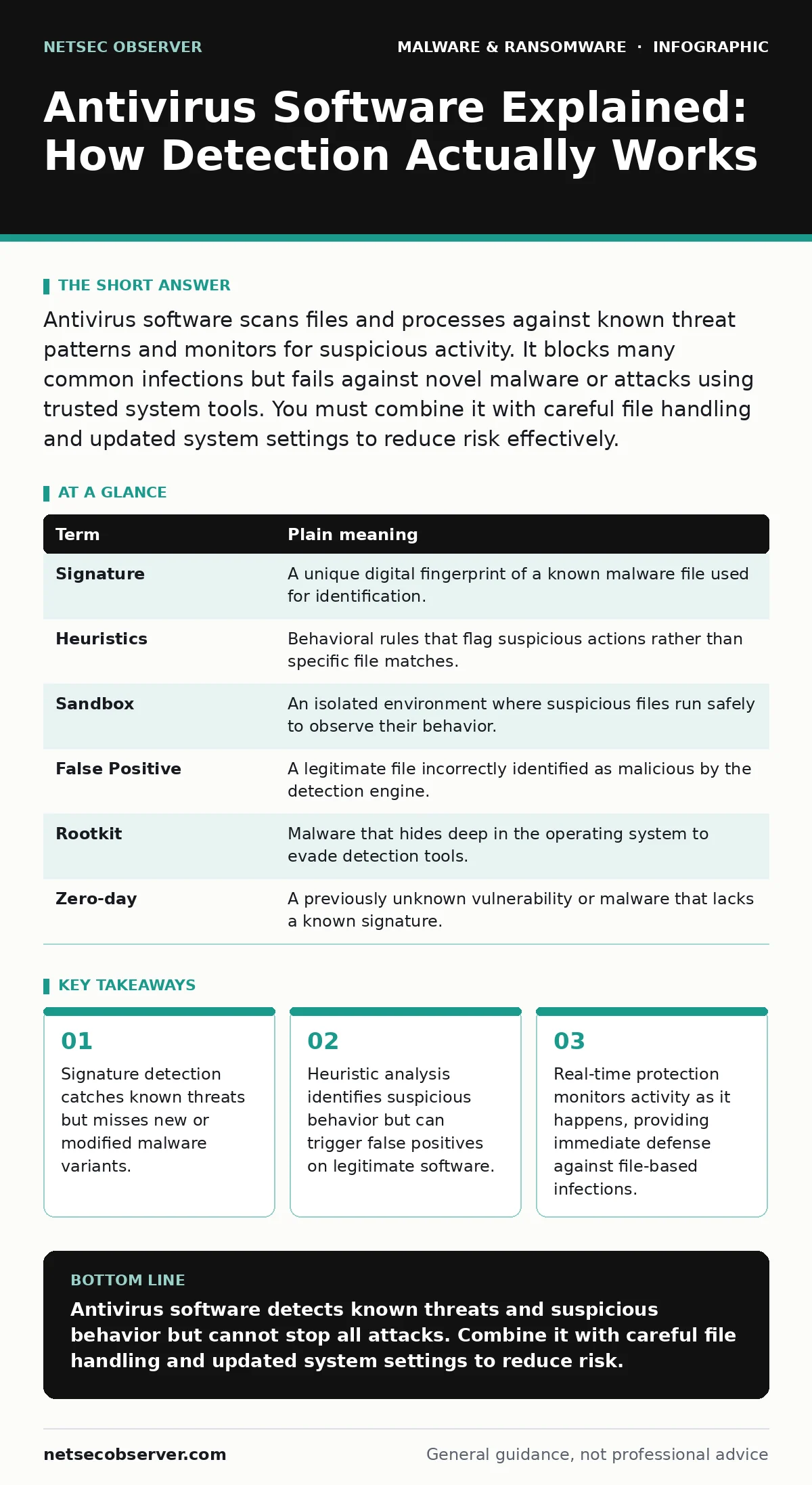
Antivirus software scans files and processes against known threat patterns and monitors for suspicious activity. It blocks many common infections but fails against novel malware or attacks using trusted system tools. You must combine it with careful file handling and updated system settings to reduce risk effectively.
The Airport Security Analogy
Imagine your computer is an international airport. Antivirus software acts as the security checkpoint. Known criminals have their photos on a wanted list. Security officers compare every passenger against this list. If a match appears, the officer stops the person. This is how signature-based detection works. It is fast and accurate for known threats. It fails when a new criminal changes their appearance or uses a fake passport. The system only recognizes what it has already seen.
Key Terms for Detection
Understanding the mechanics requires knowing the vocabulary. These terms define how the software interacts with your system.
| Term | Plain meaning |
|---|---|
| Signature | A unique digital fingerprint of a known malware file used for identification. |
| Heuristics | Behavioral rules that flag suspicious actions rather than specific file matches. |
| Sandbox | An isolated environment where suspicious files run safely to observe their behavior. |
| False Positive | A legitimate file incorrectly identified as malicious by the detection engine. |
| Rootkit | Malware that hides deep in the operating system to evade detection tools. |
| Zero-day | A previously unknown vulnerability or malware that lacks a known signature. |
Signature Matching Limitations
Signature matching compares files against a database of known threats. This method is reliable for widespread malware. It consumes minimal system resources during scans. The limitation is obvious. New malware has no signature. Attackers modify code slightly to create new variants. This breaks the signature match. You are vulnerable until the vendor updates the database. This delay creates a window of exposure. Real-time protection reduces this window by scanning files as they are accessed. It does not eliminate the risk of novel attacks.
Behavioral Analysis and Heuristics
Heuristic analysis looks at what a program does, not what it is. Imagine a passenger who acts nervously but has no wanted photo. Security might detain them for observation. Antivirus software uses similar logic. It watches for actions like encrypting files or modifying system registries. This catches new malware that behaves like known threats. The trade-off is accuracy. Legitimate software sometimes performs aggressive actions. Backup tools might lock files. Installers might modify system settings. These actions can trigger alerts. This is a false positive. You must investigate these alerts carefully before deleting files.
The Hidden Cost of Monitoring
Continuous monitoring requires system resources. The antivirus engine runs in the background. It intercepts file operations and network requests. This adds latency. You may notice slower file transfers or application launches. The cost is higher on older hardware. You face a trade-off between security and performance. Disabling real-time scanning improves speed but removes immediate protection. Imagine leaving the airport gates open for faster entry. The throughput increases, but so does the risk. You must balance these needs. Adjust scan schedules to off-peak hours. Exclude trusted directories from deep scans to reduce overhead.
See also: XDR Misconceptions: Why Extended Detection and Response Fails Without Context · Malicious Documents: 7 Setup Mistakes That Open You to Exploits
Handling Malicious Documents
Many infections start with files you open voluntarily. Malicious documents often contain scripts or macros that execute code. Antivirus software scans the file before you open it. It may detect known malicious patterns. It cannot always predict the intent of a new document. You must configure macro security settings to block automatic execution. This stops many document-based attacks. The antivirus catches the file; your settings stop the code. Both layers are necessary. Relying on antivirus alone is insufficient against sophisticated document attacks.
When Antivirus Fails
Antivirus software is not a shield against all threats. It struggles with malvertising, where malicious code is injected into legitimate ad networks. The code arrives from trusted sources, bypassing reputation checks. It also fails against SEO poisoning, where search results lead to compromised sites. The site looks legitimate, but the content is harmful. Additionally, memory-based attacks reside only in RAM. They leave no file on disk. Traditional scanners miss them. Memory forensics is required to detect these threats. Standard antivirus cannot see what is not written to storage.
Try This Now
- Check your antivirus settings to ensure real-time protection is enabled. This monitors activity as it happens.
- Review your exclusion lists. Remove any folders you added for performance gains unless they contain trusted, static data.
- Test your configuration by running a manual scan of your downloads folder. This catches files that arrived while protection was off or paused.
Beyond Basic Protection
Antivirus is a baseline, not a complete solution. You need layered defenses. Ransomware recovery plans ensure you can restore data if encryption occurs. Malware analysis helps understand new threats in your environment. These practices complement antivirus tools. They address failures that software alone cannot prevent. Security is a process, not a product. You must maintain multiple layers of defense. Each layer covers the weaknesses of the others. This approach reduces the chance of a total breach.
Key takeaways
- Signature detection catches known threats but misses new or modified malware variants.
- Heuristic analysis identifies suspicious behavior but can trigger false positives on legitimate software.
- Real-time protection monitors activity as it happens, providing immediate defense against file-based infections.
Antivirus software detects known threats and suspicious behavior but cannot stop all attacks. Combine it with careful file handling and updated system settings to reduce risk.
Frequently asked questions
Does antivirus slow down my computer?
Yes, real-time monitoring uses CPU and disk resources. The impact varies by hardware and software efficiency. You can adjust scan schedules to minimize performance hits during heavy workloads.
Can antivirus detect ransomware?
It can detect known ransomware strains via signatures. It may also block encryption behaviors via heuristics. However, new ransomware variants often evade initial detection. You need backups and **ransomware recovery plans** for true protection.
Is cloud-based antivirus better?
Cloud-based solutions update signatures instantly and use less local storage. They rely on internet connectivity. If your connection drops, protection may degrade. Local agents provide offline defense but update less frequently.
Do I need antivirus if I use a firewall?
Yes, firewalls control network traffic, while antivirus scans files and processes. They protect different layers. A firewall blocks external connections, but it cannot stop malware you download voluntarily or execute from a USB drive.
How this guide was produced: written by the NetSec Observer editorial team with AI assistance, checked against the public references listed below, and reviewed when the facts change. See our editorial policy or report an error.