Adversary-in-the-Middle Phishing: 7 Mistakes Leaving You Exposed
Attackers often use browser automation to steal session cookies, bypassing multi-factor authentication entirely by hijacking your active login state.
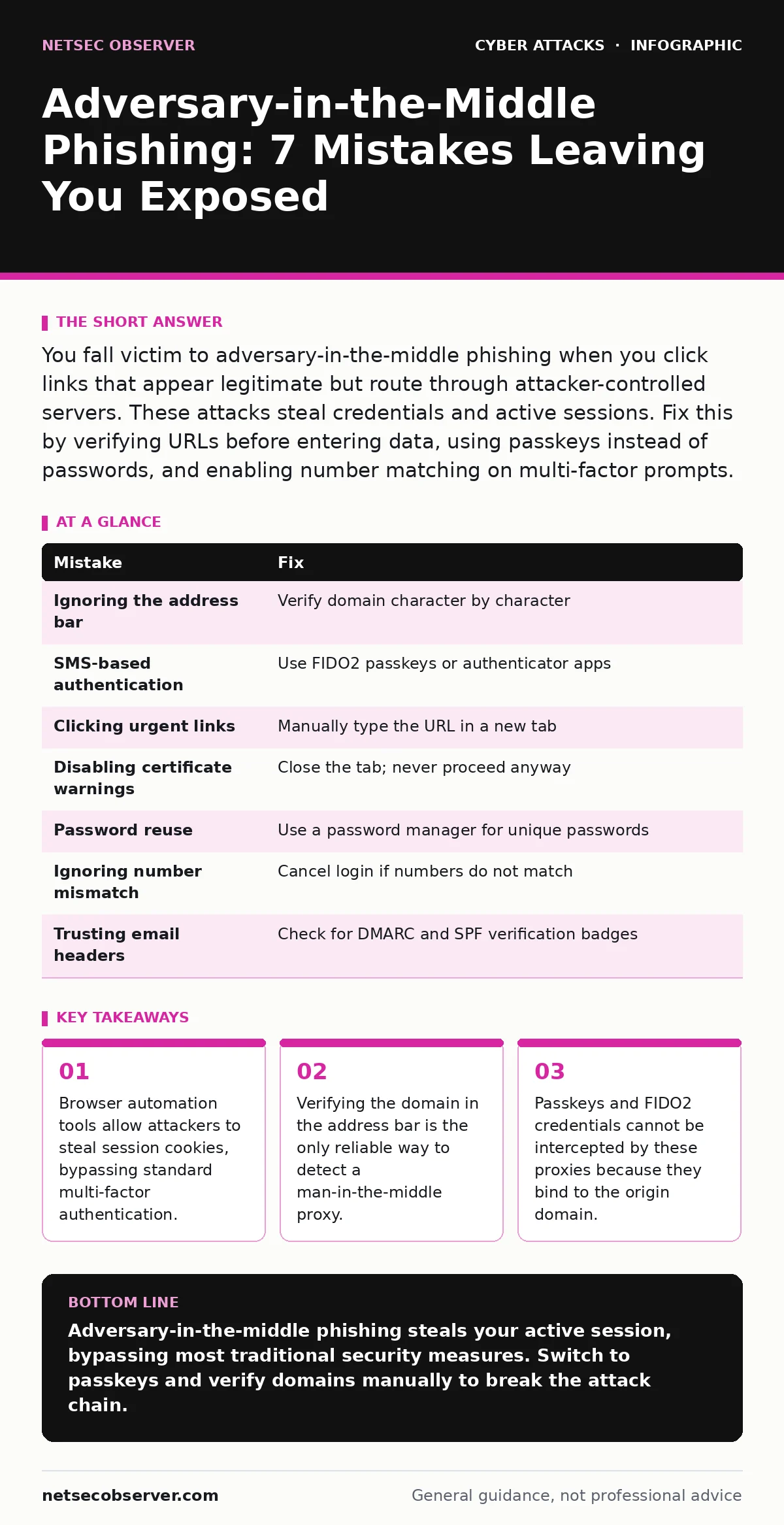
You fall victim to adversary-in-the-middle phishing when you click links that appear legitimate but route through attacker-controlled servers. These attacks steal credentials and active sessions. Fix this by verifying URLs before entering data, using passkeys instead of passwords, and enabling number matching on multi-factor prompts.
Mistake 1: Ignoring the Address Bar During Login
You trust the visual design of the login page but skip checking the URL bar. The page looks identical to the real service, including logos and layout, but the domain name is slightly different or entirely fake. Adversary-in-the-middle proxies serve these pages from their own servers. The browser sends your keystrokes directly to the attacker.
Why it hurts: The attacker captures your username and password in real time. They also capture the session tokens the server issues after login. With those tokens, they can access your account immediately without needing your password again. Multi-factor authentication does not stop this if the proxy relays the challenge to the real site and back to you.
The fix: Always hover over links before clicking and inspect the destination URL. If you type a URL, verify the domain character by character. Use bookmarks for frequent logins to avoid typosquatting errors. Treat every login page as suspicious until you confirm the domain matches the official service exactly.
Mistake 2: Using Standard Passwords with SMS Authentication
You rely on a password combined with a one-time code sent to your phone via SMS. This setup assumes that proving possession of your phone proves your identity. Adversary-in-the-middle proxies can intercept the SMS code if they control the network path, or more commonly, they use browser automation to relay the code from your screen to the real server instantly. You see a prompt, enter the code, and the attacker enters it on the real site simultaneously.
Why it hurts: The attacker gains full account access. Your multi-factor authentication becomes a relayed credential rather than a security barrier. The session cookie generated after this successful login is stolen. The attacker now has a persistent session that survives password changes. This is a primary vector for account takeover.
The fix: Replace SMS-based authentication with an authenticator app that generates time-based one-time passwords. Even better, switch to FIDO2 passkeys. Passkeys are cryptographic keys stored on your device. They cannot be phished because the browser binds the key to the specific domain. If the domain is wrong, the passkey will not load.
Mistake 3: Clicking Links in Urgent Email Notifications
You receive an email claiming your account is locked or a payment failed. The email creates a sense of urgency. You click the "Verify Now" button. The link leads to a proxy server that looks like the real service. You log in to resolve the issue. The proxy captures your credentials and session tokens while pretending to help you.
Why it hurts: Urgency bypasses your critical thinking. You do not check the sender address or the link destination. The attacker gains immediate access. This technique is often combined with brand impersonation to increase trust. The damage occurs before you realize the page is fake.
The fix: Never click links in emails that demand immediate action. Open a new browser tab and type the service address manually. Log in through that direct path. Check for alerts there. If the alert is not present, the email is a phishing attempt. Delete the message. This simple habit blocks the initial entry point.
Mistake 4: Disabling Browser Security Warnings
You see a warning that the site certificate is invalid or the connection is not secure. You click "Advanced" and then "Proceed Anyway" because you need to log in. The browser knows the certificate does not match the domain. The attacker is using a self-signed or misconfigured certificate to intercept traffic. By proceeding, you tell the browser to ignore the mismatch.
Why it hurts: You disable the browser's primary defense against man-in-the-middle attacks. The attacker can decrypt your traffic if they control the certificate. Your credentials are sent in plain text or to a malicious server. This mistake is common in corporate environments where internal sites have complex certificate configurations, but it is equally dangerous for public services.
The fix: Never bypass certificate warnings. If you see a warning, close the tab. Contact the service provider through a known good channel to report the issue. For internal tools, work with your IT team to properly configure certificate trust. Do not treat warnings as nuisances. They are critical alerts.
Mistake 5: Using the Same Password Across Multiple Services
You reuse a password for your email, banking, and social media. An adversary-in-the-middle attack captures your credentials on one low-security site. The attacker now has your username and password. They test these credentials on other services. If they match, they gain access to your entire digital life. This is called credential stuffing.
Why it hurts: One mistake leads to total compromise. The attacker does not need to phish you again. They use the stolen data to attack your other accounts. Email accounts are particularly valuable because they allow password resets for other services. This amplifies the impact of a single phishing click.
The fix: Use a unique password for every account. A password manager generates and stores these complex passwords. You only need to remember one master password. If one site is compromised, the others remain safe. This limits the blast radius of any single incident.
Mistake 6: Ignoring Number Mismatch on Authenticator Prompts
You use an authenticator app for multi-factor authentication. When you log in, your phone displays a number. The login page also displays a number. You assume the numbers match because you are in a hurry. They do not. The attacker is using a proxy to split the authentication flow. The real server asks for a code, but the proxy shows a different number to confuse you.
Why it hurts: You approve a login that did not originate from your device or session. The attacker can force a login attempt on the real server while showing you a fake prompt. If you enter the code, you may be approving the attacker's session. This technique exploits the user's assumption that the two numbers will always match.
The fix: Always check that the number on your phone matches the number on the screen. If they do not match, cancel the login. Close the browser tab. Do not enter the code. This simple check prevents many relay attacks. Configure your authenticator app to show these numbers if the service supports it.
Mistake 7: Trusting Email Headers Without Verification
You check the "From" address and see it looks correct. You trust that the email came from the official domain. Attackers can forge email headers to make the sender appear legitimate. They use IP spoofing to make the message seem like it originated from the correct server. The visual header is misleading.
Why it hurts: You proceed with the assumption that the email is genuine. You click the link or open the attachment. The adversary-in-the-middle attack begins. Header forgery is a low-effort technique for attackers. It relies on your trust in visual cues rather than cryptographic verification.
The fix: Do not rely on the "From" field alone. Check for DomainKeys Identified Mail, Domain-based Message Authentication, Reporting and Conformance, and Sender Policy Framework headers. These are technical checks that verify the email really came from the claimed domain. Most email clients show a verification badge if these checks pass. If they fail, treat the email as suspicious.
| Mistake | Fix |
|---|---|
| Ignoring the address bar | Verify domain character by character |
| SMS-based authentication | Use FIDO2 passkeys or authenticator apps |
| Clicking urgent links | Manually type the URL in a new tab |
| Disabling certificate warnings | Close the tab; never proceed anyway |
| Password reuse | Use a password manager for unique passwords |
| Ignoring number mismatch | Cancel login if numbers do not match |
| Trusting email headers | Check for DMARC and SPF verification badges |
Key takeaways
- Browser automation tools allow attackers to steal session cookies, bypassing standard multi-factor authentication.
- Verifying the domain in the address bar is the only reliable way to detect a man-in-the-middle proxy.
- Passkeys and FIDO2 credentials cannot be intercepted by these proxies because they bind to the origin domain.
Adversary-in-the-middle phishing steals your active session, bypassing most traditional security measures. Switch to passkeys and verify domains manually to break the attack chain.
Frequently asked questions
Can a VPN protect me from adversary-in-the-middle phishing?
No. A VPN encrypts traffic to the VPN server, but the phishing site still appears legitimate within that tunnel. The attacker controls the destination server, so the VPN cannot distinguish between real and fake sites.
How do I know if my authenticator app supports number matching?
Check the settings in your authenticator app. Look for options related to "display requestor info" or "show challenge number." If your service supports it, the app will show a number on the login screen.
Are passkeys available for all major services?
Many major services support FIDO2 passkeys, but not all. Check the security settings of your accounts. If passkeys are available, use them. If not, use an authenticator app with number matching as a strong alternative.
What should I do if I suspect a cyber incident response team is needed?
If you believe your account is compromised, change your password immediately from a clean device. Revoke active sessions. Contact the service provider's security team. Document the timeline of events for future reference.
How this guide was produced: written by the NetSec Observer editorial team with AI assistance, checked against the public references listed below, and reviewed when the facts change. See our editorial policy or report an error.