Detect Spear Phishing: Log Signals and Hidden Attack Vectors
Spear phishing hides in plain sight by mimicking trusted relationships, leaving traces only in metadata, authentication logs, and subtle behavioral shifts.
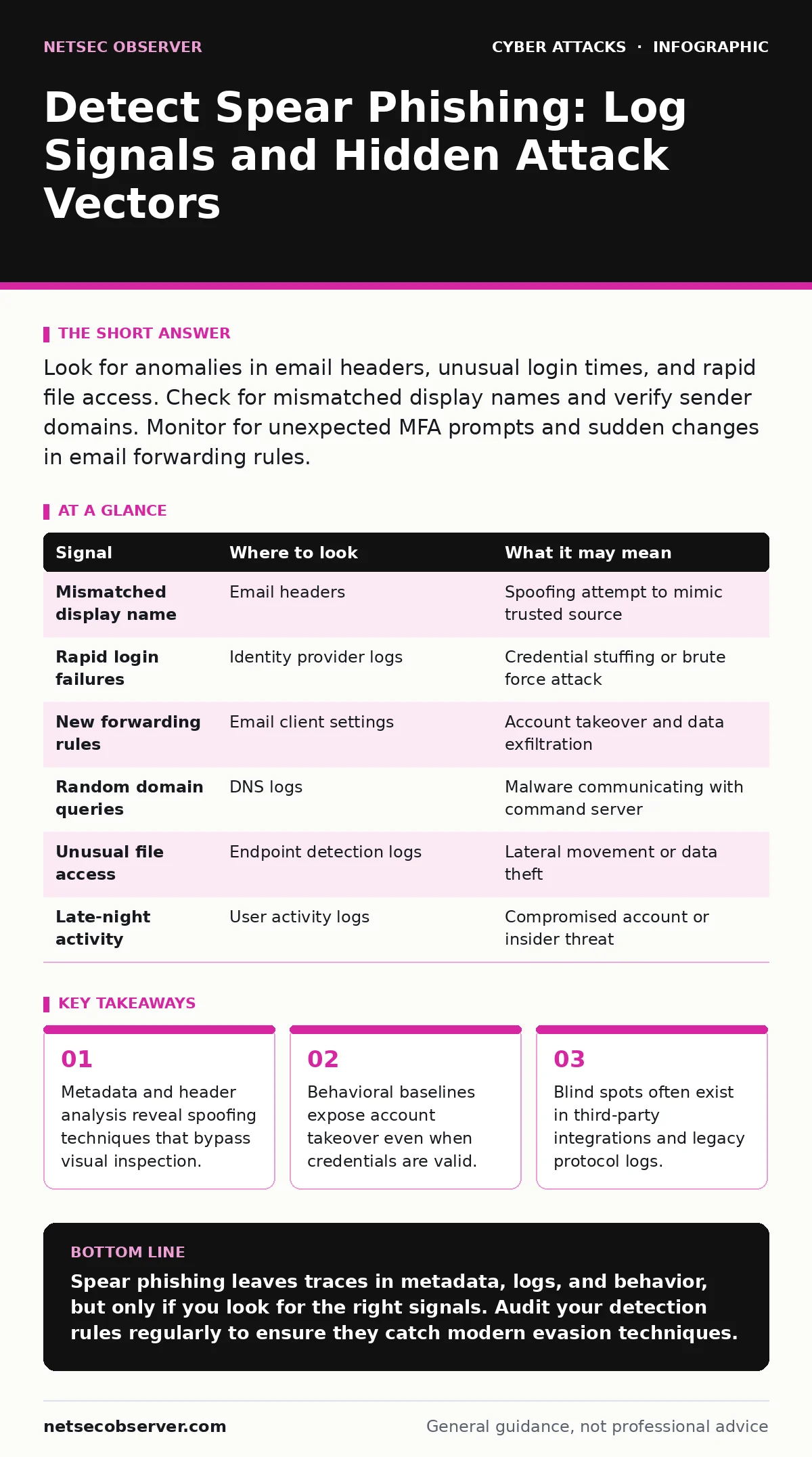
Look for anomalies in email headers, unusual login times, and rapid file access. Check for mismatched display names and verify sender domains. Monitor for unexpected MFA prompts and sudden changes in email forwarding rules.
Header Manipulation and Domain Spoofing
Attackers rarely use the exact email address of a trusted colleague. Instead, they manipulate how the message appears in your inbox. The display name might read "IT Support" while the actual sender address is a random string of characters. This technique relies on the recipient scanning the screen rather than reading the details.
You must examine the raw headers of suspicious messages. The "From" field is easily forged. The "Return-Path" and "Envelope-From" fields are harder to fake and often reveal the true origin. Look for discrepancies between the domain in the display name and the domain in the SMTP envelope. If they do not match, treat the message as hostile.
This method exploits trust in the organization's structure. It is a core component of vendor email compromise schemes where attackers pose as suppliers. Unlike mass spam, these messages are tailored to a specific role. They reference recent projects or pending invoices. The personalization increases the likelihood of a click.
Authentication Anomalies and MFA Bypass
Once the lure is clicked, the attacker seeks credentials. They often use a phishing page that looks identical to your login portal. When you enter your password, the attacker captures it. They then attempt to log in immediately. This creates a spike in authentication events from unusual locations.
Monitor your identity provider logs for failed login attempts followed by a successful one. A rapid sequence of failures from a new IP address, succeeded by a success, is a strong indicator of credential stuffing. The attacker is trying a stolen password. If the password works, they are in.
Many organizations rely on multi-factor authentication to stop this. However, MFA fatigue attacks exploit this trust. The attacker triggers repeated approval requests on the victim's phone. The user, annoyed by the noise, eventually approves one. The attacker then logs in with valid credentials and a valid second factor. Look for MFA prompts originating from geographic locations inconsistent with the user's history.
Email Client Rule Manipulation
A successful login allows the attacker to take control of the mailbox. They do not always send messages immediately. First, they hide their activity. They create inbox rules that delete incoming messages from security alerts or redirect replies to an external account. This ensures you do not see warnings about the breach.
Check for new forwarding rules or server-side filters. These rules often have generic names like "Archive" or "Sort". Examine the creation time of these rules. If a rule was created minutes after a login from a new device, investigate the login. Remove the rule and restore any deleted messages.
This step is critical because it cuts off your visibility. The attacker wants to operate in the shadows. They may also change the recovery email address for the account. This locks you out if you try to reset the password. Always audit account settings changes alongside login events.
Document Metadata and Macro Execution
The attachment is often a document that looks like a standard report. It may be a PDF or a Word file. The danger lies in what is hidden inside. Macros are scripts embedded in the file that run automatically. They can download malware or exfiltrate data.
Even if macros are disabled, the document itself can be dangerous. Callback phishing involves sending a harmless file that contains a hidden link. When the file is opened, it contacts a command-and-control server. This call home identifies the victim as active. The attacker then sends the real payload.
Inspect the file properties for metadata. Look for author names that do not match the sender. Check the creation date. If the date is in the future or far in the past, be suspicious. Use a sandboxed environment to open attachments. Never open files on the workstation that accesses sensitive data.
Network Traffic and DNS Queries
Malware needs to communicate with its controller. It does this by making DNS queries to unique domains. These domains are often generated algorithmically. They look like random strings of letters and numbers. This is known as domain generation algorithms.
Monitor your DNS logs for queries to new or rare domains. Look for high entropy in the domain name. High entropy means the name is random and unpredictable. Legitimate websites have readable names. If your server suddenly queries many random-looking domains, you likely have malware.
This traffic is often encrypted using HTTPS. You cannot see the content of the request. However, you can see the destination. Use SSL inspection to decrypt traffic where legally and ethically permitted. This allows you to see the full URL. Without this, you are blind to the actual payload.
See also: Security Telemetry Explained: How to Turn Raw Data into Actionable Insight · Detect SEO Poisoning: Log Signals and Hidden Attack Paths
Behavioral Deviations in User Activity
Humans have patterns. You log in at certain times. You access specific folders. You send emails to a defined group of contacts. An attacker does not know these patterns. They act differently. They download large amounts of data. They send emails to external addresses.
Set baselines for normal user behavior. Use user and entity behavior analytics to detect deviations. If a finance employee suddenly accesses HR files, flag it. If a user sends an email at 3 AM, investigate. Context matters. A travel schedule explains late-night activity. A new hire explains unfamiliar file access.
This approach catches insider threats as well as external attackers. It is not about blocking everything. It is about understanding what is normal. When something breaks that pattern, you need to verify it. A simple phone call to the user can stop a breach.
Common Blind Spots in Detection
Most teams focus on email gateways and endpoint protection. They miss the gaps between these tools. Third-party applications often have weaker security. An attacker may compromise a cloud storage account instead of email. They then use that access to move laterally.
Another blind spot is legacy systems. Old protocols may not log detailed activity. If your organization uses older file servers or databases, ensure they are monitored. Attackers target these systems because they are less likely to be scrutinized.
Finally, human error is a factor. Security alerts are often ignored if they are noisy. Tune your alerts to reduce false positives. If your team sees ten alerts a day, they will stop looking. Focus on high-fidelity signals. Quality matters more than quantity.
| Signal | Where to look | What it may mean |
|---|---|---|
| Mismatched display name | Email headers | Spoofing attempt to mimic trusted source |
| Rapid login failures | Identity provider logs | Credential stuffing or brute force attack |
| New forwarding rules | Email client settings | Account takeover and data exfiltration |
| Random domain queries | DNS logs | Malware communicating with command server |
| Unusual file access | Endpoint detection logs | Lateral movement or data theft |
| Late-night activity | User activity logs | Compromised account or insider threat |
Integrating Detection with Response
Detection is useless without response. When you spot a signal, you must act. Isolate the affected machine. Reset the compromised credentials. Review all actions taken by the attacker. Document the incident.
This process should be automated where possible. Use orchestration tools to trigger isolation when a threat is confirmed. However, keep a human in the loop for verification. False positives can disrupt business operations. Balance speed with accuracy.
Regularly test your detection rules. Simulate attacks to see if your tools catch them. This is known as purple teaming. It helps you find gaps before real attackers do. Continuous improvement is the only way to stay ahead.
Key takeaways
- Metadata and header analysis reveal spoofing techniques that bypass visual inspection.
- Behavioral baselines expose account takeover even when credentials are valid.
- Blind spots often exist in third-party integrations and legacy protocol logs.
Spear phishing leaves traces in metadata, logs, and behavior, but only if you look for the right signals. Audit your detection rules regularly to ensure they catch modern evasion techniques.
Frequently asked questions
How do I distinguish between a legitimate urgent request and a spear phishing email?
Check the sender's actual email address and domain. Verify the request through a separate communication channel like a phone call or instant message.
Can email filters stop all spear phishing attempts?
No. Filters rely on known threats and patterns. Sophisticated attackers use clean infrastructure and personalized content that bypasses automated filters.
What is the role of DNS logs in detecting phishing?
DNS logs show which domains your devices are contacting. Malware often queries unique, random domains to receive commands, which appears as anomalous DNS traffic.
Should I disable macros completely?
Disabling macros reduces risk significantly. However, some business applications require them. If you must enable them, do so only in a controlled, sandboxed environment.
How this guide was produced: written by the NetSec Observer editorial team with AI assistance, checked against the public references listed below, and reviewed when the facts change. See our editorial policy or report an error.