
Zero-Click Exploits: How Silent Attacks Bypass Your Defenses
Zero-click exploits compromise devices without user interaction, making traditional security warnings and training ineffective against silent data theft.
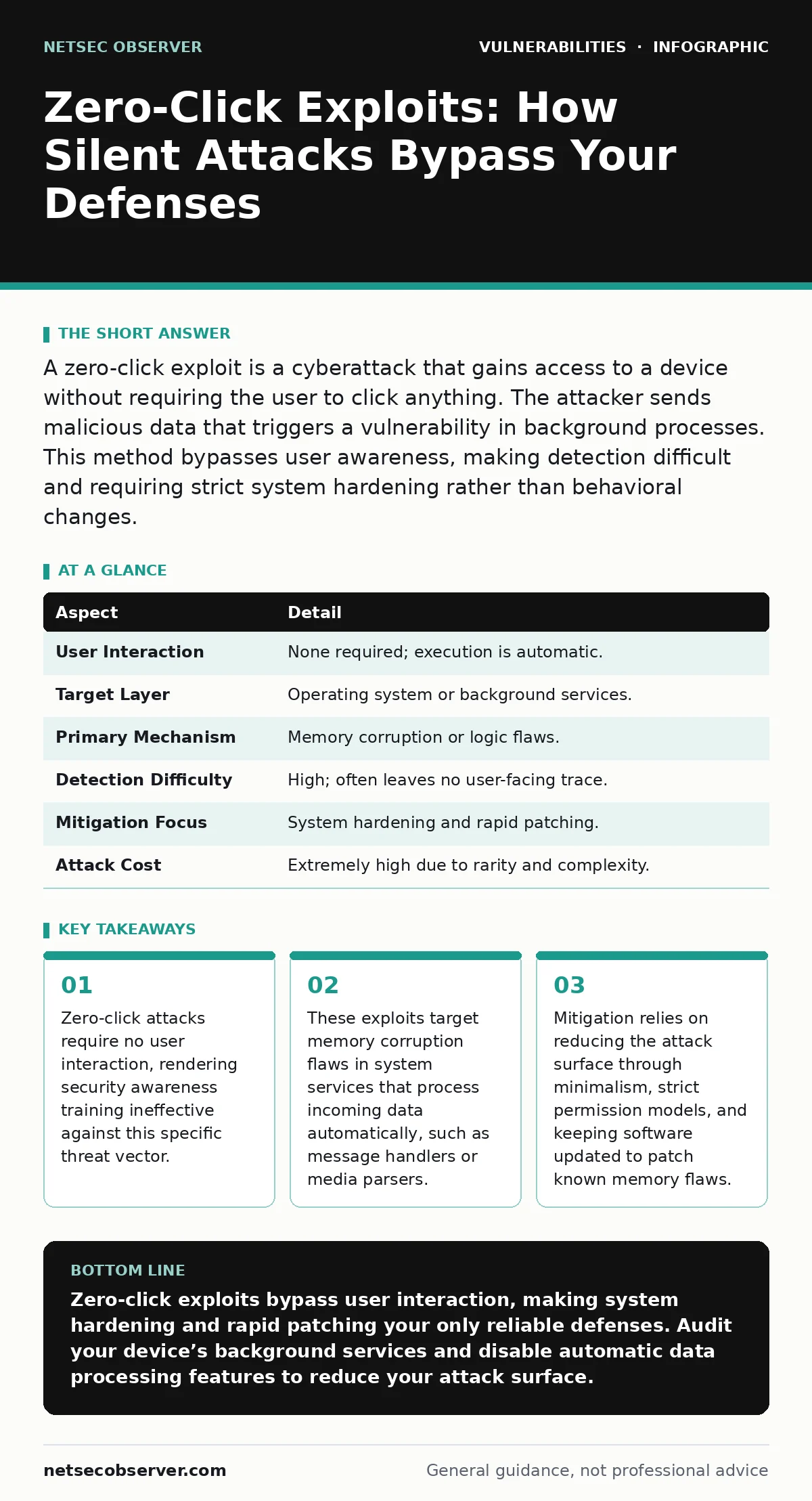
A zero-click exploit is a cyberattack that gains access to a device without requiring the user to click anything. The attacker sends malicious data that triggers a vulnerability in background processes. This method bypasses user awareness, making detection difficult and requiring strict system hardening rather than behavioral changes.
The Silent Intruder Analogy
Imagine a mailroom clerk who opens every envelope without checking the sender. If a criminal hides a key inside a harmless-looking letter, the clerk unlocks the vault automatically. The clerk never clicked a button or answered a phone call. The system designed the workflow to be fast and automatic. That speed becomes the weakness. A zero-click exploit works exactly like that hidden key. It relies on the device’s willingness to process data instantly and silently.
What Is a Zero-Click Exploit?
A zero-click exploit is a software attack that compromises a system without any action from the user. The term “zero-click” refers to the number of interactions required. Traditional attacks often need a user to open a file, visit a website, or reply to a message. This method skips that step entirely. The malicious code executes because the operating system or an application processes incoming data in the background. The victim remains unaware until the attacker has already stolen data or installed persistent access.
| Aspect | Detail |
|---|---|
| User Interaction | None required; execution is automatic. |
| Target Layer | Operating system or background services. |
| Primary Mechanism | Memory corruption or logic flaws. |
| Detection Difficulty | High; often leaves no user-facing trace. |
| Mitigation Focus | System hardening and rapid patching. |
| Attack Cost | Extremely high due to rarity and complexity. |
How the Attack Mechanism Works
The attacker crafts a specially formatted data packet. This packet looks like normal information to the receiving system. It might be a text message, a contact card, or a media file. The target device receives this data and passes it to a service that processes such content. This service often runs with high privileges. When the service parses the data, it encounters a flaw in how it handles memory. The malformed data overwrites critical memory addresses. This allows the attacker to run their own code. The code executes in the background, often before the user even looks at the screen.
Who Is Affected by These Attacks?
Zero-click exploits are expensive to develop. They require deep knowledge of specific software versions and hardware architectures. Because of this cost, attackers usually target high-value individuals. These targets include journalists, government officials, and corporate executives. The goal is often espionage or data theft rather than mass disruption. However, the underlying vulnerabilities exist in software used by everyone. If a flaw is found in a popular operating system, anyone using that system is technically vulnerable. The likelihood of being targeted depends on your value to the attacker, not just your software version.
Common Forms and Entry Points
Attackers exploit services that run continuously and process external input. Messaging applications are a common target because they handle rich media and text. These apps often run background services to sync messages. Another common entry point is media codecs. These components decode video and audio streams. If a codec has a memory management flaw, a malicious video file can trigger an exploit. Network stack vulnerabilities are also used. These allow attackers to send malformed network packets that crash or hijack the system’s networking software. The common thread is automatic processing of untrusted data.
What People Usually Get Wrong
Many users believe that ignoring unknown messages prevents these attacks. This is incorrect for zero-click exploits. The damage occurs during the background processing of the data, not when you read it. Another misconception is that antivirus software stops these attacks. Traditional antivirus relies on known signatures of malicious files. Zero-click exploits often use unique, custom-written code that has never been seen before. Signature-based detection fails here. The protection must come from the system’s architecture, not just the security tool.
Reducing the Risk Effectively
You cannot stop a zero-click exploit by changing your behavior alone. You must change your system’s configuration. The first step is to minimize the attack surface. Disable services you do not use. Turn off automatic downloads for media files. Use an operating system that enforces strict memory safety. Modern memory-safe languages and hardware features make memory corruption harder. Keep your software updated. Developers patch these vulnerabilities as soon as they are found. Delaying updates leaves the door open for known exploits.
Consider your exposure management. If you are a high-value target, you should assume your devices are compromised. Use separate devices for sensitive work. Encrypt your data at rest. This ensures that even if an attacker gains access, they cannot read your files without the decryption keys. Review your application permissions. Grant only the minimum access required. If a messaging app does not need access to your microphone, deny it. This limits what an attacker can do even if they breach the app.
The Role of Secure Development
Developers must build software that resists these attacks. This requires rigorous code review and automated testing. Techniques like fuzzing help find memory corruption flaws before release. Fuzzing involves feeding random or malformed data into the software to see if it crashes. If it crashes, a vulnerability likely exists. Developers should also adopt memory-safe programming languages. These languages prevent common memory errors by design. While this requires a shift in development practices, it significantly reduces the risk of zero-click vulnerabilities.
Understanding the Trade-offs
Security often conflicts with convenience. Features like automatic media loading make apps feel faster and more responsive. Disabling these features improves security but may degrade the user experience. You must decide how much convenience you are willing to sacrifice. For most users, the risk of a targeted zero-click attack is low. For others, the risk is unacceptable. There is no one-size-fits-all solution. You must balance your threat model with your usability needs.
Related Security Concepts
Zero-click exploits are just one type of vulnerability. Understanding related issues helps you build a broader security mindset. For instance, broken access control allows attackers to access data they should not see. This is different from zero-click, which is about bypassing execution controls. Similarly, command injection allows attackers to run system commands through a vulnerable application. While command injection often requires user input, zero-click exploits rely on background processing.
Another related topic is exposure management. This involves identifying all the ways an attacker can reach your system. By mapping your digital footprint, you can reduce the number of entry points. If you have fewer exposed services, you have fewer targets for zero-click attacks. Additionally, hardcoded secrets in source code can provide attackers with the keys they need once they gain access. Ensuring your secrets are properly managed limits the damage of a successful breach.
The Future of Defense
Defense against zero-click exploits is an ongoing battle. As attackers find new ways to bypass security, developers must find new ways to protect systems. Hardware-based security features are becoming more common. These features provide protections that software alone cannot. For example, hardware-enforced memory isolation can prevent code from accessing areas it should not touch. Operating systems are also moving toward stricter sandboxing. This limits what an application can do, even if it is compromised.
You must stay informed about new vulnerabilities. Security news often highlights new zero-click threats. While you should not panic, you should be aware. Applying updates promptly is your best defense. Understanding how these attacks work helps you appreciate the value of good software design. It also helps you make informed decisions about your own security settings.
Key takeaways
- Zero-click attacks require no user interaction, rendering security awareness training ineffective against this specific threat vector.
- These exploits target memory corruption flaws in system services that process incoming data automatically, such as message handlers or media parsers.
- Mitigation relies on reducing the attack surface through minimalism, strict permission models, and keeping software updated to patch known memory flaws.
Zero-click exploits bypass user interaction, making system hardening and rapid patching your only reliable defenses. Audit your device’s background services and disable automatic data processing features to reduce your attack surface.
Frequently asked questions
Can a firewall stop a zero-click exploit?
A firewall controls network traffic, but zero-click exploits often use allowed ports and protocols. The malicious data looks like legitimate traffic, so a standard firewall will let it through.
Do zero-click exploits work on all devices?
They target specific software vulnerabilities. If your device does not have the vulnerable software or has already patched the flaw, the exploit will not work.
Is encryption enough to protect against zero-click attacks?
Encryption protects your data if it is stolen, but it does not prevent the attacker from gaining access to your device in the first place. You need layered defenses.
How do I know if I have been targeted?
Zero-click attacks are designed to be silent. You may not notice anything unusual. Look for unexpected battery drain, unusual network activity, or apps behaving strangely.
How this guide was produced: written by the NetSec Observer editorial team with AI assistance, checked against the public references listed below, and reviewed when the facts change. See our editorial policy or report an error.