What Is Port Scanning: How Attackers Map Your Network
Port scanning reveals which services run on your network, allowing attackers to target specific software vulnerabilities instead of guessing blindly.
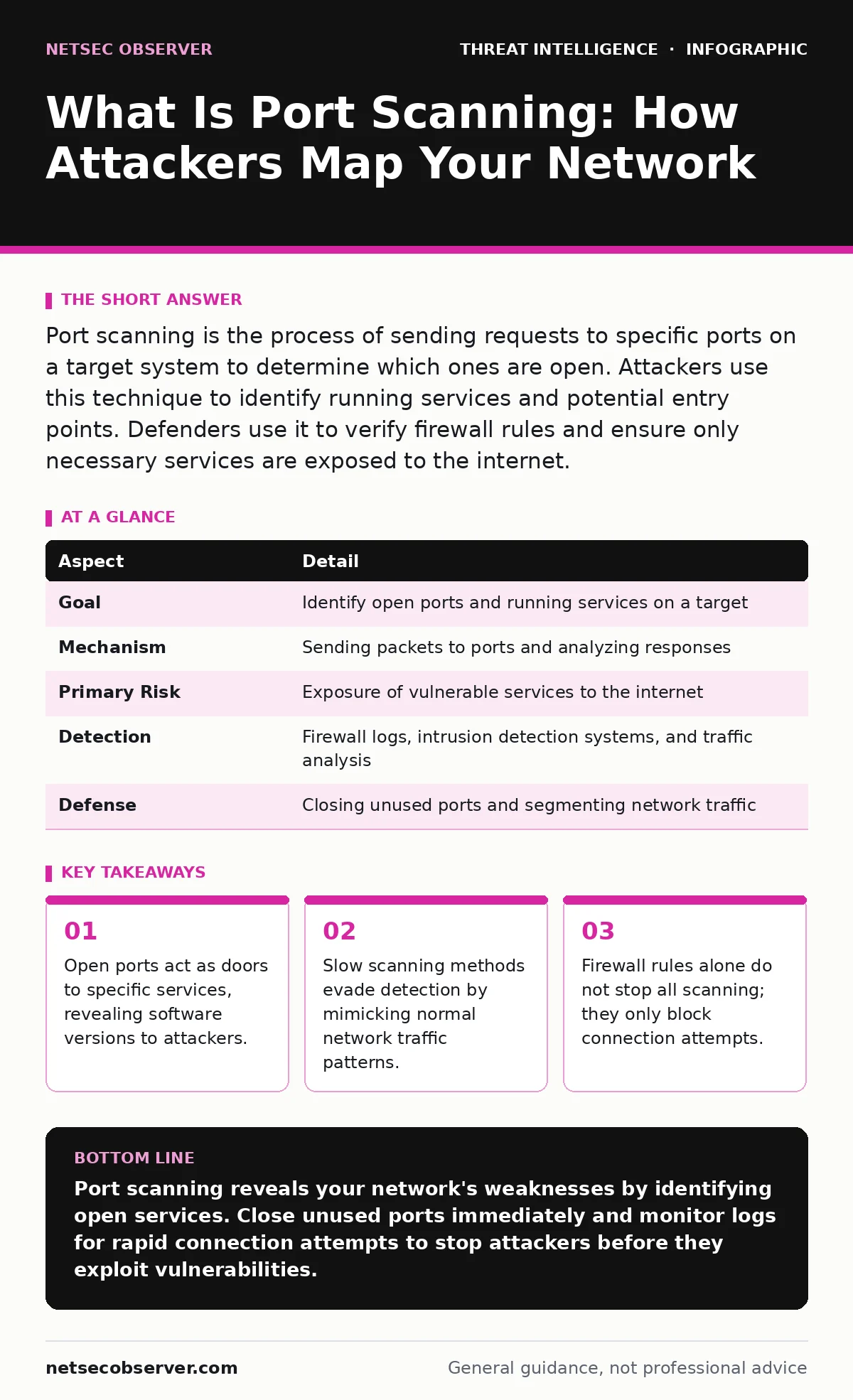
Port scanning is the process of sending requests to specific ports on a target system to determine which ones are open. Attackers use this technique to identify running services and potential entry points. Defenders use it to verify firewall rules and ensure only necessary services are exposed to the internet.
Why Networks Need Port Mapping
Imagine walking past a large office building with 100 doors. Most are locked and lead to empty rooms. A few lead to the lobby, the server room, or the manager’s office. Port scanning is the act of trying every door handle to see which ones open.
What is port scanning? It is a method used to discover active services on a computer or network device. Each service, such as a web server or email handler, listens on a specific numbered port. When a port is open, it means a service is ready to accept connections. When it is closed, the service is not running or is blocked by a firewall.
Attackers perform this task to build a map of your infrastructure. They do not want to guess randomly. They want to know exactly which software you are running. This knowledge allows them to select exploits that match your specific environment.
At a Glance
| Aspect | Detail |
|---|---|
| Goal | Identify open ports and running services on a target |
| Mechanism | Sending packets to ports and analyzing responses |
| Primary Risk | Exposure of vulnerable services to the internet |
| Detection | Firewall logs, intrusion detection systems, and traffic analysis |
| Defense | Closing unused ports and segmenting network traffic |
How Port Scanning Works Technically
A computer uses the Transmission Control Protocol (TCP) or User Datagram Protocol (UDP) to communicate. TCP requires a handshake to establish a connection. UDP sends data without confirming receipt. Scanners exploit these protocols to probe targets.
The most common method is the TCP SYN scan. The scanner sends a SYN packet, the first step in a TCP handshake. If the port is open, the target replies with a SYN-ACK. If closed, it replies with a RST packet. The scanner records these responses but never completes the handshake. This makes the scan faster and less likely to be logged by application layers.
UDP scanning is slower and noisier. Because UDP does not require a handshake, the scanner must wait for a response or an error message. If no response comes, the scanner assumes the port is open or filtered. This uncertainty makes UDP scanning difficult to interpret accurately.
Who Performs Port Scans
You might assume only malicious actors scan networks. This is incorrect. Legitimate administrators scan their own networks regularly. They verify that firewalls are working correctly. They ensure that new services are accessible to users but hidden from the public internet.
Security researchers and bug bounty hunters also scan networks. They look for misconfigurations that could harm the organization. They report these findings to help patch vulnerabilities. However, their methods can sometimes trigger false alarms in security tools.
Malicious actors use scanning for initial reconnaissance. They look for low-hanging fruit. An open database port on the public internet is a high-value target. Attackers prioritize ports that are commonly associated with vulnerable software. They ignore ports that are closed or filtered, saving time and resources.
What People Usually Get Wrong
Many defenders believe that if a port is closed, they are safe. This view ignores the information leaked by the closure itself. A RST packet tells the scanner the port exists but is not accepting connections. This confirms the host is alive.
Another common error is assuming stealthy scans are undetectable. Slow scans that send one packet every few minutes mimic human behavior. They avoid triggering rate-limiting rules. However, they leave a trail in firewall logs. Aggregating these logs over time reveals the pattern.
See also: Respond to Attacker Reconnaissance: Stop the Scan Before Breach · BGP Hijacking: How Route Manipulation Steals Internet Traffic
Defending Against Port Scans
The best defense is to reduce your attack surface. Close every port that is not required for business operations. If you do not run a file transfer service, block port 21. If you do not host a mail server, block port 25.
Firewalls are the first line of defense. Configure them to drop packets rather than reject them. A dropped packet provides no response. The scanner must wait for a timeout, which slows down the scan significantly. This technique is called port knocking or stealth filtering.
Intrusion Detection Systems (IDS) can alert you to scanning activity. They analyze traffic patterns for signs of probes. However, IDS tools can generate false positives. Normal network maintenance might look like a scan. You must tune these tools to your specific environment.
The Hidden Cost of Open Ports
Every open port is a potential entry point. It is not just about the port being open. It is about the software listening on that port. Older versions of software often have known vulnerabilities. Attackers use tools to fingerprint these versions.
When a scanner identifies a specific version of Apache or Nginx, it can search for public exploits. This is where open-source intelligence (OSINT) plays a role. Attackers correlate public data with their scan results. They find configuration details that you forgot to remove from public forums or documentation.
Closing ports reduces this risk. It does not eliminate it. If an attacker finds one open port with a vulnerable service, they may gain access. From there, they can pivot to other parts of your network. This is why defense in depth is necessary.
Advanced Detection Techniques
Standard firewalls log connections. They do not always log the content of the packets. Intrusion Prevention Systems (IPS) can inspect packet headers. They can identify scanning signatures and block the source IP address.
However, attackers use distributed scanning. They use thousands of compromised devices to scan a single target. This makes IP blocking ineffective. The volume of traffic is too high. You must look for behavioral anomalies.
User and entity behavior analytics (UEBA) can help detect these anomalies. UEBA tools establish a baseline of normal network activity. If a single IP address probes hundreds of ports in a short time, the system flags it. This is more effective than static rules.
Integrating Intelligence into Defense
Scanning is just the first step. Attackers use the data to plan their next move. They look for indicators of attack (IoA) rather than just indicators of compromise (IoC). An IoA shows malicious behavior, such as rapid port probing. An IoC shows that a breach has occurred, such as a known malware signature.
By focusing on IoAs, you can stop an attack before it succeeds. You can block the scanner before it finds a vulnerability. This proactive approach requires good data collection. You must log all connection attempts, even failed ones.
Sigma rules can help you detect these patterns. Sigma is a generic signature format for intrusion detection systems. You can write rules to alert on specific scanning behaviors. These rules can be shared across different security platforms. This standardization improves your detection capabilities.
The Role of Automation
Manual scanning is tedious. Automated tools can scan thousands of ports in seconds. Attackers use these tools to maximize their efficiency. You should also use automation for defense.
Automated patching ensures that services on open ports are up to date. If a vulnerability is discovered, your system can patch it before an attacker exploits it. This reduces the window of opportunity.
Regular automated scans of your own network help you stay ahead. You can identify new open ports that were added by developers or administrators. This continuous verification keeps your attack surface small.
Key takeaways
- Open ports act as doors to specific services, revealing software versions to attackers.
- Slow scanning methods evade detection by mimicking normal network traffic patterns.
- Firewall rules alone do not stop all scanning; they only block connection attempts.
Port scanning reveals your network's weaknesses by identifying open services. Close unused ports immediately and monitor logs for rapid connection attempts to stop attackers before they exploit vulnerabilities.
Frequently asked questions
Is port scanning illegal?
Port scanning itself is not always illegal, but scanning a network without permission is unauthorized access in many jurisdictions. Always obtain written consent before scanning any system you do not own.
Can a firewall stop all port scans?
No. Firewalls can block connection attempts, but they cannot prevent a scanner from sending packets. You can slow down scans by dropping packets, but you cannot stop the attempt entirely.
How often should I scan my own network?
You should scan your network regularly, ideally after any configuration change. Automated tools can perform daily or weekly scans to ensure no new ports have been opened accidentally.
What is the difference between a port scan and a vulnerability scan?
A port scan only identifies open ports and services. A vulnerability scan goes further by testing those services for known weaknesses and misconfigurations.
How this guide was produced: written by the NetSec Observer editorial team with AI assistance, checked against the public references listed below, and reviewed when the facts change. See our editorial policy or report an error.